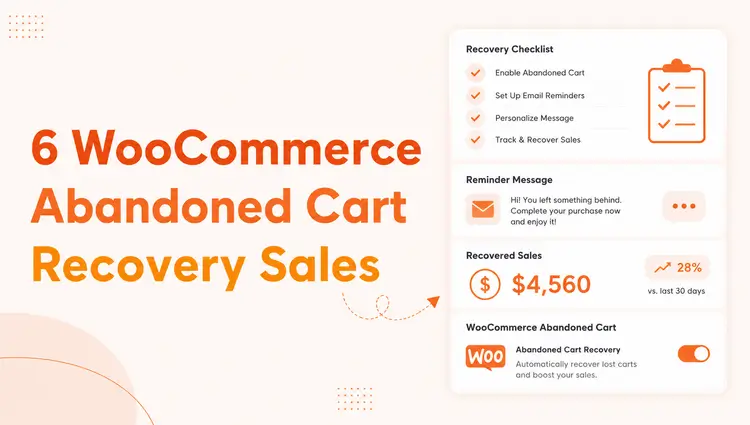
Do you know why so many WooCommerce shoppers add products to their cart but never check out?
Cart abandonment is one of the biggest challenges for online stores, with industry reports showing that around 70% of shopping carts are abandoned.
For WooCommerce merchants powering over 43% of global eCommerce sites, this translates to significant lost revenue every day.
The good news is that these lost sales are not gone forever. By applying proven strategies and using the right tools, you can effectively bring shoppers back and turn missed opportunities into conversions.
In this guide, we’ll share WooCommerce abandoned cart best practices that help reduce cart abandonment and recover lost sales.
From personalized follow-up emails to smart incentives and simplified checkout flows, each step is designed to maximize conversions.
Plus, we’ll show how the ShopLentor abandoned cart module makes recovery effortless with built-in automation and analytics.
ShopLentor- WooCommerce Builder for Elementor & Gutenberg
A versatile page builder to build modern and excellent online stores with more than 100k+ Active Installations.
Key Takeaway
- Understanding and applying WooCommerce abandoned cart best practices
- Using a reliable plugin like ShopLentor for recovery
- Crafting personalized follow-up emails to bring customers back
- Simplifying the checkout process to prevent drop-offs
- Offering discounts or free shipping to motivate purchases
- Tracking and optimizing strategies for long-term growth
Best Practices of WooCommerce Abandoned Cart
Recovering lost sales starts with a clear, actionable strategy. By following a set of WooCommerce abandoned cart best practices, store owners can minimize cart abandonment and increase conversions.
These practices combine smart automation, customer engagement, and a streamlined shopping experience. Below are the most effective methods to implement, each designed to help you win back potential customers and maximize revenue.
Use a Reliable Abandoned Cart Recovery Plugin
An effective recovery plugin is the backbone of any WooCommerce abandoned cart best practices strategy.
It automates email reminders, schedules follow-ups, and tracks recovered revenue so you don’t lose valuable time or sales. A well-chosen tool should let you customize reminder intervals, add incentives like coupons, and monitor performance with clear reports—all directly inside your WooCommerce dashboard.
If you’re looking for an example that covers these needs, ShopLentor’s abandoned cart module is worth exploring. It integrates seamlessly with WooCommerce, providing flexible scheduling, detailed analytics, and simple setup.
Whether you choose ShopLentor or another high-quality plugin, the key is to use a solution that combines automation and data-driven insights to bring customers back and recover lost revenue.
Send Personalized Follow-Up Emails
Timely, well-crafted emails remain one of the most effective WooCommerce abandoned cart best practices. Instead of generic reminders, personalize each message with the shopper’s name, product details, and a clear call to action.
Strategic timing, such as a first email within an hour and a second within 24 hours, can significantly improve recovery rates.
Adding a small incentive, like a limited-time discount or free shipping, often provides the extra push needed to complete the purchase.
Automated email tools and abandoned cart plugins, including modules like the one in ShopLentor, make it easy to schedule and customize these follow-ups.
By combining personalization with automation, your store can rebuild trust, re-engage hesitant customers, and capture sales that might otherwise be lost.
Simplify the Checkout Process
A long or confusing checkout is a major reason for WooCommerce cart abandonment. Streamlining the process can dramatically increase conversions.
Offer a guest checkout option so shoppers aren’t forced to create an account, and reduce the number of form fields to only what’s essential. Clear progress indicators, mobile-friendly design, and upfront cost details also help customers feel confident and move quickly.
If you’re using a flexible plugin like ShopLentor, you can easily customize checkout fields and layouts to remove friction.
The goal is to create a fast, secure, and distraction-free checkout experience that keeps customers focused on completing their purchase, an essential step in WooCommerce abandoned cart best practices.
Offer Discounts or Free Shipping
Price-sensitive shoppers often abandon their carts when extra costs appear at checkout. Providing exclusive discounts or free shipping can turn hesitation into a purchase.
Consider offering a small percentage off or a free shipping code in your abandoned cart emails or exit-intent popups. Create urgency with limited-time offers or countdown timers to encourage quick decisions.
Segment your audience to give targeted incentives, such as higher discounts for first-time buyers or free shipping for larger orders. Many plugins, including modules like ShopLentor, allow you to automatically apply coupons or display custom messages when a cart is left behind.
Strategic incentives not only recover lost sales but also enhance customer loyalty, making them a key WooCommerce abandoned cart best practice.
Use Exit-Intent Popups & Retargeting
Many shoppers leave just before confirming payment, but smart re-engagement can bring them back. Exit-intent popups detect when a visitor is about to leave and display a timely message, like a small discount, free shipping offer, or reminder of saved items. These pop-ups reduce abandonment by addressing hesitation instantly.
After a shopper leaves, retargeting campaigns on platforms like Facebook or Google can keep your products top of mind. Displaying dynamic ads that show the exact items left in the cart often drives strong return visits.
Combined with automated cart recovery plugins such as ShopLentor’s abandoned cart module, these tactics create multiple touchpoints that encourage customers to complete their purchase, an essential part of WooCommerce abandoned cart best practices.
Analyze Data & Optimize Regularly
Consistent analysis is crucial to improving WooCommerce abandoned cart recovery over time. Monitor key metrics such as abandonment rate, email open and click rates, and revenue recovered from follow-ups.
Identify patterns, like peak times for cart drop-offs or products with higher abandonment and adjust strategies accordingly. Run A/B tests on email subject lines, incentives, and checkout layouts to learn what drives the best results.
Plugins with built-in analytics, including the ShopLentor abandoned cart module, simplify tracking and reporting directly in your WooCommerce dashboard.
Regularly reviewing results and applying data-driven updates steadily lowers cart abandonment. Ongoing optimization ensures strong sales growth and supports long-term success in WooCommerce, adhering to best practices for abandoned cart recovery.
How ShopLentor Simplifies Abandoned Cart Recovery
The ShopLentor abandoned cart module provides an all-in-one solution for recovering lost sales. It allows store owners to set up automated email reminders that reach customers shortly after they leave items in their cart.
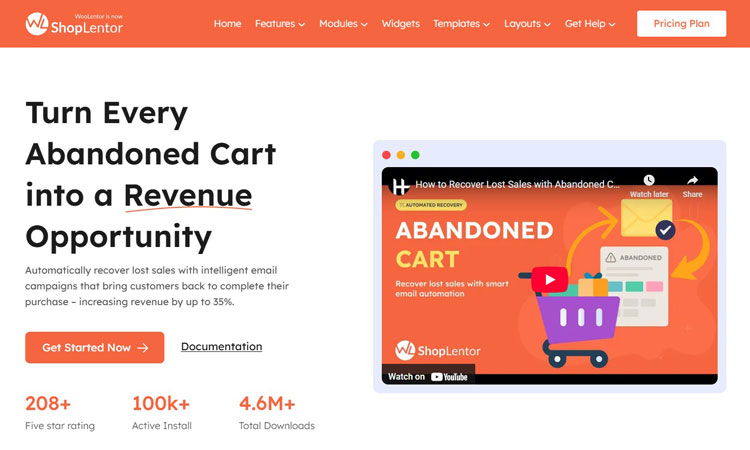
You can schedule multiple follow-ups, customize email content, and even include discount codes to encourage quick purchases. The module also offers detailed analytics.
You can see how many carts were recovered, the total revenue regained, and which emails performed best. Everything is managed directly inside the WooCommerce dashboard, so no extra tools are required.
By combining automation, flexible settings, and clear reporting, ShopLentor helps store owners reduce cart abandonment and recover revenue with ease. It fits naturally into the WooCommerce abandoned cart best practices, making it a reliable choice for long-term growth.
If you want to learn more, check out How to Recover Abandoned Carts in WooCommerce with ShopLentor.
Video Presentation: How to Recover Lost Sales with Abandoned Cart Recovery | Shoplentor
Frequently Asked Questions
What are WooCommerce abandoned cart best practices?
WooCommerce abandoned cart best practices are strategies to recover lost sales. They include using recovery plugins, sending follow-up emails, simplifying checkout, and offering incentives. Consistent data analysis ensures long-term cart recovery success.
How can I reduce cart abandonment in WooCommerce?
Reduce cart abandonment by streamlining checkout and enabling guest purchases. Show all costs upfront and use personalized follow-up emails to re-engage shoppers. Adding discounts or free shipping further boosts conversion rates.
Do I need a plugin to recover abandoned carts?
A plugin simplifies and automates the entire recovery process. Tools like the ShopLentor abandoned cart module schedule reminders, track performance, and apply incentives. This saves time while increasing the chance of winning back customers.
How often should I send follow-up emails to customers who have abandoned their carts?
Send the first reminder within one hour of cart abandonment. Follow up with a second email within 24 hours and a final reminder within three days. This schedule keeps your store visible without overwhelming customers.
Can discounts really help recover abandoned carts?
Yes, small discounts or free shipping can motivate hesitant shoppers to buy. Adding limited-time coupons or special offers in recovery emails creates urgency. These incentives often turn abandoned carts into completed purchases.
Conclusion
Reducing cart abandonment starts with applying proven WooCommerce abandoned cart best practices.
By using an effective recovery plugin, sending timely follow-up emails, simplifying checkout, and offering targeted incentives, you can turn abandoned carts into completed sales.
With built-in automation and clear analytics, tools like the ShopLentor abandoned cart module make these strategies easier to manage, helping your WooCommerce store recover lost revenue and achieve steady growth.