The subscription economy is booming, with recurring revenue businesses growing 5 times faster than traditional eCommerce stores. Whether you’re launching a membership site, subscription box service, or SaaS product, the right WooCommerce subscription plugin can transform your one-time buyers into loyal, recurring customers.
But here’s the challenge: choosing the wrong plugin can lead to failed payments, frustrated customers, and lost revenue. With dozens of options available, how do you pick the best WooCommerce subscription plugin for your specific needs?
In this comprehensive guide, we’ll compare the top 8 WooCommerce subscription plugins based on features, pricing, ease of use, and real-world performance. By the end, you’ll know exactly which solution fits your business model and budget.
What You’ll Learn:
- Key features every subscription plugin must have
- Detailed reviews of the best WooCommerce recurring payment solutions
- Side-by-side comparison of pricing and capabilities
- How to choose the right plugin for your subscription business
- Common pitfalls and how to avoid them
ShopLentor- WooCommerce Builder for Elementor & Gutenberg
A versatile page builder to build modern and excellent online stores with more than 100k+ Active Installations.
Why Your WooCommerce Store Needs a Subscription Plugin
Recurring revenue isn’t just a trendy business model—it’s a sustainable growth strategy that provides predictable income and higher customer lifetime value. Here’s why adding subscription functionality to your WooCommerce store makes business sense.
The Power of Recurring Revenue Models
Traditional eCommerce relies on constantly acquiring new customers, which costs 5-25 times more than retaining existing ones. A WooCommerce membership plugin or subscription solution flips this model by creating ongoing relationships with customers who pay automatically on a recurring basis.
Key benefits include:
- Predictable cash flow for better business planning and inventory management
- Higher customer lifetime value compared to one-time purchasers
- Reduced marketing costs as you nurture existing subscribers
- Improved inventory forecasting for subscription box businesses
- Automated billing that saves time and reduces manual errors
Types of Subscription Businesses You Can Build
The best WooCommerce subscription plugins support multiple business models:
- Membership Sites: Offer exclusive content, courses, or community access with recurring membership fees. Perfect for coaches, educators, and content creators.
- Subscription Boxes: Curate and deliver physical products on a monthly or quarterly basis. Popular for beauty products, snacks, books, and hobby supplies.
- SaaS and Digital Products: Sell software licenses, digital downloads, or web services with recurring payments. Ideal for WordPress themes, plugins, and online tools.
- Payment Plans: Break expensive products into manageable installments, making high-ticket items more accessible while securing committed buyers.
Essential Features in a Subscription Plugin
Before diving into specific plugins, understand what separates basic recurring billing from a robust WooCommerce subscription management system:
- Flexible billing schedules (daily, weekly, monthly, annually)
- Free trial and signup fee options to attract and convert subscribers
- Automatic renewal management with smart retry logic for failed payments
- Customer self-service portal for subscription modifications and cancellations
- Dunning management to recover failed payments automatically
- Multiple payment gateway support including Stripe, PayPal, and Authorize.net
- Proration handling for subscription upgrades and downgrades
- Detailed reporting and analytics for subscription metrics
- Email notifications for renewals, expirations, and payment issues
How We Evaluated the Best WooCommerce Subscription Plugins
To provide you with accurate, unbiased recommendations, we tested each plugin using a comprehensive evaluation framework. Here’s our methodology.
Our Testing Criteria
- Feature Completeness (30%): Does the plugin offer all essential subscription features, including trials, payment plans, variable subscriptions, and renewal management?
- Ease of Use (25%): How intuitive is the setup process? Can non-technical store owners configure subscriptions without developer help?
- Pricing Value (20%): Does the cost align with the features offered? Are there hidden fees or limitations that impact overall value?
- Payment Gateway Compatibility (15%): Which payment processors work seamlessly with the plugin for recurring billing?
- Support and Documentation (10%): Quality of customer support, documentation comprehensiveness, and community resources available.
Real-World Testing Approach
We installed each plugin on fresh WooCommerce installations, created multiple subscription products, processed test transactions, and simulated common scenarios, including:
- Setting up monthly and annual subscription products
- Configuring free trials and signup fees
- Testing payment gateway integrations
- Simulating failed payments and retry logic
- Customer subscription management actions
- Migration scenarios from competing solutions
What Makes a Plugin “Best”
There’s no one-size-fits-all solution. The best WooCommerce subscription plugin for a digital membership site differs from what a subscription box business needs. Our reviews highlight which plugin excels for specific use cases, helping you make an informed decision based on your unique requirements.
Top 8 WooCommerce Subscription Plugins Compared
Let’s dive into detailed reviews of each plugin, examining features, pricing, and ideal use cases.
Recurio – Ultimate WooCommerce Subscription Plugin
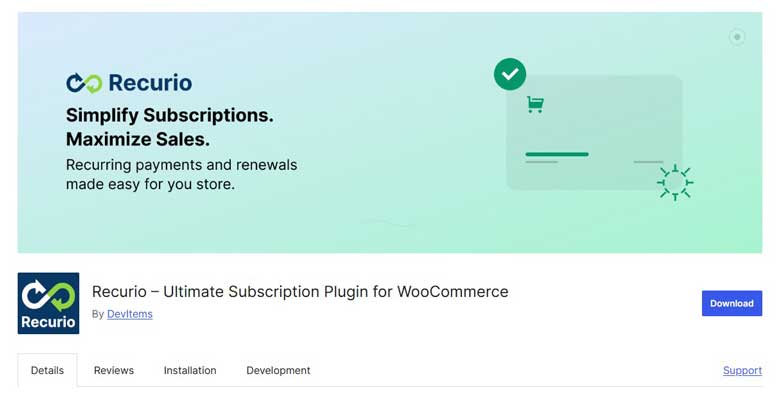
Recurio is a modern, feature-rich subscription solution built with Vue.js that combines powerful analytics with effortless subscription management. As a newer entrant to the market, it brings fresh perspectives on user experience and data-driven decision-making.
Key Features:
- Advanced Analytics Dashboard with real-time subscription metrics and KPIs
- Revenue tracking and forecasting, including MRR, ARR, and churn analytics
- Cohort analysis and retention rates for understanding subscriber behavior
- Customer lifetime value calculations for strategic planning
- Smart retry logic for failed payments with automated dunning management
- Complete customer self-service portal integrated with WooCommerce My Account
- Flexible billing cycles (daily, weekly, monthly, yearly)
- Free trial periods and signup fees for customer acquisition strategies
- Subscription pause and resume functionality reduces cancellations
- REST API for external integrations enabling custom workflows
- Automated email notifications with customizable templates
- Support for multiple payment gateways, including Stripe, PayPal, and Square
- Performance optimized with efficient database queries and caching
- Developer-friendly with extensive hooks, filters, and documentation
Pricing: FREE – Available as a free plugin on WordPress.org with no usage limits or hidden fees.
Pros:
- Completely free with no subscription limits
- Modern Vue.js interface for fast, responsive experience
- Advanced analytics typically only found in premium solutions
- Beautiful customer portal reduces support tickets
- Active development with regular updates
- Strong focus on performance and security
- Revenue forecasting and cohort analysis built-in
- Great for data-driven businesses
- No vendor lock-in or ongoing costs
Cons:
- Newer plugin with smaller user community
- Limited third-party tutorials compared to established solutions
- As a free plugin, support is community-based
- Still building ecosystem of integrations
- May require technical knowledge for advanced customizations
Best For: Data-driven entrepreneurs, SaaS businesses, and growing subscription companies who need advanced analytics without premium pricing. Perfect for startups validating subscription models and established businesses wanting better insights into subscriber behavior. Ideal for merchants who value modern interfaces and performance optimization.
2. WooCommerce Subscriptions (Official Extension)
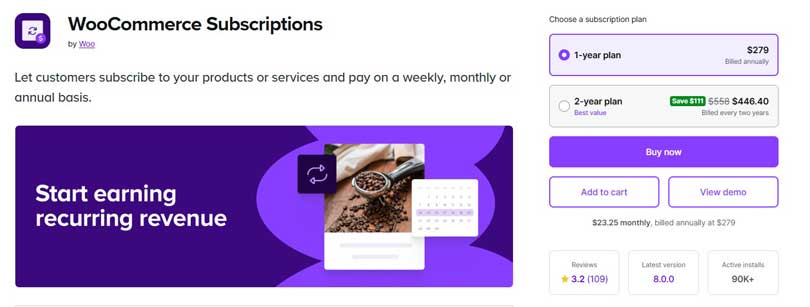
Developed by WooCommerce (Automattic), this is the most popular and feature-rich subscription solution available. As the official extension, it integrates seamlessly with WooCommerce core and receives priority updates.
Key Features:
- Complete subscription management, including trials, signup fees, and variable subscriptions
- Built-in subscription switching allowing customers to upgrade/downgrade plans
- Synchronization options for aligning renewal dates (perfect for subscription boxes)
- Subscription coupons with recurring discount capabilities
- Comprehensive payment gateway support with 25+ compatible gateways
- Automatic emails for renewal reminders and payment notifications
- Detailed subscriber reporting and analytics dashboard
- Manual renewal orders for flexible billing situations
Pricing: $199/year for a single-site license. Includes updates and support.
Pros:
- Most comprehensive feature set available
- Excellent documentation and a large community
- Regular updates aligned with WooCommerce releases
- Works with most payment gateways
- Reliable long-term development and support
Cons:
- Higher price point than alternatives
- May be overkill for simple subscription needs
- Requires WooCommerce expertise for advanced configurations
- Annual renewal cost adds up for multiple sites
Best For: Established businesses requiring robust subscription management, multiple payment options, and reliable long-term support. Ideal for subscription boxes, membership sites, and complex recurring billing scenarios.
3. SUMO Subscriptions
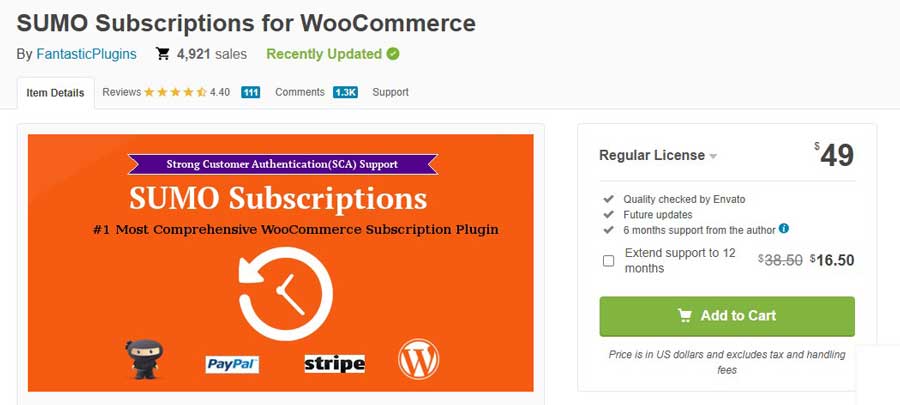
A cost-effective alternative offering solid subscription functionality without the premium price tag. SUMO Subscriptions provides essential features for stores starting their recurring revenue journey.
Key Features:
- Flexible subscription schedules from daily to yearly billing
- Free trial and signup fee support
- Subscription pausing allows customers to temporarily suspend service
- Guest checkout compatibility for frictionless subscription purchases
- CSV export for subscriber data management
- Subscription status management with automatic status updates
- Multiple payment gateway support, including PayPal and Stripe
- Email notifications for all subscription events
Pricing: $49. Additional sites require separate licenses.
Pros:
- Affordable one-time pricing model
- Simple, straightforward setup process
- Covers essential subscription features
- Good for budget-conscious businesses
- Regular feature updates
Cons:
- Limited advanced features compared to WooCommerce Subscriptions
- Smaller user community and fewer tutorials
- Fewer payment gateway integrations
- No built-in dunning management system
Best For: Small businesses and startups needing basic WooCommerce recurring payments without ongoing costs. Perfect for simple membership sites or subscription products with straightforward billing.
4. YITH WooCommerce Subscription

Part of the popular YITH plugin ecosystem, this subscription solution integrates well with other YITH extensions and offers solid core functionality.
Key Features:
- Subscription plan variations for flexible product configurations
- Trial period support with customizable durations
- Payment suspension and reactivation managed by customers or admins
- Subscription downgrades and upgrades with automatic recalculation
- Compatible with YITH extensions for enhanced functionality
- Multiple payment options including PayPal and Stripe integration
- Activity log and reports for subscription monitoring
- Subscription coupons for promotional campaigns
Pricing: $149.99/year for a single-site license. Higher tiers available for multiple sites.
Pros:
- Integrates seamlessly with the YITH plugin suite
- Clean, modern interface design
- Regular updates and an Italian-based support team
- Good feature coverage for most use cases
- Detailed activity logging
Cons:
- Limited to YITH-supported payment gateways
- Documentation could be more comprehensive
- Some features require additional YITH plugins
- Pricing similar to official WooCommerce Subscriptions
Best For: Store owners who already use YITH extensions and want a consistent design and integration. Good choice for European businesses with a strong YITH support preference.
5. WP Swings Subscriptions for WooCommerce

A newer entrant focusing on simplicity and ease of use, WP Swings offers a streamlined approach to WooCommerce payment plans and subscriptions.
Key Features:
- Simple subscription setup wizard for quick configuration
- Subscription renewal management with manual and automatic options
- Email customization for all subscription communications
- Guest subscription purchase without forced account creation
- Basic analytics dashboard showing key subscription metrics
- Subscription export functionality for external analysis
- Payment gateway support for popular processors
- Free version available with basic features
Pricing: Free version with limitations. Pro version starts at $99/year for single site.
Pros:
- Free version allows testing before purchase
- Very user-friendly setup process
- Affordable pro version pricing
- Good for subscription beginners
- Active development and updates
Cons:
- Limited advanced features in both versions
- Smaller feature set than premium competitors
- Fewer payment gateway options
- Less extensive documentation
- Newer plugin with smaller user base
Best For: Beginners exploring subscription business models who want to start free and upgrade as they grow. Suitable for simple recurring payment scenarios without complex requirements.
6. Subscription Plugin by WebToffee
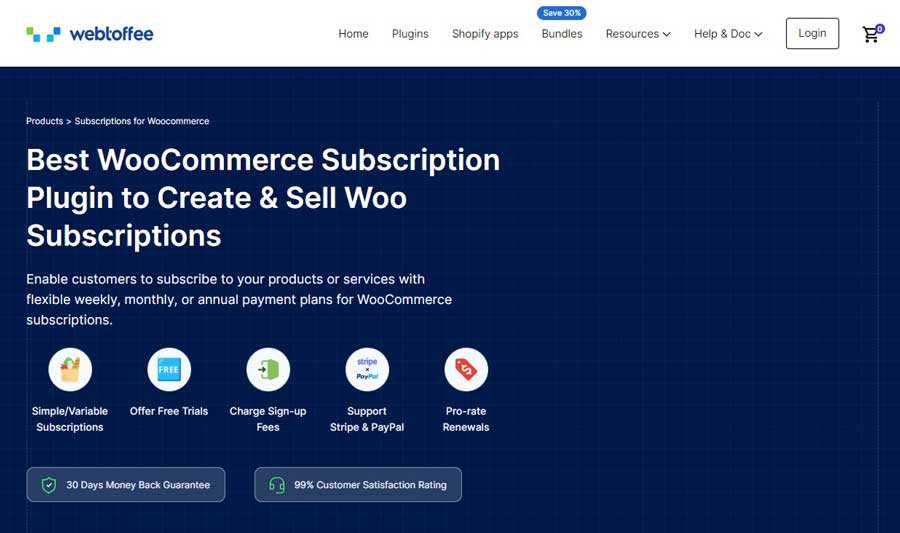
WebToffee’s solution emphasizes automation and customer self-service, making it excellent for stores wanting minimal subscription management overhead.
Key Features:
- Automated subscription lifecycle from signup to renewal to expiration
- Smart payment retry logic with configurable retry schedules
- Customer subscription dashboard with full self-service capabilities
- Subscription import/export for easy migration and backup
- Renewal discount campaigns to incentivize continued subscriptions
- Subscription reports with visual analytics
- Multiple subscription management for customers with several active plans
- WooCommerce Blocks compatibility for modern site building
Pricing: $99/year for single site, $199/year for 5 sites.
Pros:
- Strong automation reduces manual work
- Excellent customer self-service features
- Modern interface design
- Good value for money
- Works with WooCommerce Blocks
Cons:
- Fewer advanced features than top-tier solutions
- Limited third-party integrations
- Relatively new with evolving feature set
- Smaller support community
Best For: Store owners prioritizing automation and customer self-service. Ideal for digital product subscriptions and membership sites where customer autonomy is valued.
7. Paid Memberships Pro (with WooCommerce Integration)
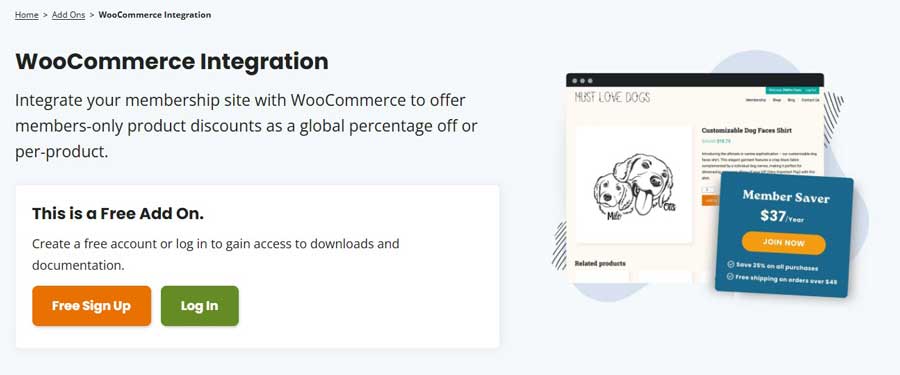
While primarily a membership plugin, Paid Memberships Pro integrates with WooCommerce to create powerful subscription membership sites combining content access with eCommerce functionality.
Key Features:
- Membership level management with unlimited tiers
- Content restriction by membership level
- WooCommerce integration for selling physical/digital products to members
- Member directory and profiles for community building
- Discount codes for members encouraging product purchases
- Member communication tools including emails and messaging
- Flexible recurring billing with trial periods
- Extensive add-ons for enhanced functionality
Pricing: Free core plugin. Plus plan at $297/year includes WooCommerce integration and premium add-ons.
Pros:
- Perfect for membership sites with eCommerce components
- Strong community and extensive documentation
- Hundreds of compatible add-ons
- Content restriction capabilities
- Free version available
Cons:
- More complex setup than pure subscription plugins
- Best value requires an annual plan
- WooCommerce integration is an add-on feature
- Steeper learning curve for beginners
Best For: Membership-focused businesses selling physical or digital products to members. Ideal for educational platforms, professional associations, and content creators monetizing through memberships plus product sales.
Comparison Table: Best WooCommerce Subscription Plugins
| Plugin | Pricing (Annual) | Analytics Dashboard | Free Trial Support | Payment Gateways | Customer Portal | Best For |
| Recurio | FREE | Advanced | Yes | 10+ options | Modern Vue.js | Data-driven businesses |
| WooCommerce Subscriptions | $199 | Standard | Yes | 25+ options | Full-featured | Complex subscription needs |
| SUMO Subscriptions | $69 (one-time) | Basic | Yes | Limited | Basic | Budget-conscious startups |
| Subscriptio | $79+ | Standard | Yes | 10+ options | Advanced | Growing businesses |
| YITH Subscription | $149.99 | Standard | Yes | 8+ options | Standard | YITH ecosystem users |
| WP Swings | Free/$99 | Basic | Yes | 5+ options | Basic | Beginners |
| WebToffee | $99+ | Standard | Yes | 8+ options | Advanced | Automation focus |
| Paid Memberships Pro | Free/$297 | Limited | Yes | 10+ options | Membership | Content + eCommerce |
WooCommerce Subscriptions vs. Alternative Solutions: Feature Breakdown
Understanding the feature differences helps you select the right plugin for your specific requirements. Let’s examine key capabilities across solutions.
Payment Gateway Compatibility
Payment gateway support directly impacts where you can accept recurring payments. The official WooCommerce Subscriptions plugin supports 25+ payment gateways, including Stripe, PayPal, Authorize.net, Square, and regional processors.
Critical consideration: If you’re committed to a specific payment processor, verify compatibility before choosing a plugin. Some alternatives work well with major gateways but lack support for regional or specialized processors.
Top payment gateway options:
- Stripe and PayPal are universally supported
- Authorize.net works with most premium plugins
- Square integration is limited to select solutions
- Regional processors vary significantly by plugin
Renewal Management and Dunning Recovery
Failed payment handling can make or break subscription revenue. When a customer’s card expires or payment fails, effective dunning management automatically retries payments and communicates with customers.
WooCommerce Subscriptions and Subscriptions offer sophisticated retry logic with customizable schedules. They automatically retry failed payments over several days, send customer notifications, and provide grace periods before cancellation.
Budget alternatives like SUMO Subscriptions handle basic payment failures but lack advanced dunning features that can recover 15-30% of failed payments.
Customer Subscription Management
Modern subscribers expect self-service capabilities to pause subscriptions, change payment methods, upgrade plans, and update shipping addresses without contacting support.
Leading solutions provide comprehensive customer portals where subscribers manage everything independently. Subscriptio and WebToffee excel here with intuitive interfaces for all subscription modifications.
Basic plugins require more manual intervention, increasing support burden and customer friction.
Proration and Plan Switching
Mid-cycle changes require careful proration calculations. When customers upgrade or downgrade subscriptions, proper proration credits unused time and charges appropriately for the new plan.
Subscriptio and WooCommerce Subscriptions handle complex proration scenarios automatically. Budget alternatives often lack this functionality, requiring manual adjustments or limiting plan changes to renewal dates.
How to Choose the Right Subscription Plugin for Your Store
Selecting the best WooCommerce subscription plugin depends on your specific business model, technical expertise, and growth plans. Answer these questions to narrow your options.
Essential Questions Before Deciding
What type of subscription business are you running?
- Membership sites benefit from content restriction features (consider Paid Memberships Pro)
- Subscription boxes need synchronization for aligned shipping dates (WooCommerce Subscriptions excels)
- SaaS products require robust plan switching and proration (Subscriptio is excellent)
- Simple recurring products work well with budget options (SUMO Subscriptions or WP Swings)
What’s your technical comfort level?
Advanced plugins offer more features but require configuration knowledge. If you’re non-technical, prioritize plugins with setup wizards and strong documentation like WebToffee or WP Swings.
Which payment gateways must you support?
Verify your preferred payment processor works with your chosen plugin. Don’t assume compatibility; check official documentation for recurring payment support with your specific gateway.
How many subscribers do you expect?
High-volume subscription businesses need reliable performance and strong support. Investing in premium solutions like WooCommerce Subscriptions pays off with better uptime, faster support, and proven scalability.
Budget Considerations
- Initial investment vs. ongoing costs: Some plugins charge one-time fees (SUMO Subscriptions at $69) while others require annual renewals (WooCommerce Subscriptions at $199/year).
- Calculate long-term costs over 3-5 years. A $69 one-time fee costs less initially but may lack features requiring additional paid extensions. A $199 annual subscription totals $995 over five years but includes continuous updates and support.
- Feature-to-price ratio matters. Don’t choose solely on price—evaluate included features against your needs. Missing essential capabilities often costs more in lost revenue and customer frustration than plugin price differences.
Scalability Factors
Start with end goals in mind. Choose a plugin that supports your 2-year vision, not just immediate needs. Migrating subscriptions later is complex and risks customer disruption.
Consider expansion scenarios:
- Will you add more subscription tiers or products?
- Do you plan international expansion requiring multiple currencies?
- Will you need integration with CRM, email marketing, or accounting tools?
- Are mobile app integrations on your roadmap?
Premium plugins typically offer better scalability through extensive integrations and add-on ecosystems.
Integration Requirements
Existing tool compatibility influences plugin selection. Verify integration with your essential tools:
- Email marketing platforms (Mailchimp, ConvertKit, ActiveCampaign)
- CRM systems (HubSpot, Salesforce)
- Accounting software (QuickBooks, Xero)
- Analytics tools (Google Analytics, Mixpanel)
- Customer support systems (Zendesk, Help Scout)
WooCommerce Subscriptions boasts the largest integration ecosystem. Alternative plugins may require custom development or third-party connectors like Zapier.
Common Challenges with WooCommerce Subscription Plugins (And How to Solve Them)
Even the best WooCommerce subscription plugins present challenges. Here’s how to overcome common obstacles.
Failed Payment Handling
The challenge: Payment failures are inevitable. Cards expire, customers reach credit limits, and technical issues occur. Without proper handling, you lose subscribers unnecessarily.
The solution: Configure automatic payment retry schedules in your plugin settings. Most premium plugins attempt 3-5 retries over 7-14 days. Enable email notifications reminding customers to update payment information.
Best practice: Implement these strategies to reduce involuntary churn:
- Send payment update reminders 7-14 days before renewal
- Provide an easy payment method update without requiring a login
- Offer grace periods allowing continued access during retry attempts
- Use email sequences that escalate urgency as retries progress
- Consider backup payment method collection at signup
Customer Cancellation Management
The challenge: Cancellations hurt, but blocking the process frustrates customers and damages brand reputation. Finding the balance between retention and customer experience is difficult.
The solution: Make cancellation straightforward, but implement strategic friction:
- Require a reasoned selection to understand cancellation drivers
- Offer pause/skip options as alternatives to full cancellation
- Present downgrade paths for price-sensitive customers
- Use exit surveys to gather improvement feedback
- Trigger win-back campaigns for recently cancelled subscribers
WooCommerce subscription plugins with strong customer portals like Subscriptio and WebToffee provide these features built-in.
Migration from Other Platforms
The challenge: Moving active subscriptions from Shopify, BigCommerce, or other WooCommerce plugins risks data loss and customer disruption.
The solution: Plan migrations carefully, following these steps:
- Export existing subscriber data, including subscription status, renewal dates, and payment information
- Map data fields to your new plugin’s format
- Test migration with sample data before full import
- Communicate with subscribers about the transition and any required actions
- Provide a migration grace period, allowing customers to update their payment information
- Import systematically by subscription status (active first, then paused/cancelled)
Most premium plugins offer migration tools or services. WooCommerce Subscriptions provides official migration paths from major competitors.
Technical Troubleshooting Tips
- Payment gateway conflicts: Subscription payments fail when gateways don’t fully support recurring billing. Verify your payment processor explicitly supports “recurring payments” or “subscription billing,” not just standard transactions.
- Theme compatibility issues: Some themes interfere with subscription product displays or customer management pages. Test thoroughly with your theme or switch to a WooCommerce-optimized theme like Storefront.
- Plugin conflicts: Subscription plugins can conflict with other WooCommerce extensions. Disable plugins systematically to identify conflicts, then check for known compatibility issues or updates.
- Performance optimization: Subscription management queries can slow sites with thousands of subscribers. Implement caching, optimize database queries, and consider managed WordPress hosting for better performance.
People Also Ask: Are WooCommerce Subscription Plugins Worth the Investment?
This is the most common question we hear from store owners considering recurring revenue models. Let’s address the ROI concerns directly.
The Real Cost Analysis
Plugin costs range from free to $300 annually. Compare this to alternatives:
- Custom development: $5,000-$20,000 for basic subscription functionality
- Separate subscription platform: $29-$299/month ($348-$3,588/year) plus integration costs
- Manual subscription management: Dozens of hours monthly handling renewals, tracking payments, and managing cancellations
A $199 annual plugin investment is negligible compared to the revenue potential. Let’s examine realistic scenarios.
ROI Calculation Framework
Consider a modest subscription business:
- 50 subscribers paying $29/month
- Monthly recurring revenue: $1,450
- Annual recurring revenue: $17,400
Even with 30% annual churn, you maintain $12,180 in revenue. Plugin cost represents just 1.6% of annual revenue—an excellent return.
Now scale that scenario:
- 500 subscribers at $29/month = $174,000 annual revenue
- Plugin cost becomes 0.16% of revenue
- Time savings from automation worth thousands in labor costs
Real-World Success Examples
Case Study 1: Membership Site A fitness coaching membership migrated from manual PayPal subscriptions to WooCommerce Subscriptions. Results after 6 months:
- Automated renewals increased retention by 23%
- Failed payment recovery added $847 monthly
- Time spent on subscription management decreased by 15 hours monthly
- The plugin paid for itself in the first month through recovered failed payments
Case Study 2: Subscription Box An organic snack subscription box implemented Subscriptio for their growing business:
- Synchronized monthly shipping dates reduced fulfillment complexity
- Customer self-service reduced support tickets by 40%
- Plan switching capabilities increased average subscriber value by 18%
- Annual revenue grew from $45,000 to $127,000 in 18 months
When Plugins Aren’t Worth It
Be honest about these scenarios where subscription plugins may not justify investment:
- Fewer than 10 subscribers with no growth plans
- One-time payment plans that don’t truly recur
- Extremely complex custom requirements are better served by dedicated platforms
- No technical capability to manage even basic WordPress plugins
For most legitimate subscription businesses, the investment absolutely pays off through increased revenue, time savings, and improved customer experience.
Frequently Asked Questions
Can I offer free trials with WooCommerce subscription plugins?
Yes, all major subscription plugins support free trials. You can configure trial lengths from 1 day to several months. Most plugins also support “signup fees” charged initially, even during free trials.
Best practice: Start with 7-14 day trials for digital products. Physical subscription boxes typically offer first box discounts rather than pure free trials to cover product and shipping costs.
Important consideration: Some payment gateways require authorization holds during free trials to prevent abuse. Stripe and PayPal support this; others may not.
Do subscription plugins work with all payment gateways?
No, payment gateway support varies significantly by plugin. Recurring billing requires special payment gateway capabilities beyond standard transactions.
WooCommerce Subscriptions supports the most gateways (25+), including Stripe, PayPal, Authorize.net, Square, and many regional processors. Budget alternatives typically support only 3-5 major gateways.
Before purchasing any plugin, verify your preferred payment gateway explicitly supports recurring payments with that specific subscription plugin. Check official compatibility lists on plugin websites.
Do all plugins support Stripe?
Stripe works with all plugins, but verify recurring payment support specifically
Can customers manage their own subscriptions?
Yes, customer self-service is standard in quality subscription plugins. Subscribers should access a dedicated dashboard showing:
1. Active and paused subscriptions
2. Next renewal dates and amounts
3. Payment method management
4. Shipping address updates
5. Subscription pausing/cancellation options
6. Order history and downloadable invoices
WooCommerce Subscriptions, Subscriptio, and WebToffee offer comprehensive customer portals. Basic plugins may require more manual support intervention.
Self-service reduces support burden by 30-50% while improving customer satisfaction through immediate control over their subscriptions.
Conclusion: Choosing Your Best WooCommerce Subscription Plugin
Building a successful subscription business requires the right foundation. The best WooCommerce subscription plugin for your store depends on your specific needs, budget, and growth trajectory.
Quick Recommendations by Use Case
For data-driven businesses wanting zero upfront costs: Choose Recurio (FREE). Get enterprise-grade analytics, a modern customer portal, and comprehensive subscription management without any investment. Perfect for SaaS startups, growing subscription businesses, and anyone wanting to validate their model without financial commitment.
For comprehensive features and long-term reliability: Choose WooCommerce Subscriptions ($199/year). It’s the industry standard with the most features, best support, and widest compatibility. Worth the investment for established subscription businesses requiring maximum flexibility.
For budget-conscious startups: Start with SUMO Subscriptions ($69 one-time) if you prefer paying once, or Recurio (FREE) if you want advanced features without any cost.
For growing businesses needing advanced features: Select Subscriptio ($79/year) for excellent proration, plan switching, and customer management at a mid-range price point.
For membership sites with eCommerce components: Implement Paid Memberships Pro ($297/year) to combine content restriction with WooCommerce subscription capabilities.
For automation-focused operations: Choose WebToffee Subscriptions ($99/year), emphasizing automated workflows and customer self-service.
The Recurio Advantage
Recurio represents a paradigm shift in subscription plugin economics. By offering advanced analytics, a beautiful customer experience, and enterprise features completely free, it removes the financial barrier to starting a subscription business. The Vue.js-powered interface feels modern and performs exceptionally well, even with thousands of subscribers.
If you’re deciding between plugins, consider starting with Recurio to validate your subscription model. You can always migrate to paid alternatives later if you need specific integrations or premium support—but many businesses find Recurio meets all their needs permanently.
Your Next Steps
The subscription economy isn’t slowing down—now is the perfect time to add recurring revenue to your WooCommerce store:
- Evaluate your business model and match it to plugin capabilities.
- Verify payment gateway compatibility with your preferred processor.
- Start with a trial if available, or choose a solution with money-back guarantees.
- Create your first subscription product following our quick-start guide.
- Gather customer feedback and iterate on pricing and features.
- Scale gradually as you learn what works for your audience.
Remember, the plugin you choose today isn’t permanent. As your business grows and needs evolve, migrating to more robust solutions becomes worthwhile.
Ready to transform one-time buyers into loyal subscribers? Choose your plugin, set up your first subscription product, and start building predictable recurring revenue today.
Have experience with these plugins? Which WooCommerce subscription plugin works best for your business? Share your insights in the comments below!