
WooCommerce continues to dominate the eCommerce ecosystem, with approximately 4.5 million active stores worldwide and a 33.4% market share as of January 2026.
Market analysts project this will increase to approximately 41% by the end of 2025, making WooCommerce the undisputed platform of choice for online retailers globally.
As competition intensifies, simply running flat 10% off sales is no longer enough to stand out or stay profitable.
Conditional discounts help you show the right offer to the right shopper at the right time, instead of discounting everything for everyone.
Recent data shows that 93% of consumers use discount codes throughout the year, yet many online stores still rely on generic promotions that erode margins and brand perception.
The numbers speak clearly: cart abandonment rates hover around 70–78% globally, with mobile abandonment reaching 85%.
However, well-executed recovery campaigns using conditional coupons can recover 10–30% of abandoned cart value, representing millions in recoverable revenue for mid-sized stores.
For WooCommerce store owners, this is where WooCommerce conditional discount strategies shine, especially when combined with powerful tools like ShopLentor’s Advanced Coupon module, which enables targeting by user role, payment method, geography, schedule, and more.
Table of Contents
ShopLentor- WooCommerce Builder for Elementor & Gutenberg
A versatile page builder to build modern and excellent online stores with more than 100k+ Active Installations.
What is a WooCommerce Conditional Discount?
A WooCommerce conditional discount is a price reduction that only applies when certain rules or conditions are met—such as cart value, product combinations, user roles, location, purchase history, or time period. Instead of applying a blanket sale, you use logic like “If cart total ≥ $100, then apply 15% off” or “If user is a wholesale customer, apply tiered pricing.”
These discount rules can be built using WooCommerce’s built-in coupon system plus advanced plugins or modules that extend it. Tools such as ShopLentor’s Advanced Coupon module allow you to:
- Target specific user roles (e.g., wholesale vs retail)
- Restrict coupons by payment and shipping methods
- Limit discounts to specific countries or regions
- Schedule start/end dates with custom error messages
- Generate bulk, URL-based coupons for campaigns and automations
In 2026, this combination of precision and automation is essential to manage rising discount expectations while protecting profit margins.
Why Conditional Discounts Matter for WooCommerce Stores
1. Higher Average Order Value (AOV)
Conditional discounts that trigger at certain cart thresholds or for bundled products encourage shoppers to “add one more item” to unlock the deal. Research shows that moderate discounts of 10–25% can lift eCommerce conversion rates by 25–35%, making conditional offers a strong way to increase revenue per order without discounting every cart.
2. Better Customer Experience and Perceived Value
Personalized offers based on behavior or profile (e.g., returning customers, high-value segments, location-specific campaigns) create a more relevant shopping journey. Studies on coupon behavior indicate shoppers expect meaningful discounts often in the 10–20% range, and respond best to targeted, limited-time offers. A good eCommerce conversion rate is 2.5% to 3.2%, but stores using conditional discount strategies frequently exceed these benchmarks.
3. Smarter Margin Control
Because you can decide exactly who gets a discount and under what conditions, conditional discounts help you avoid blanket price cuts that erode margins. This is crucial in sectors where average discount rates have climbed significantly over recent years due to intense competition.
WooCommerce Conditional Discount: 7 Coupon Ideas for 2026
Below are seven highly actionable WooCommerce conditional discount ideas you can deploy using WooCommerce plus ShopLentor’s Advanced Coupon and related modules.
1. Cart Value–Based Conditional Discounts (AOV Booster)
Cart value–based conditional discounts reward customers for reaching a minimum spend, making them one of the easiest and most effective strategies to implement.
How it works
- “Get 10% off when you spend at least $75”.
- “Save $20 when your cart exceeds $200”.
- “Free shipping on orders above $50 plus 10% off selected categories”
These conditions nudge customers to add extra items to unlock the discount, driving average order value without giving away margins on low-value carts.
How to implement with ShopLentor
- Use ShopLentor Advanced Coupon to create a percentage or fixed cart discount.
- Set a minimum cart subtotal condition in the coupon settings (e.g., minimum $75).
- Combine with URL-based coupons to promote the deal via email or social campaigns, so the discount auto-applies once the threshold is met.
Pro Tip
Test different thresholds and discount levels (e.g., 10–20%) to find the sweet spot where conversions and profit both improve. Average discounts between 10–30% have proven most effective while maintaining healthy margins.Example Rule Flow
IF Cart Subtotal ≥ $100
THEN Apply 15% Discount
DISPLAY “You’ve unlocked 15% off! Congratulations.”
ELSE
DISPLAY “Add $XX more to unlock 15% off”
2. Product and Category–Specific Conditional Coupons
Product or category-based WooCommerce conditional discount rules let you promote specific lines without discounting your entire catalog.
Examples
- “Buy any two items from the Winter Collection and get 15% off both”.
- “Get 20% off accessories when you buy any smartphone”.
- “Extra 10% off clearance items for loyalty members”.
These rules are perfect for moving seasonal inventory, spotlighting new arrivals, or upselling related products.
How to implement with ShopLentor
- In Advanced Coupon, set product or category restrictions so the coupon only applies to selected items
- Combine with Product Badges or custom sale badges in your layout to visually highlight conditional offers on category and product pages.
- Use the Flash Sale Countdown module to run time-boxed category-wide promotions that feel urgent instead of permanent
Example Scenario
A winter apparel store wants to push its “Holiday Clearance” category. They create a rule:
- Coupon Code: CLEARANCE20
- Condition: Applies only to products tagged “Holiday Clearance“.
- Discount: 20% off
- Valid Until: January 31, 2026.
- Result: Customers see the offer on clearance product pages, encouraging them to buy before stock runs out.
3. User Role–Based and VIP Customer Discount
User role–based conditional discounts reward specific customer groups, such as wholesale buyers, B2B clients, or loyalty program members.
Examples
- “Wholesale customers get tiered pricing based on quantity and role”.
- “Members of your loyalty program receive an extra 5% on top of other promotions”.
- “B2B clients see special discounts only when logged in”.
This strategy boosts retention and makes your best customers feel valued while preventing public price erosion.
How to implement with ShopLentor
- Enable User Role Restrictions in the Advanced Coupon settings to limit coupons to specific roles (e.g., “wholesale,” “vip_customer”)
- Combine with geographic targeting if you need region-specific wholesale or B2B deals
- Use URL coupons in targeted emails so VIPs can redeem their discount in a single click
Example Configuration
| Role | Discount | Valid Period | Coupon Type |
| Wholesale Customer | 15% off | Always Available | Auto-Apply |
| VIP Member | 10% off | Always Available | URL Coupon |
| B2B Account | 20% off | Always Available | Role-Based |
| First-Time Buyer | 10% off | Single Use | Auto-Apply |
4. First–Order and Next–Order Conditional Coupons
First-time and next-order coupons are powerful for customer acquisition and retention, especially in 2026 as acquisition costs continue to rise.
Examples
- “Welcome! Get 15% off your first order over $50”.
- “Complete two orders within 30 days and get a $20 voucher on your third”.
- “Abandoned cart recovery email: come back and save 10% on this order”.
Industry Impact
With global cart abandonment rates hovering around 70–78% and mobile abandonment surpassing 85%, using strategic coupons for first or next orders can recover enormous lost revenue. Recent data shows that well-executed recovery campaigns recover 10–30% of abandoned cart value, often translating to $15,000+ monthly for mid-sized stores.
How to implement with ShopLentor
- Use Advanced Coupon along with your CRM or automation tools to send first-order or next-order coupon URLs
- Configure start/end dates and custom error messages so these coupons only work in the intended time window (e.g., 7 days after sign-up)
- Pair with abandoned cart email campaigns to automatically apply coupons via direct links
Recovery Campaign Example
Day 1: User abandons cart → Email sent with 10% coupon
Day 3: Follow-up email with urgency message + coupon link
Day 7: Last chance email with increased incentive (15% off)
Result: Recover 10-30% of abandoned carts
ROI: 1,400%+ on average
5. Time–Limited Flash Sale and Countdown–Based Discounts
Time-limited WooCommerce conditional discount campaigns use urgency to drive quick decisions, which is especially effective on mobile where distraction is high.
Examples
- “48-hour flash sale: 20% off on selected products”.
- “Weekend-only: free shipping plus 10% off orders above $100.”
- “Black Friday early-bird coupon valid for 24 hours”.
Psychology of Urgency
Research shows that limited-time offers with moderate discounts (15–20%) strike a strong balance between conversion lifts and margin preservation. Mobile users, who represent 70% of eCommerce traffic but only convert at 2.49% (vs. 5.06% on desktop), are particularly responsive to countdown timers and scarcity messaging.
How to implement with ShopLentor
- Activate ShopLentor’s Flash Sale Countdown module for selected products or categories and set start/end dates and discount values
- Add the Sales Countdown Timer widget to product or landing pages to visually display remaining time
- Combine countdowns with Advanced Coupon rules so coupons only work during the flash sale window, with clear error messages outside that timeframe
Flash Sale Configuration Example
| Element | Setting |
| Sale Type | Percentage Discount |
| Discount Amount | 20% |
| Start Date/Time | Feb 14, 2026 @ 12:00 PM |
| End Date/Time | Feb 16, 2026 @ 11:59 PM |
| Product Target | “Valentine’s Collection” category |
| Countdown Text | “Sale Ends In:” |
| Result Message | “Flash Sale Ended” |
6. Payment and Shipping Method–Specific Discounts
Conditional discounts tied to payment or shipping methods can improve margins and operations, since not all orders cost you the same to process.
Examples
- “Pay with bank transfer and save 3%”
- “Choose our eco-shipping option and get $5 off”
- “Free express shipping on orders above $150 using card payments”
Cost Optimization
By nudging customers toward preferred methods, you can reduce transaction fees, optimize logistics, and improve satisfaction simultaneously. This is particularly valuable as payment processing costs continue to consume 2–3% of revenue for typical eCommerce stores.
How to implement with ShopLentor
- In Advanced Coupon, use Payment Method Targeting to restrict certain coupons to gateways like bank transfer or specific card processors
- Use Shipping Method Restrictions to apply free or discounted shipping only for selected shipping options or price thresholds
- Promote these conditional offers in your checkout design and transactional emails so customers understand the benefit
Payment Method Incentive Example
| Payment Method | Incentive | Discount |
| Bank Transfer | Reduce fees | 3% off |
| PayPal | Trusted method | 2% off |
| Credit Card | Standard rate | None |
| Digital Wallet | Fast checkout | 1% off |
| Local Methods | Regional preference | 5% off |
7. Geographic and Segment–Based Conditional Promotions
Geographic targeting allows you to run region-specific WooCommerce conditional discount campaigns that match local demand, competition, and logistics.
Examples
- “Free shipping within the EU on orders above €80”
- “Special 15% discount for customers in specific countries during local holiday periods”
- “Exclude coupons in regions where margins or shipping costs are too high”
Global Growth Context
As WooCommerce continues its global expansion with support for 118 languages, store owners can leverage geographic targeting to optimize profitability by region. The top five markets by active stores are:
- United States: 421,419 websites
- United Kingdom: 170,832 websites
- India: 131,682 websites
- Iran: 112,089 websites
- Canada: 73,813 websites
How to implement with ShopLentor
- Use Geographic Targeting in Advanced Coupon to include or exclude specific billing or shipping countries
- Combine with scheduled availability to align discounts with local events, holidays, or paydays
- Use URL coupons in region-specific campaigns (ads, emails, social) to keep the experience frictionless
Geographic Strategy Matrix
| Region | Strategy | Discount | Reason |
| EU (High Shipping) | Free Shipping > €80 | Free | Reduce logistics costs |
| India (Price-Sensitive) | 15% Off | 15% | Boost volume in growth market |
| North America (Competitive) | Loyalty Bonus | 10% | Increase customer retention |
| APAC (Emerging) | First-Order Promo | 20% | Acquire new customers |
| UK (Established) | VIP Program Exclusive | 12% | Reward best customers |
Recommended Modules and Tools for Conditional Discounts
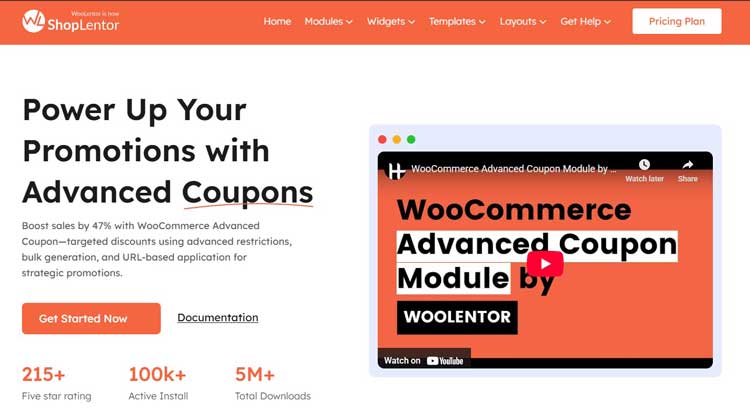
ShopLentor’s Advanced Coupon Module
What It Does
The Advanced Coupon module is the foundation for implementing WooCommerce conditional discount strategies. It extends WooCommerce’s native coupon system with:
- User Role Restrictions: Create exclusive offers for specific customer segments (wholesale, VIP, members)
- Payment Method Targeting: Restrict coupons to preferred payment gateways to reduce transaction fees
- Shipping Method Restrictions: Apply discounts only for selected shipping methods
- Geographic Targeting: Include or exclude coupons based on billing/shipping country
- Scheduled Availability: Set precise start/end dates with custom error messages
- URL-Based Coupon Application: Generate direct links that auto-apply coupons for seamless marketing campaigns
- Bulk Coupon Generation: Create hundreds of unique codes simultaneously
- Custom Error Messaging: Display tailored messages when restrictions prevent coupon application
Key Metrics
According to the latest ShopLentor data:
- 42% higher coupon redemption rates compared to standard WooCommerce coupons
- 38% increased average order value for stores using role-based discounts
- 100% targeted promotions with no wasted discount spend
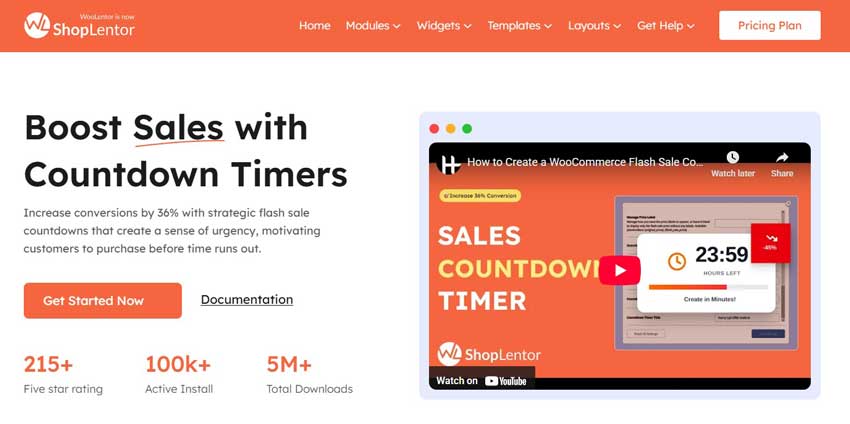
Flash Sale Countdown Module
What It Does
The Flash Sale Countdown module enables time-based conditional discounts with visual urgency. It lets you:
- Run scheduled flash sales with countdowns and conditional discounts on products or categories
- Display countdown timers and stock-based urgency messaging
- Set different discount levels for different time windows
- Configure start/end dates and custom notifications
Best For
- Time-limited category-wide promotions (48-hour sales)
- Event-based discounts (Black Friday, holidays, clearance events)
- Scarcity-driven campaigns (limited quantity, ending soon)
Sales Countdown Timer Widget
What It Does
The Sales Countdown Timer widget visually displays time-based urgency on product and landing pages:
- Shows remaining time until sale ends
- Displays stock/quantity countdown
- Creates visual urgency that boosts conversions on mobile
- Customizable design and countdown messaging
Usage
Place on product pages, landing pages, or sale category pages to emphasize limited-time conditional discounts.
Coupon Code Generator & Automation
What It Does
ShopLentor’s coupon automation enables:
- Bulk generation of hundreds of unique codes in seconds
- URL-based coupon distribution for frictionless campaigns
- Integration with email and marketing automation tools
- Automated first-order and recovery coupon sequences
Use Case
Generate unique codes for influencer partnerships, multi-channel campaigns, or automated recovery sequences without manual code creation.
Integration: Complete Conditional Discount Stack
| Purpose | Recommended Module/Feature | Key Benefit |
| Core conditional coupons | Advanced Coupon | User role, payment, geo, scheduling, URL coupons |
| Time-limited/micro campaigns | Flash Sale Countdown | Scheduled sales with countdowns |
| Visual urgency & scarcity | Sales Countdown Timer widget | Time/stock-based countdown on product pages |
| Bulk campaigns & automation | Coupon Code Generator guide | Bulk codes and URL-based distribution |
| Visual promotion highlights | Product Badges | “Sale,” “Limited Time,” “VIP Only” badges |
Common Mistakes with WooCommerce Conditional Discount
1. Over-Discounting Without Data
Offering blanket 30–40% discounts across the board might win short-term sales but erodes perceived value and margins, especially now that average discounts have increased over recent years. Studies show that eCommerce stores offering moderate discounts of 10–20% maintain better margins and achieve stronger repeat purchase rates.
Solution: Test and measure. Use A/B testing to identify the minimum discount that drives conversion without margin erosion.
2. Complex Coupon Rules That Confuse Shoppers
If conditions aren’t clear—or error messages are generic—customers abandon their carts instead of troubleshooting the discount. For example, a customer may not understand why a “10% off” coupon didn’t apply because they didn’t meet a minimum cart value requirement.
Solution: Always display clear conditions at the point of offer, and provide specific error messages (e.g., “Add $25 more to unlock this discount”).
3. Ignoring Mobile UX and Performance
With mobile abandonment rates above 85% and 70% of eCommerce traffic coming from mobile, poorly optimized checkout pages and confusing coupon fields can destroy the impact of even the best discount strategy.
Solution: Test checkout flows on mobile. Ensure coupon application is a single click, with clear success/error messaging and minimal friction.
4. Not Tracking Performance
Without data, you’re guessing. Many stores run promotions without measuring redemption rate, recovery revenue, or ROI.
Solution: Use analytics dashboards to track:
- Coupon redemption rate (target: 10–30%)
- Average order value impact
- Customer acquisition cost vs. lifetime value
- Revenue recovered from abandoned cart campaigns
Advanced Strategies for 2026
1. Segmented, Data-Driven Testing
Combine Advanced Coupon with analytics tools to test different thresholds, discount levels, and conditions, then double down on the most profitable combinations.
Implementation
- Test 3–4 coupon variations simultaneously in different segments
- Measure conversion, AOV, and margin impact
- Scale winning variations to full customer base
- Repeat quarterly to adapt to seasonal trends
2. URL-Based Coupons in Omnichannel Journeys
Use URL coupons in email, SMS, and social campaigns to apply discounts automatically when users click, simplifying redemption and boosting redemption rates.
Platform Comparison
| Channel | Redemption Rate | Best For |
| 50.5% open rate | Segmented campaigns | |
| SMS | 98% open rate | Urgent/recovery campaigns |
| Social | 5–10% | Awareness and reach |
| Direct URL | 21–23% CTR | Frictionless conversion |
3. Behavioral Triggers and Automation
Use abandoned cart rules, post-purchase upsell sequences, and loyalty program milestones to trigger contextual conditional discounts that feel personal, not generic.
Automation Workflow Example:
Customer abandons cart with a value $75
↓
Day 1: Email with 10% coupon (auto-apply via URL)
↓
Day 3: SMS with increased incentive (15% off coupon)
↓
Day 7: Final email with limited-time urgency (20% off)
↓
Result: 10–30% recovery rate, $15,000+ monthly recovered revenue
Frequently Asked Questions
Q1: What is a WooCommerce conditional discount?
A: A WooCommerce conditional discount is a coupon or price rule that only applies when specific conditions are met—like cart total, product mix, user role, time period, payment method, or location. Instead of a blanket 10% off, you use logic like “If cart total ≥ $100, then apply 15% off” or “If user is wholesale, apply tiered pricing.”
Q2: How do I create conditional discounts in WooCommerce?
A: You can start with WooCommerce’s built-in coupons and then extend them using ShopLentor’s Advanced Coupon module, which adds conditions for:
– User roles
– Shipping and payment methods
– Geographic location
– Scheduling with custom error messages
– URL-based application
– Bulk generation
Q3: What is a good discount percentage for conditional coupons?
A: Most eCommerce stores offer discounts between 10% and 30%, with many shoppers expecting 10–20% off their carts. Moderate, well-targeted discounts in this range often deliver strong conversion lifts (25–35% improvement) without heavily cutting into margins.
Industry Benchmarks by Type:
1. Cart value-based: 10–15%
2. Flash sales: 15–25%
3. First-order: 10–20%
4. VIP/loyalty: 5–15%
Q4: Can conditional discounts help reduce cart abandonment?
A: Yes. With global cart abandonment rates around 70–78% and mobile abandonment above 85%, targeted first-order, next-order, and exit-intent coupons can recover a meaningful portion of lost revenue. Studies show that well-executed recovery campaigns recover 10–30% of abandoned cart value.
Expected ROI: 1,400%+ average return on investment from recovery campaigns.
Q5: Which ShopLentor module is best for WooCommerce conditional discounts?
A: ShopLentor’s Advanced Coupon module is the most versatile option, enabling advanced conditions such as:
– User roles
– Payment and shipping methods
– Geographic targeting
– Scheduling
– URL-based coupons
– Bulk generation
Pair it with Flash Sale Countdown for time-limited campaigns and Sales Countdown Timer widget for visual urgency.
Q6: How often should I run conditional discount campaigns?
A: Best practices suggest:
1. Weekly: Flash sales and time-limited promotions (2–3 campaigns)
2. Bi-weekly: Cart abandonment recovery sequences
3. Monthly: First-order and customer reactivation campaigns
4. Quarterly: VIP/loyalty program promotions
5. Ongoing: Always-active role-based and tier-based discounts
Important: Avoid discount fatigue by rotating offer types and spacing campaigns so customers perceive genuine scarcity.
How do I measure the success of my conditional discount campaigns?
A: Track these key metrics:
| Metric | Formula | Target | What It Measures |
| Redemption Rate | (Coupons Used / Coupons Sent) × 100 | 10–30% | Campaign effectiveness |
| AOV Impact | (New AOV – Old AOV) / Old AOV | +10–20% | Revenue per order |
| Recovery Rate | (Recovered Carts / Abandoned) × 100 | 10–30% | Abandoned cart recovery success |
| Margin Impact | Revenue − (Discount Cost) | +5–15% | Profitability after discount |
| Customer LTV | Lifetime purchases − acquisition cost | 3–5x | Long-term customer value |
Conclusion and Next Steps
WooCommerce conditional discount strategies are no longer optional; they are a core component of profitable growth in 2026. By moving from generic percentage-off promotions to targeted, rule-based coupons, you can:
- Increase conversions by 25–35%
- Raise average order value by 10–20%
- Recover 10–30% of abandoned carts
- Protect margins while meeting customer discount expectations
- Build customer loyalty through personalized offers
Implementation Roadmap
Phase 1: Foundation (Week 1–2)
- Install and activate ShopLentor and the Advanced Coupon module
- Enable Flash Sale Countdown for time-limited campaigns
- Map your top 3 customer segments (wholesale, first-time, VIP)
Phase 2: Launch (Week 3–4)
- Create 3–5 core campaigns:
- Cart value-based coupon
- First-order welcome coupon
- Role-based VIP discount
- Abandoned cart recovery sequence
- Flash sale for seasonal products
Phase 3: Optimize (Month 2+)
- Track redemption, AOV, and recovery rates
- A/B test discount levels and conditions
- Expand to geographic and payment-based targeting
- Integrate with email and SMS automation for omnichannel sequences
Key Resources
- ShopLentor Advanced Coupon Module
- Flash Sale Countdown Configuration
- Coupon Code Generator: Bulk generation and distribution workflows
Final Thoughts
The difference between a struggling store and a thriving one often comes down to whether they implement systematic WooCommerce conditional discount strategies.
The data proves this approach works: 42% higher redemption rates, 38% increased AOV, and 1,400%+ ROI from recovery campaigns are achievable benchmarks for any store willing to execute.
Activate ShopLentor’s Advanced Coupon module today, map your key customer segments and behaviors, and start testing cart value-based, role-based, time-limited, and geo-specific campaigns.
Pair these rules with strong UX, clear messaging, and analytics, and your WooCommerce store will be well-positioned to turn conditional discounts into a sustainable revenue engine for 2026 and beyond.