If you run a WooCommerce store, you know the sinking feeling of checking your analytics only to see a mountain of lost sales. A customer adds an item, makes it halfway through checkout, and then vanishes. This isn’t just an inconvenience; it’s a crisis.
The average shopping cart abandonment rate across all industries hovers around 70.22%, meaning that for every ten potential sales, seven are walking away. That statistic represents billions in lost global revenue annually.
The good news? A significant portion of that revenue is recoverable. The tool you need is a robust WooCommerce abandoned cart plugin.
But not all plugins are created equal. Simply sending a single, generic reminder email won’t cut it anymore. To transform lost opportunities into recovered revenue, you need to understand and leverage the Top WooCommerce abandoned cart plugin features.
This definitive guide breaks down the essential capabilities that separate the conversion masters from the casual store owners, ensuring you implement a strategy that pays for itself many times over.
Key Takeaways
- The average abandonment rate is 70%; a plugin is non-negotiable.
- The best feature is Multi-Stage Email Sequences for optimal timing.
- Guest Cart Capture is vital to recover sales from non-logged-in users.
- Look for Dynamic Coupon Generation to personalize incentives efficiently.
- Advanced Segmentation turns a reminder into a highly relevant offer.
- Detailed Analytics is crucial to perpetually optimize your recovery flow.
ShopLentor- WooCommerce Builder for Elementor & Gutenberg
A versatile page builder to build modern and excellent online stores with more than 100k+ Active Installations.
The Problem Defined: Why Carts Get Abandoned
Before diving into the features, it’s essential to grasp the root cause. Customers abandon carts for predictable reasons, and your plugin’s features must be tailored to address them.
The three primary reasons for cart abandonment are:
- Hidden or Unexpected Costs: High shipping fees, taxes, or other charges that appear only at the final step.
- Friction at Checkout: Forced account creation, complex forms, or a slow loading speed.
- Information or Trust Deficit: Uncertainty about returns, lack of trust badges, or a simple distraction.
A great abandoned cart recovery plugin for WooCommerce acts as your automated sales agent, intervening at the perfect moment to resolve these issues and guide the customer back to the checkout button.
Top WooCommerce Abandoned Cart Plugin Features to Use
Recovering sales is no longer a manual task; it is a science driven by automation and personalization. These are the mandatory features your chosen plugin must possess to secure maximum revenue recovery:
1. Multi-Stage Automated Email Sequencing
The single most powerful feature is the ability to send not one, but a series of recovery emails at strategic time intervals. A single email is often ignored, but a sequence builds persistent, non-aggressive urgency.
- Email 1 (30-60 Minutes): A gentle, non-incentivized reminder. The goal is a quick, helpful tap on the shoulder—the user may have just been distracted.
- Email 2 (24 Hours): Reiterate the product value and address common objections (link to the returns policy or FAQ).
- Email 3 (48-72 Hours): The incentive. Introduce a time-sensitive coupon code or free shipping offer as a final nudge.
2. Guest User Cart Capture and Email Pre-Fill
Most shoppers abandon their shopping process before logging in or completing their details. A top-tier abandoned cart solution must capture the email address as soon as it is entered in the checkout form, even if the user doesn’t complete the purchase. This guest cart capture ensures that non-logged-in users are not lost, immediately expanding your recovery pool.
3. Dynamic and Personalized Coupon Generation
Generic, store-wide coupons are expensive and unnecessary. The best plugin features include dynamic coupon generation that automatically creates a unique, single-use coupon code for each recovery email.
- The Benefit: It ensures the coupon is only used once and allows you to set rules, such as a higher discount only for high-value carts.
- The Automation: The code is automatically generated and embedded as a variable in the email template.
4. Advanced Segmentation and Exclusion Filters
Not every abandoned cart is worth chasing. A powerful feature set includes the ability to segment customers based on their cart value or behavior:
- Cart Value: Target high-value carts with a greater incentive, while leaving low-value carts to the first reminder email.
- First-Time vs. Repeat Abandoners: Send a trust-building message to a first-timer; send a stricter, more urgent offer to a frequent abandoner.
- Exclusion Filters: Automatically exclude carts with zero value, carts that were recovered outside of the email flow (e.g., via a call), or carts below a profitability threshold.
5. Detailed, Actionable Analytics and Reporting
You cannot optimize what you do not measure. A basic plugin might show “carts recovered,” but a feature-rich one provides the data to drive strategy. Look for reporting on:
- Recovery Rate by Email: Which email in your sequence (1, 2, or 3) generates the most conversions?
- Revenue Recovered per Email Sent: The true ROI of your campaigns.
- Top Abandoned Products: Identifies which products need better on-page trust signals or more transparent pricing.
- Open and Click-Through Rates (CTR): Essential for A/B testing subject lines and CTA text.
6. Multi-Channel Recovery (SMS and Push Notifications)
While email is the foundation, an advanced plugin will support a multi-channel approach. SMS recovery campaigns boast an incredibly high open rate – up to 98% and can be highly effective when used sparingly for high-value carts. Browser push notifications offer a low-friction, immediate reminder that doesn’t require an email address.
7. Built-in A/B Testing Capabilities
The ability to A/B test directly within the plugin interface is a critical feature. Manually changing and tracking subject lines, CTA button text, and email copy across different systems is time-consuming. A built-in tester allows you to continually refine your recovery sequence, ensuring you are always operating at the highest possible recovery percentage.
Recommended Blogs for You:
👉 What is a Cart Abandoned in WooCommerce? The Complete Guide (2025)
👉 6 Ways to Recover Abandoned Carts in WooCommerce in 2025
👉 How to Rename Sales Badge in WooCommerce for Maximum Impact
👉 How to Reduce Returns in eCommerce: 10 Proven Ways
👉 7 Best Google Analytics WooCommerce Plugins for Your Online Store
Common Pitfalls / Advanced Strategies
Don’t just set up the basic email sequence and forget about it. To become a master of cart recovery, you must think beyond the reminder.
| Pitfall to Avoid | Advanced Strategy to Implement |
| Sending the incentive too soon. | Optimize the recovery link. Ensure the link in the email directs users to a mobile-optimized checkout page, rather than a generic cart page. |
| Forgetting about mobile users. | Use an Exit-Intent pop-up alongside the plugin. Trigger a small, final offer or trust reminder when the user’s cursor indicates they are about to leave the checkout page. |
| Using generic subject lines. | Leverage personalization and curiosity. Include the product name (“Your [Product Name] is waiting!”) or a question (“Still thinking it over?”). |
| Ignoring the checkout experience. | Use an Exit-Intent popup alongside the plugin. Trigger a small, final offer or trust reminder when the user’s cursor indicates they are about to leave the checkout page. |
A well-optimized flow can generate a conversion rate of 7.7% from recipients, providing an average of $27 USD in revenue for every email sent. This potential revenue stream is too large to overlook.
Popular Abandonment Cart Plugin: ShopLentor
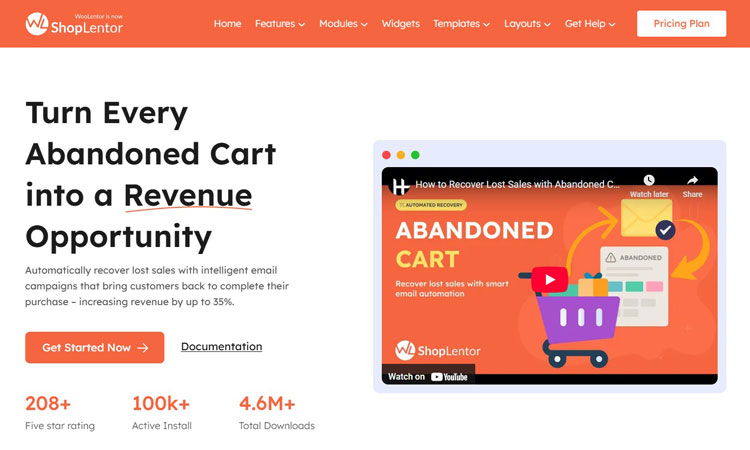
When it comes to implementing the features discussed above, ShopLentor stands out as a comprehensive solution that delivers measurable results for WooCommerce store owners. With over 100,000 active installations and 4.6 million downloads, this plugin has established itself as a trusted tool in the cart recovery ecosystem.
This tool reports an impressive 28% reduction in cart abandonment rates. Stores recover between 15-30% of abandoned carts automatically. Most users see positive ROI within the first week of implementation.
What sets ShopLentor apart is its balance of powerful automation and user-friendly setup. The entire configuration process takes just 3-5 minutes. Most stores witness their first recovered cart within 24 hours of activation.
The plugin’s approach to cart recovery combines data-driven insights with conversion psychology. It captures abandoned cart data from both registered users and guest customers to ensure no recovery opportunity slips through the cracks.
The built-in analytics dashboard provides real-time visibility into recovery rates, revenue gained, and campaign performance. Store owners report an average 1,400% return on investment from cart recovery efforts.
ShopLentor’s GDPR-compliant architecture seamlessly integrates with your existing WooCommerce setup. It requires no coding knowledge or complex configurations. This makes it an accessible solution whether you’re running a small boutique or a high-volume store.
Key Features of ShopLentor’s Abandoned Cart Module:
- Multi-Stage Automated Email Sequences.
- Guest Cart Capture Technology.
- Dynamic Coupon Generation.
- Advanced Segmentation and Targeting.
- Comprehensive Analytics Dashboard.
- Real-Time Cart Detection and Monitoring.
Frequently Asked Questions
What is the average WooCommerce cart abandonment rate?
The industry average for online shopping cart abandonment is approximately 70%, meaning 7 out of 10 potential sales are lost before purchase.
How quickly should I send the first recovery email?
You should send the first gentle reminder email within 30 to 60 minutes of abandonment, while the purchase intent is still high.
Is it better to offer a discount in the first email?
No. Start with a gentle reminder. Only introduce a discount or coupon as a time-limited incentive in the second or third email of the sequence.
Can an abandoned cart plugin capture guest user emails?
Yes. The best plugins feature Guest Cart Capture technology, which logs the email address as soon as it’s entered in the checkout form, even if the purchase is not completed.
What is the key to a high-performing recovery email?
The key is personalization, featuring the exact products left behind (with images) and a single, clear, prominent Call-to-Action button.
ShopLentor- WooCommerce Builder for Elementor & Gutenberg
A versatile page builder to build modern and excellent online stores with more than 100k+ Active Installations.
Conclusion
The challenge of abandoned carts will never disappear, but your capacity to recover that revenue is entirely within your control. The key difference between a struggling WooCommerce store and a highly profitable one often lies in the intelligent, automated use of the Top WooCommerce Abandoned Cart Plugin Features.
By prioritizing features like multi-stage sequencing, dynamic coupon generation, guest capture, and actionable analytics, you stop merely reacting to lost sales and start proactively converting them. It’s time to stop leaving money on the table.
Reclaim your lost revenue today. Upgrade your store with a feature-rich abandoned cart plugin and start converting your biggest leak into your biggest win.