
If you are comparing ShopLentor Pro vs Free, the real question is: Will upgrading actually grow your WooCommerce store, or is the free version enough for now? ShopLentor Free already gives you a strong WooCommerce builder with essential widgets, blocks, and modules, but ShopLentor Pro unlocks nine conversion-focused features that directly impact checkout completion, average order value, and tracking.
ShopLentor Free is enough for basic WooCommerce design and essential enhancements, while ShopLentor Pro is required for serious checkout optimization, upsells, partial payments, email customization, and conversion tracking. To celebrate the 9th anniversary of ShopLentor, the Pro version will be available for $29 from April 22 to 30 April 2026, for a limited time, making it a low-risk upgrade if your store already has traffic and sales.
ShopLentor (formerly WooLentor) has evolved from a WooCommerce builder into an all-in-one growth plugin, with 120+ Elementor widgets, 85+ Gutenberg blocks, and 36+ modules designed to replace multiple separate WooCommerce extensions.
ShopLentor works with WooCommerce and WordPress, supports both Elementor and Gutenberg, and combines design tools with conversion features like checkout optimization, upsells, automation, and analytics.
9 Reasons to Go ShopLentor Pro
What’s the Real Difference Between ShopLentor Free and Pro?
ShopLentor is a WooCommerce page builder and growth plugin for WordPress that lets you design product, shop, cart, checkout, my account, and other key pages using Elementor and Gutenberg.
The free version gives you core layout control and useful modules such as wishlist, compare, variation swatches, flash sale countdown, abandoned cart recovery, and Shopify-style checkout.
ShopLentor Pro builds on this by adding advanced modules for Multi-Step Checkout, Checkout Field Manager, Google Address Autocomplete, Order Bump, Smart Cross-Sell Popup, Partial Payment, Email Customizer, GTM Conversion Tracking, and a larger premium template library.
Instead of stacking separate plugins for checkout editing, upsells, partial payments, email design, and tracking, you enable these tools as integrated modules inside ShopLentor Pro.
ShopLentor Pro vs Free at a Glance
This quick table summarizes where ShopLentor Free is enough and where Pro becomes important for growth.
| Feature / Area | Free (ShopLentor) | Pro (ShopLentor) |
| Core WooCommerce builder | Product/shop templates, key widgets, Elementor & Gutenberg support | Everything in Free + builders for cart, checkout, my account, thank-you pages |
| Checkout experience | Shopify-style checkout module, basic customization | Multi-Step Checkout, Checkout Field Manager, Google Address Autocomplete |
| Revenue boosters | Basic upsell layouts via widgets and sections | Order Bump, Smart Cross-Sell Popup, and advanced cross-sell/upsell modules |
| Payments & pricing flexibility | Standard WooCommerce payment gateways | Partial Payments (deposits/installments) module |
| Email & automation | Default WooCommerce email templates | Email Customizer and email automation modules |
| Analytics & tracking | Manual analytics setup or third-party plugins | GTM Conversion Tracking module integrated with WooCommerce events |
| Template library | Limited free templates for key pages | 110+ premium templates for product, cart, checkout, my account, thank-you, and popups |
| Support & updates | Community and standard support | Priority support, Pro updates, license-based features |
The main difference between ShopLentor Free and Pro is that Free focuses on design essentials, while Pro adds a full stack of checkout, upsell, automation, and tracking tools that directly influence revenue and store performance.
If you want a deeper feature-by-feature list, you can reference the official Free vs Pro documentation: ShopLentor pricing & Free vs Pro comparison.
9 Things ShopLentor Pro Can Do That Free Can’t
Below are nine Pro-only (or Pro-priority) features that go beyond what ShopLentor Free offers and can meaningfully “move the needle” for real WooCommerce stores.
1. Multi-Step Checkout
What it does:
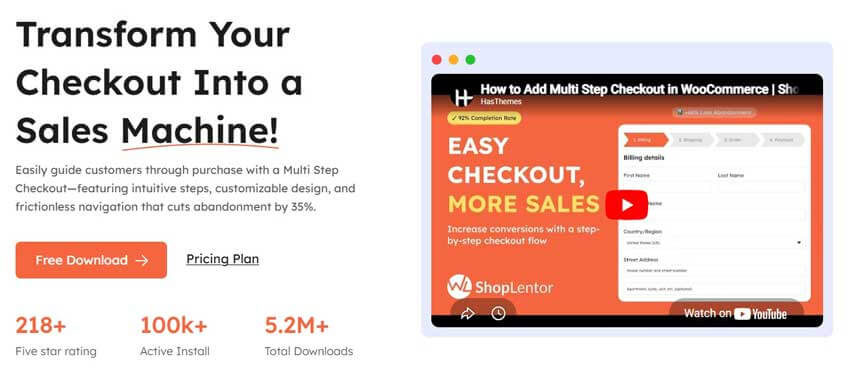
Multi-Step Checkout in ShopLentor Pro breaks your WooCommerce checkout into clear steps (for example: Customer Details → Shipping → Payment → Review) instead of one long, overwhelming form.
Real-world outcome:
By simplifying checkout into smaller steps, especially on mobile, customers feel less friction and are less likely to abandon their carts at the last minute.
Practical use case:
- Activate the Multi-Step Checkout module from Dashboard → ShopLentor → Modules, then assign it to your checkout template using the Template Builder.
- Test your new checkout on mobile and desktop to see how customers move through each step and use analytics to identify where drop-offs decrease.
Learn more: WooCommerce Multi-Step Checkout with ShopLentor
2. Checkout Field Manager
What it does:
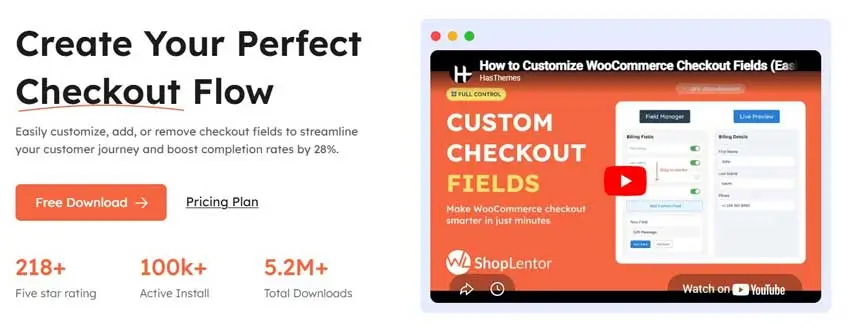
Checkout Field Manager in ShopLentor Pro lets you add, edit, hide, and reorder WooCommerce checkout fields from a visual interface—no custom code required.
Real-world outcome:
By collecting only the information you truly need, you reduce friction, speed up checkout, and improve data quality for shipping, billing, and marketing.
Practical use case:
- Remove unnecessary fields for digital products (like shipping address) to keep checkout simple.
- Add fields such as “Company VAT Number,” “Gift message,” or “How did you hear about us?” to support VAT invoices, gifting, and attribution tracking.
Step-by-step tutorial: How to Customize WooCommerce Checkout Fields with ShopLentor
3. Order Bump
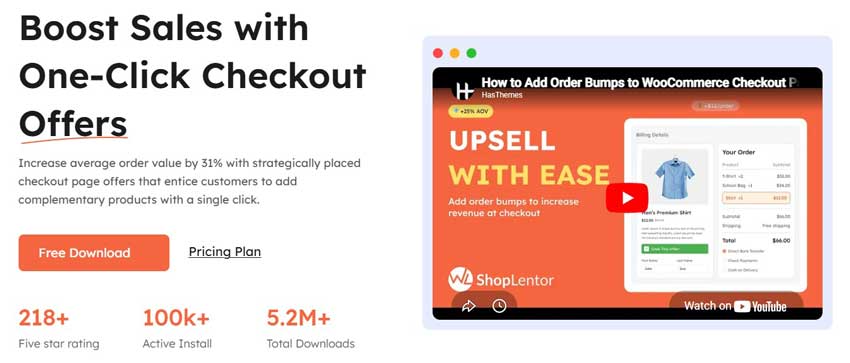
What it does:
Order Bump in ShopLentor Pro enables one-click add-on offers directly on the checkout page, such as extended warranties, accessories, or small complementary products.
Real-world outcome:
Because customers are already committed to buying, a relevant order bump can significantly increase average order value without adding extra steps.
Practical use case:
- Offer an extended warranty on electronics, a protective case for devices, or priority support as an add-on at checkout.
- Configure different bumps for different product categories so the offers always match what customers are buying.
More details: WooCommerce Order Bump
4. Email Customizer

What it does:
Email Customizer in ShopLentor Pro lets you visually design WooCommerce transactional emails—like order confirmation, shipping updates, and refunds—using drag-and-drop blocks with your branding.
Real-world outcome:
Branded, clear, and helpful emails build trust, reduce support questions, and gently encourage repeat purchases by including recommendations and useful links.
Practical use case:
- Add your logo, brand colors, social links, and a “You might also like” product section into the order confirmation email.
- Customize messaging per order status so customers instantly understand whether their order is processing, completed, or refunded.
Implementation guide: WooCommerce Email Customizer with ShopLentor
5. Google Address Autocomplete
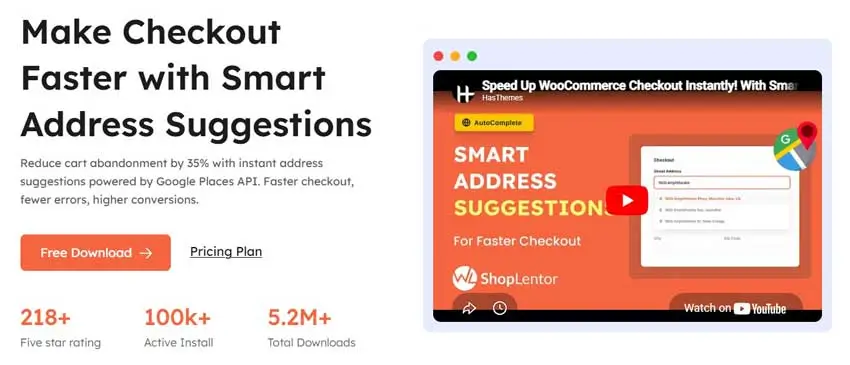
What it does:
Google Address Autocomplete in ShopLentor Pro integrates Google Places into your checkout, allowing customers to select their address from smart suggestions instead of typing it manually.
Real-world outcome:
Faster, more accurate address entry means fewer shipping errors, fewer support tickets, and less friction for mobile and international customers.
Practical use case:
- Enable the Google Address Autocomplete module, add your Google API key, and connect it to your checkout fields so addresses auto-complete as the user types.
- Combine this with Multi-Step Checkout so the “Shipping” step becomes almost effortless.
Documentation: Google Address Autocomplete for WooCommerce with ShopLentor
6. Smart Cross-Sell Popup
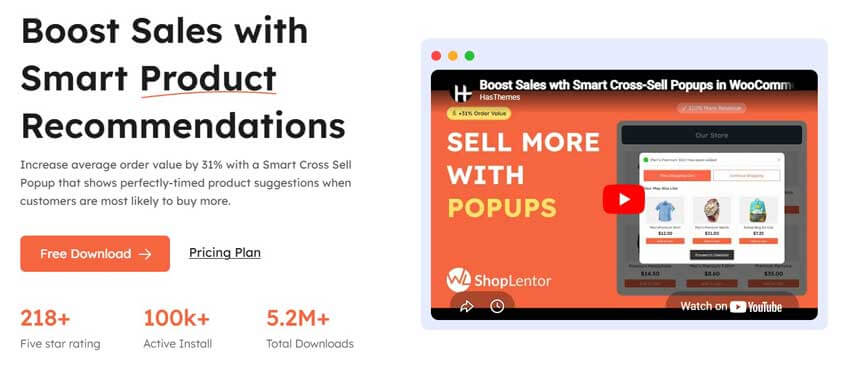
What it does:
Smart Cross-Sell Popup in ShopLentor Pro shows relevant product suggestions in a popup when users add items to their cart or move to the cart/checkout pages.
Real-world outcome:
Targeted cross-sell popups increase the number of items per order in a natural way, raising average order value without feeling pushy.
Practical use case:
- Display matching accessories when someone adds a main product to cart (e.g., lenses for cameras, belts for trousers, or socks for shoes).
- Offer small, high-margin add-ons to help customers reach a free shipping threshold.
Learn more: Smart Cross-Sell Popup Module in WooCommerce
7. Partial Payments
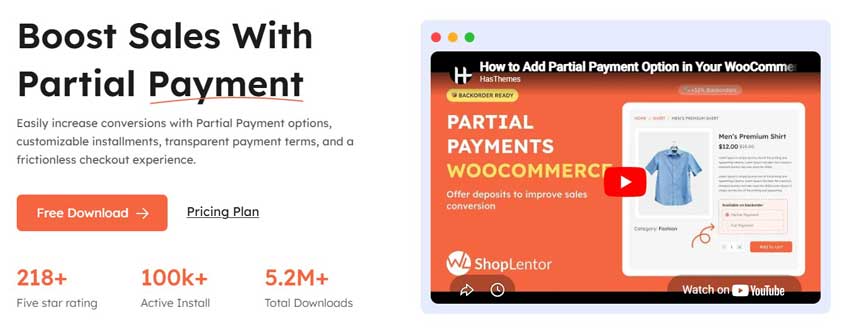
What it does:
Partial Payment in ShopLentor Pro lets you accept deposits or installment-style payments on selected products instead of requiring full payment upfront.
Real-world outcome:
Flexible payments make high-ticket or custom products more affordable, improving conversion rates and making it easier to sell premium items.
Practical use case:
- Use Partial Payment for courses, events, pre-orders, or made-to-order products so customers can reserve with a deposit and pay the rest later.
- Combine with Email Customizer and email automation to remind customers about upcoming payments.
Detailed guide: Partial Payment in WooCommerce
8. GTM Conversion Tracking
What it does:
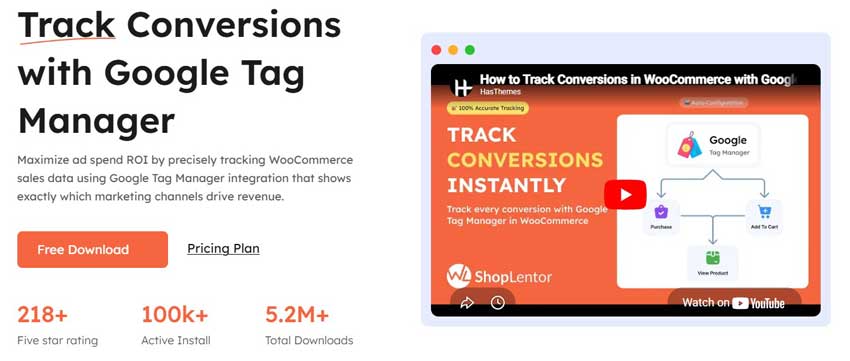
GTM Conversion Tracking in ShopLentor Pro integrates Google Tag Manager with your WooCommerce store so you can send events like add-to-cart, checkout steps, and purchases to analytics and ad platforms.
Real-world outcome:
Accurate tracking gives you better data on which campaigns and pages drive revenue, helping you optimize ad spend and scale with confidence.
Practical use case:
- Use ShopLentor’s GTM module instead of hard-coded scripts so you manage your tags in Google Tag Manager while ShopLentor handles the WooCommerce events.
- Track Multi-Step Checkout steps to see exactly where customers drop off and measure if design changes improve completion rates.
Documentation: GTM Conversion Tracking (Google Tag Manager)
9. Full Premium Template Library (Pro Templates for Product, Cart, Checkout, Shop, etc.)
What it does:
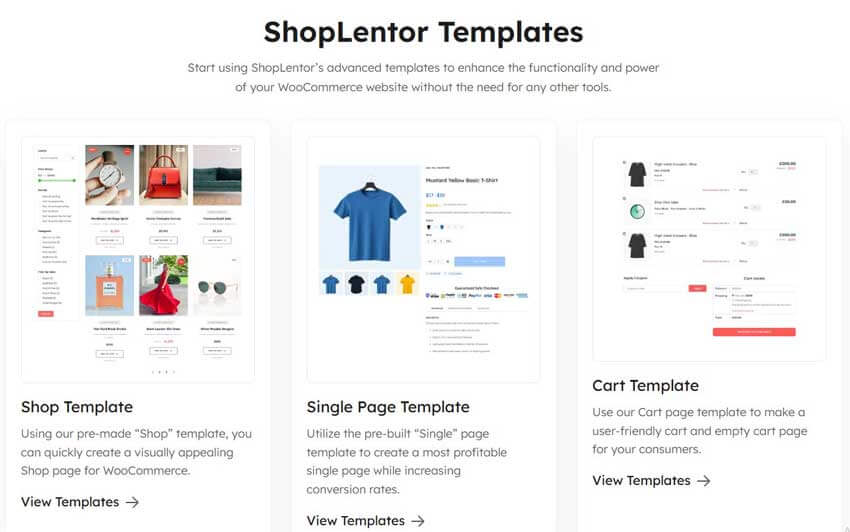
ShopLentor Pro unlocks 110+ premium templates for WooCommerce pages, including product, shop, cart, checkout, my account, and thank-you pages, beyond what’s available in the free library.
Real-world outcome:
These conversion-oriented templates let you launch professional, consistent layouts quickly so you spend less time designing and more time selling.
Practical use case:
- Start from a Pro checkout template that already includes trust badges, clear order summaries, and a mobile-friendly layout, then tweak it to match your brand.
- Use Pro shop and product templates tailored to your niche (fashion, luxury, editorial, etc.), so your store looks modern rather than like the default WooCommerce layout.
Explore the template library: ShopLentor Templates.
How These 9 Pro Features Work Together as a Growth Toolkit
Individually, each Pro feature solves a different problem: checkout friction, low order value, weak emails, or incomplete tracking.
Together, they form a growth toolkit: Multi-Step Checkout + Google Address Autocomplete + Checkout Field Manager improve completion rates, while Order Bump + Smart Cross-Sell Popup + Partial Payments increase order value and make higher-priced purchases easier.
Email Customizer keeps your messaging and branding consistent post-purchase, and GTM Conversion Tracking ensures you can see which changes actually improve your metrics. Because all of this lives inside ShopLentor, you can enable only the modules you need and avoid conflicts from juggling multiple separate plugins.
For a deeper look at building and customizing templates, you can also read: How to Build Custom WooCommerce Templates with ShopLentor.
Should You Upgrade to ShopLentor Pro?
You should upgrade from ShopLentor Free to Pro if you want to optimize WooCommerce checkout, add strategic upsells and order bumps, offer partial payments, customize emails, and track conversions with GTM in a single plugin.
Stay on ShopLentor Free if:
- You are still validating product–market fit and have low or inconsistent traffic.
- You mainly need better WooCommerce layouts, a wishlist, a compare feature, variation swatches, and simple shop/product customization.
- You are not yet running paid campaigns and don’t need detailed conversion tracking.
Upgrade to ShopLentor Pro if:
- You run paid campaigns and want reliable ecommerce tracking via Google Tag Manager.
- Your analytics or intuition tells you checkout is a bottleneck, and you want to test multi-step checkout, address autocomplete, and field optimization.
- You want a higher average order value through order bumps and cross-sell pop-ups without adding multiple new plugins.
- You sell higher-priced products and need partial payments or deposits to close more sales.
- You want professional emails, conversion-focused templates, and priority support as your store grows.
Install ShopLentor Free from WordPress.org to design your store, then upgrade to ShopLentor Pro when you’re ready to optimize checkout and revenue.
ShopLentor Pro is $29 Start at April 22. →
How ShopLentor Pro Compares to Other Plugins
Many WooCommerce stores stack multiple plugins for checkout design, upsells, partial payments, email customization, and tracking, such as separate checkout field editors, order bump plugins, email customizers, and GTM integration addons.
ShopLentor Pro combines all of these capabilities into one WooCommerce and Elementor/Gutenberg builder, reducing license costs, integration overhead, and the risk of plugin conflicts.
If you are evaluating alternatives like ShopEngine or ShopReady, ShopLentor Pro stands out for its depth of WooCommerce modules and its ready-made template library that covers product, cart, checkout, my account, and thank-you pages.
Instead of piecing together many plugins, you can manage most of your store’s UX and growth tools under ShopLentor.
When Does It Actually Make Sense to Upgrade?
You do not have to upgrade on day one, but there are clear points where staying on Free leaves money on the table.
Upgrade to ShopLentor Pro when:
- You have consistent traffic, and you’re starting to focus on conversion rate optimization (CRO).
- You notice high cart abandonment at checkout and want to streamline the process with multi-step flows and better field control.
- You are ready to run experiments with order bumps, cross-sells, and partial payments instead of just improving design.
- You are serious about analytics and want a clean Google Tag Manager setup connected to WooCommerce events.
Industry research often reports cart abandonment rates above 60–70%, with complex or slow checkouts as a major cause, so even small improvements in checkout UX can have a noticeable revenue impact. At the current 9th-anniversary price of $29 from April 22, the return on investment for ShopLentor Pro can be significant once you have even a modest volume of orders.
For deeper strategies related to cart abandonment and recovery, you can also reference:
ShopLentor- WooCommerce Builder for Elementor & Gutenberg
A versatile page builder to build modern and excellent online stores with more than 100k+ Active Installations.
How the 9th-Anniversary Offer Works
ShopLentor Pro is available for a limited time at a promotional price of $29 starting on 22nd April 2026. This gives you access to all Pro modules and templates at a lower entry cost than usual, including the nine features covered in this article.
To claim the offer, purchase a Pro license from the dedicated ShopLentor Pro landing page when it goes live (or from the main pricing page in the meantime) and activate your license inside the plugin.
After activation, you can toggle on modules like Multi-Step Checkout, Checkout Field Manager, Google Address Autocomplete, Order Bump, Smart Cross-Sell Popup, Partial Payments, Email Customizer, and GTM Conversion Tracking from one dashboard.
Install ShopLentor Free from WordPress.org to test the builder and modules, and when you’re ready to optimize checkout, upsells, and tracking, upgrade to ShopLentor Pro for $29 from April 22 →
Frequently Asked Questions
1. Is ShopLentor Pro worth it compared to Free?
For basic stores just starting out, ShopLentor Free is enough to design WooCommerce product and shop pages and add useful modules like wishlist, compare, and variation swatches. Once you care about checkout optimization, upsells, partial payments, email branding, and GTM tracking, ShopLentor Pro becomes worth it because those features directly affect revenue and user experience.
2. Do I need Pro for Multi-Step Checkout?
Yes, Multi-Step Checkout is a Pro module. You enable it under ShopLentor’s Modules screen and apply it to your checkout template; the free version does not provide this step-based checkout builder.
3. Is Order Bump a Pro-only feature?
Yes, Order Bump is part of the Pro feature set. While Free allows you to improve layouts and product presentation, you need Pro to show targeted order bump offers directly on the checkout page.
4. Do I need Pro for Checkout Field Manager and Google Address Autocomplete?
Checkout Field Manager and Google Address Autocomplete are both Pro modules. They let you customize the checkout fields and speed up address entry in ways that are not available in ShopLentor Free.
5. Does ShopLentor Pro affect performance?
ShopLentor is designed to be performance-conscious, with controls to enable or disable individual modules and many widgets, so your site only loads what it actually uses. Using one well-optimized plugin like ShopLentor Pro for many WooCommerce enhancements can be more efficient than running multiple separate plugins that each add their own scripts.
6. What about refunds and support?
ShopLentor Pro licenses include premium support and updates, with details explained on the pricing and license documentation pages. Before purchasing, always review the current refund policy and support terms on:
1. https://woolentor.com/pricing/
2. https://woolentor.com/docs/pricing-license/
7. Can I build custom WooCommerce templates with the Free version?
Yes, ShopLentor Free lets you build custom products and shop templates and includes several free templates and widgets. ShopLentor Pro extends this with advanced template builders for cart, checkout, my account, and thank-you pages, plus a much larger premium template library.
8. Can I start with ShopLentor Free and upgrade to Pro later?
Yes. You can install ShopLentor Free from WordPress.org, build your layouts, and then purchase a Pro license later. After activation, your existing designs remain, and you can enable Pro modules when you’re ready.
Final Thoughts: Is ShopLentor Pro Worth It?
If your WooCommerce store is past the “just getting started” phase, staying on ShopLentor Free often means leaving easy wins on the table. ShopLentor Pro turns the same builder you already know into a growth toolkit with better checkout, smarter upsells, flexible payments, branded emails, and clean tracking, all in one plugin.
The 9th‑anniversary $29 offer makes it a low-risk upgrade: you can keep using everything you have in Free, enable just the Pro modules you need, and see how features like Multi-Step Checkout, Order Bump, and Partial Payments affect your real numbers.
Install or keep using ShopLentor Free, then upgrade to Pro when you’re ready to treat your checkout and offers as revenue drivers, not just design elements.