

On a long WooCommerce product page, shoppers often scroll past the main purchase area while checking images, specifications, reviews, or sizing information. If they decide to buy later, making them hunt for the original button adds an unnecessary step. A Sticky Add to Cart WooCommerce setup keeps the purchase action within reach by making the Add to Cart button accessible as shoppers move through the page.
Quick Answer: A sticky add to cart WooCommerce keeps the purchase button visible while shoppers scroll through a WooCommerce product page. It is most useful on long product pages and smaller screens where the main button moves out of view quickly. ShopLentor Pro includes a Sticky Add to Cart module that you can enable without custom development.
Table of Contents
What Is a Sticky Add to Cart in WooCommerce?
A sticky add to cart bar usually appears after the main purchase button scrolls out of view. Depending on the setup, it can show the product title, price, thumbnail, quantity, or other purchase controls alongside the Add to Cart button. Some WooCommerce themes already provide similar behavior. Storefront, for example, includes a Sticky Add-to-Cart option for product pages.
Why Use a Sticky Add to Cart?
- Reduces unnecessary scrolling. If someone has finished reading the reviews and is ready to buy, forcing them to scroll back to the top adds an unnecessary step.
- Keeps the purchase action accessible on mobile. Limited screen space means the main purchase controls can move out of view quickly as shoppers read specifications, reviews, or other product details.
- Helps on long product pages. Pages with size charts, image galleries, or detailed specs push the default button further from view than a short page would.
Does Sticky Add to Cart Actually Increase Conversions?
The honest answer is that it depends on the page, and the evidence is mixed rather than one-sided.
Broader sticky-CTA testing suggests results depend heavily on context. In a set of 33 A/B tests reviewed by Online Dialogue, covering different types of sticky elements such as sticky headers, filters, and basket-content bars, only around a quarter produced a winning result, while many were neutral. Product detail pages performed better than browsing pages like homepages and category listings.
One CRO practitioner’s set of 16 sticky add-to-cart tests also produced mixed results, reinforcing the same point. Both sources point to the same practical lesson. Sticky elements can be useful when shoppers are already close to a purchase decision, but they should still be tested on your own product pages rather than assumed to work automatically.
When Should You Use a Sticky Add to Cart WooCommerce?
- Long single product pages with reviews, specs, or size guides below the fold
- Mobile product pages where the main purchase button quickly moves out of view
- Stores where checkout and cart already work well, and the friction point is specifically getting shoppers to click Add to Cart in the first place
When Might You Not Need One?
- Your theme already includes a sticky add-to-cart option. Some themes, including Storefront, ship with this built in.
- Your product pages are short, so the default button never scrolls out of view
- You have tested it and it underperforms. Since results vary by store, testing on your own site matters more than assuming a lift.
How to Add Sticky Add to Cart in WooCommerce With ShopLentor Pro
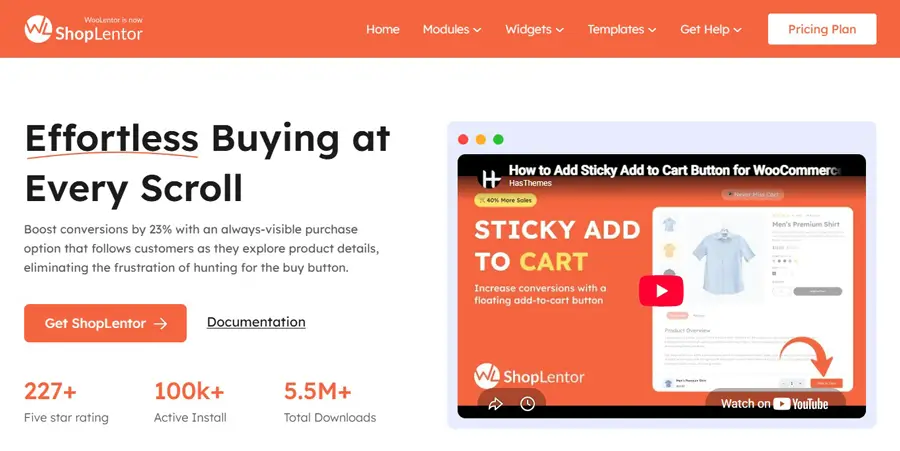
Before adding another solution, check whether your current WooCommerce theme already includes a sticky add-to-cart option. If it does not, or you want it built into an integrated WooCommerce page-building workflow, ShopLentor Pro’s Single Product Sticky Add to Cart module handles it without custom code.
- Install ShopLentor and activate ShopLentor Pro on your WordPress site.
- Go to Dashboard, then ShopLentor, then Modules, and locate Sticky Add to Cart.
- Enable the module.
- Open the module settings and customize the button text, background, and hover colors to match your store’s branding.
- Visit a single product page and scroll down to confirm the bar appears once the default button scrolls out of view.
- Check the result on both desktop and mobile. Then compare product-page performance before and after enabling the feature.
Sticky Add to Cart Best Practices
- Keep the bar simple. Product name, price, and a clear button are usually enough.
- Match the colors to your store’s branding so the bar looks like part of the page.
- Limit it to product pages where it solves a real usability problem.
- Measure the result instead of assuming it will improve conversions.
Sticky Add to Cart vs. Other Cart Visibility Options
| Feature | What it does | Best for |
|---|---|---|
| Sticky add to cart | Keeps the purchase action visible on a product page | Long product pages and mobile layouts |
| Mini cart or side cart | Provides quick access to cart contents from anywhere on the site | Reviewing the cart without leaving the page |
| AJAX add to cart | Adds a product without reloading the full page | Smoother add-to-cart interactions |
| Multi-step checkout | Splits a long checkout into stages | Complex checkout forms |
These features can complement one another, but you don’t necessarily need all of them. Choose the ones that solve a measurable friction point in your store.
Common Mistakes to Avoid
- Showing the bar on every page type, including browsing pages where a persistent purchase button may be less relevant
- Ignoring mobile design, since a bar that covers too much screen space can annoy shoppers rather than help them
- Skipping A/B testing before assuming a lift, given how mixed the practitioner data is
- Overloading the bar with too much information, which slows decision-making instead of speeding it up
How It Fits Into a Broader Conversion Strategy
Sticky add to cart only solves one part of the buying journey: getting someone to click Add to Cart on a product page. Overall cart abandonment across ecommerce still averages around 70%, and Baymard’s 2026 data shows that extra costs such as shipping, taxes, and fees remain the leading checkout-related abandonment reason among shoppers who were otherwise ready to buy. A sticky button on the product page won’t fix a confusing checkout or hidden fees further down the funnel.
Store owners who want a fuller picture should also review cart abandonment statistics for WooCommerce and look at cart and checkout page design separately from the product page.
Video Presentation
Frequently Asked Questions
What is sticky add to cart in WooCommerce?
It’s a feature that keeps the purchase button visible on a product page as a shopper scrolls, so they don’t have to scroll back up to buy.
Can a sticky add to cart improve conversions?
It can help, particularly on long product pages where the main purchase button moves out of view. Results vary by store and page design, so the best way to know is to test it against your current product-page setup.
Where should I use a sticky add to cart bar?
Use it on single product pages, especially long ones with reviews or specs below the fold. It tends to add less value on browsing pages like category listings or the homepage.
How do I add sticky add to cart to WooCommerce without custom code?
ShopLentor Pro includes a Single Product Sticky Add to Cart module. Go to Dashboard, then ShopLentor, then Modules, enable Sticky Add to Cart, and customize the button colors. No code required.
Is sticky add to cart the same as a mini cart?
No. A sticky add to cart bar keeps the buy button visible on a single product page. A mini cart shows cart contents from anywhere on the site. They solve different problems.
Does sticky add to cart work well on mobile?
Sticky add-to-cart bars can be particularly useful on mobile because the main purchase controls move out of view quickly on smaller screens. The bar should not cover important product content, so it’s worth testing its impact on your own store.
Does my WooCommerce theme already have this feature?
Some WooCommerce themes already provide a sticky add-to-cart option. Storefront, for example, includes a setting for it on product pages. Check your theme’s documentation before enabling another sticky cart solution.
Conclusion
Sticky add to cart can reduce a specific type of product-page friction: making shoppers scroll back to find the purchase button. That can be especially useful on long or mobile product pages, but it is not a guaranteed conversion lift.
If your product pages are long enough for the main purchase button to disappear while shoppers browse, ShopLentor Pro gives you a straightforward way to test a sticky add to cart without custom development.