
Quick answer: The best opt-in plugin depends on your site. Pick MailPoet if you want forms and email sending in one place. Pick OptinMonster or Thrive Leads for advanced targeting and A/B testing. Pick Hustle for a free start. Pick Bloom if you use Divi. Pick ShopLentor Popup Builder for a WooCommerce store.
If you’re looking to boost your email list’s subscribers and engagement, you’re in the right place.
In this article, we’ll explore seven highly recommended opt in plugins for WordPress that can supercharge your email marketing efforts. These optin plugins are not only user-friendly but also packed with features designed to maximize conversions.
Whether you’re a seasoned WordPress user or just starting out, you’ll find valuable solutions to enhance your opt in forms and grow your subscriber base. Let’s dive into the world of opt in plugins for WordPress.
Table of Contents
ShopLentor- WooCommerce Builder for Elementor & Gutenberg
A versatile page builder to build modern and excellent online stores with more than 100k+ Active Installations.
What is an opt-in plugin?
An opt-in plugin adds sign-up forms to your WordPress site. Visitors enter an email address, usually for a newsletter, discount, or download. The plugin then stores the contact or sends it to your email service.
One point confuses many people: an opt-in plugin is not the same as an email marketing service.
- Opt-in plugin: shows the form (popup, slide-in, bar, or inline form).
- Email service: stores subscribers and sends emails (Mailchimp, Brevo, Kit, and others).
- Some tools do both. MailPoet is an example.
If you pick only a popup tool, you still need somewhere to send the emails.
How We Picked These Plugins
We looked at what matters when you choose:
- Form types and targeting (when and where the form shows)
- Email service connections
- Cost and whether a free option exists
- Fit for WooCommerce vs. any WordPress site
- How well the vendor documents its features
We reviewed official plugin pages, WordPress.org listings, vendor pricing pages, and third-party pricing reviews in November 2026. We did not run speed or conversion benchmarks for this update. Prices change often, so confirm on each vendor’s site before you buy.
We removed Sumo from this update. Its WordPress listing now appears under the BDOW! name, and we could not confirm current data.
Opt-In Plugins Compared (Checked November 3, 2026)
| Plugin | Best for | Free option? | Cost model |
|---|---|---|---|
| MailPoet | Forms plus email sending in WordPress | Free plugin; sending plans have limits | Plugin free; paid sending plans |
| Hustle | Free popups and slide-ins | Yes, on WordPress.org | Free; Pro via WPMU DEV |
| OptinMonster | Advanced targeting and exit-intent | No free tier in most 2026 reviews | Four paid tiers (Basic, Plus, Pro, Growth) |
| Thrive Leads | Built-in A/B testing on WordPress | No free trial; 30-day refund | Standalone license or Thrive Suite |
| Bloom | Divi users | No | Elegant Themes membership |
| ShopLentor Popup Builder | WooCommerce stores | Limited popup features in the free plugin | Full module in the Pro plans |
7 Recommended Opt In Plugins for WordPress
ShopLentor (Popup Builder Module)
The Popup Builder module by ShopLentor offers a wide range of powerful features and functionalities. This plugin provides robust tools to enhance user engagement, capture leads, and effortlessly boost conversions. With its extensive collection of customizable popup templates, versatile triggers and conditions, and user-friendly controls, you can create captivating pop-ups tailored to your audience’s specific needs.
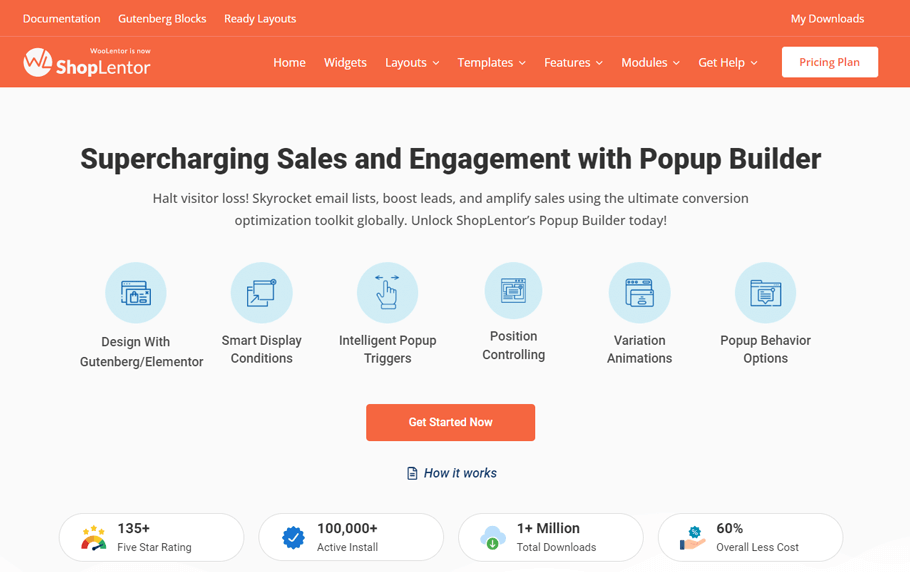
Access prebuilt templates, utilize the drag-and-drop builder, and seamlessly manage all your pop-ups through an intuitive dashboard. Target specific display locations and trigger pop-ups with popular page builders, granting you precise control over their appearance and timing. Elevate your user interaction and drive conversions with the Popup Builder by ShopLentor.
What the product page confirms:
- Triggers: page load, scroll, click, specific element click, inactivity, and exit intent.
- Conditions: entire site, archives, singular posts, and WooCommerce pages such as shop, product archives, and single products.
- Targeting: URL rules, device (desktop, tablet, mobile), and browser.
- Controls: a “Do Not Show Again” setting with a duration, dismissal by Esc key or overlay click, and automatic closing with a delay.
- Layouts: full screen, modal, and slide-in, plus a template library.
- Tracking: works with your analytics tools.
Limits to know:
- It is built for WooCommerce stores. It is not a general newsletter platform.
- It shows the popup. You still need an email service to store subscribers and send emails.
- The product page does not list built-in A/B testing.
Good to know: if your store already runs on ShopLentor, you can add popups without another plugin. Pair it with the Email Automation module for follow-up emails, or the Smart Cross-Sell Popup to suggest products.
Customer Reviews: 230+ 5-star reviews
Active installations: 80,000+
MailPoet
MailPoet is not just an easy-to-use email marketing plugin but also a comprehensive solution that caters to all your email marketing needs. This plugin is widely recognized as one of the most popular opt in plugins for WordPress, specifically designed for effortlessly building email lists.

With its extensive range of functionalities, it goes beyond just handling the design, automation, and email sending of your campaigns. It empowers you to create stunning email templates, segment your audience effectively, and analyze the performance of your campaigns with detailed reports.
A comprehensive suite of WordPress email marketing features, including newsletters, welcome emails, latest post notifications, automated WooCommerce emails, and a reliable email sending service. Whether you’re a beginner or a seasoned marketer, MailPoet is the perfect choice to elevate your WordPress email marketing game to new heights!
Key features:
- Versatile form options, such as pop-up, slide-in, fixed bar, below posts/pages, and widget forms.
- Precisely control the appearance of forms on specific posts/pages.
- Take advantage of exit-intent technology.
- Effortlessly edit and style each form type using our user-friendly Gutenberg form editor.
- Access a wide range of ready-to-use templates.
- To provide a smooth and effortless user experience, make sure that your website is optimized for mobile responsiveness.
- Create an unlimited number of forms.
Customer Reviews: 1058+ 5-star reviews
Active installations: 700,000+
OptinMonster
OptinMonster, a well-established and feature-rich WordPress plugin, is a top choice for email capture. With its user-friendly drag-and-drop builder and a variety of templates, it empowers you to create various opt in forms, from lightbox pop-ups to in-post campaigns. This email opt-in plugin seamlessly integrates with major email marketing services like MailPoet, Mailchimp, AWeber, GetResponse, and HubSpot.
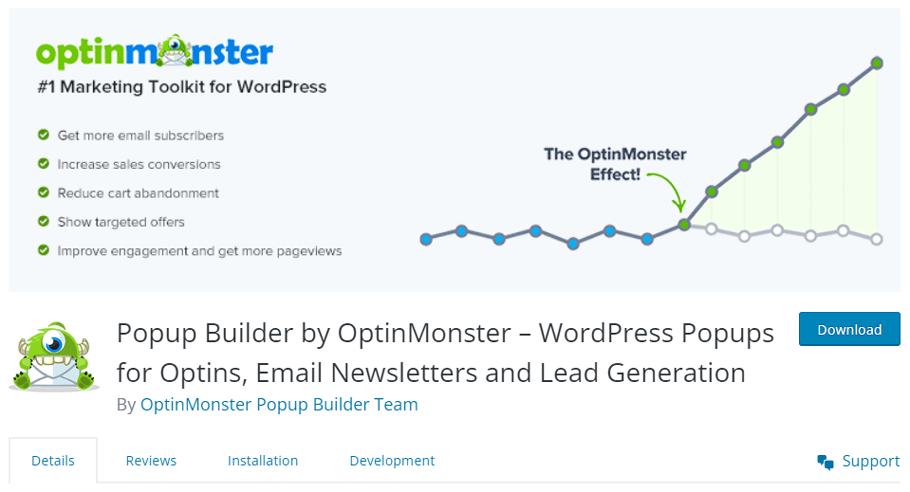
With its implementation of intelligent exit intent technology and array of features, including advanced page-level targeting, A/B testing, and in-depth analytics, this solution offers a comprehensive approach to enhancing email list growth through high-converting opt-ins.
Key features:
- Intuitive drag-and-drop builder and templates.
- Effortlessly create lightbox and fullscreen pop-ups, floating bars, slide-ins, mobile, and in-post campaigns.
- Seamless integration with leading email marketing services, including MailPoet, Mailchimp, AWeber, GetResponse, and HubSpot.
- Intelligent exit intent technology.
- Advanced page-level targeting and personalized user experiences.
- Simple A/B testing functionality.
- Comprehensive analytics for detailed insights.
Good to know: It is a strong fit if exit-intent targeting is your main goal. Budget for the tier that includes it.
Customer Reviews: 587+ 5-star reviews
Active installations: 1+ million
Thrive Leads
Thrive Leads is a premium email opt-in plugin for WordPress that offers ten different types of opt-ins. However, Thrive Leads has a standout feature in A/B testing. With its advanced testing engine, you can compare opt-in designs, form types, triggers, and offers. What sets Thrive Leads apart is its ability to monitor test performance automatically.

Once a statistically proven winner is found, the losing variations are hidden. This “set and forget” approach allows your conversion rate to increase effortlessly over time. Accelerate the growth of your mailing list with Thrive Leads, reaching new heights of efficiency and effectiveness.
Key features:
- A diverse range of opt-in types, such as pop-ups, ribbons, 2-step opt-in forms, exit-intent lightboxes, slide-ins, screen fillers, widgets, scroll mats, and multiple choice.
- Thrive Leads has an extensive collection of professionally crafted templates.
- Utilizes exit intent and SmartExit technology.
- Advanced A/B testing capabilities.
- Thrive Leads provides engaging animations.
- Actionable reporting and insightful analytics.
- Advanced trigger and targeting options.
Good to know: it works best if you plan to run tests on a regular basis. It is less useful if you want a quick, free popup
Bloom
From the creators of Divi, Bloom is an incredibly user-friendly opt-in form plugin that provides a comprehensive set of options for various types of opt-ins and actions. With its extensive library of 110+ exquisitely designed templates, you can effortlessly start collecting email lists or personalize them to align seamlessly with your website’s aesthetics and branding.
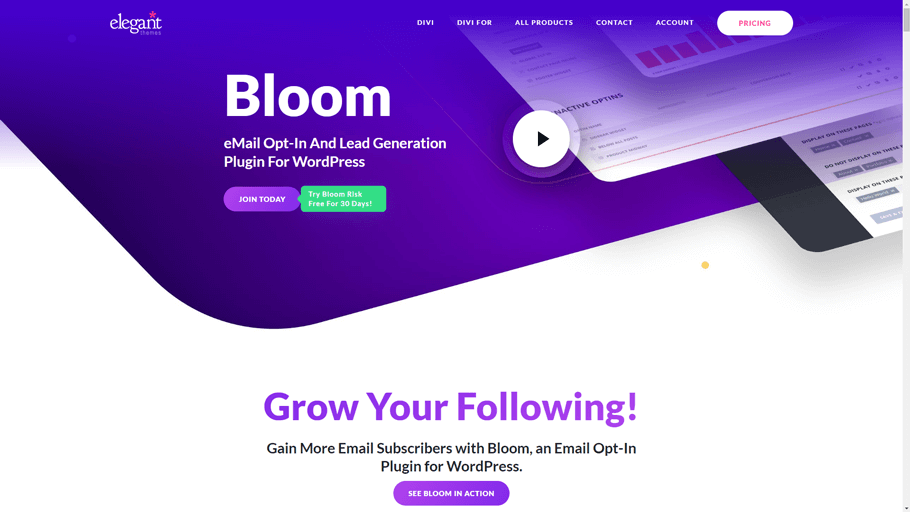
Bloom enables you to effortlessly craft captivating opt-in forms that not only grab attention but also stimulate active engagement and boost conversions.
Key features:
- Access to over 100 pre-made templates for a quick campaign launch.
- Utilize after-purchase triggers to prompt opt-ins during checkout.
- Target specific pages and posts with precision.
- Take advantage of impressive A/B testing capabilities.
- Gain insights from conversion reports and statistics.
Good to know: if you already pay for Elegant Themes, Bloom is included. If you do not use Divi, other tools may offer more for the money.
Hustle
Hustle, the highly sought-after WordPress email opt-in plugin, has rapidly gained popularity, boasting an impressive 80,000+ active installations. This exceptional popup plugin is not only incredibly user-friendly, but it also provides a seamless experience with its intuitive setup wizard that guides you through the process.

Additionally, Hustle offers advanced tracking and measurement tools, allowing you to effectively monitor and analyze the results as visitors enthusiastically engage with your captivating forms.
Key features:
- Precisely target visitors based on a wide range of behaviors and conditions such as time spent on a page, clicks, scrolling, location, device type, and more.
- Engage visitors with intelligent exit intent strategies.
- Seamlessly integrate with popular email service providers like AWeber, Mailchimp, ActiveCampaign, ConvertKit, SendinBlue, and even SendGrid
- Gain valuable insights through detailed analytics, including display and submission stats of opt-in forms, as well as conversion rates.
Good to know:
- It targets visitors by behavior, such as time on page, scroll, device, and exit intent.
- It connects to many email services, so you keep your current provider.
- It is a strong test run if you do not want to pay yet.
Which Opt-In Plugin Should You Choose?
Use this simple guide:
- WooCommerce store, building with Elementor or Gutenberg: ShopLentor Popup Builder.
- Blog that needs forms and email sending in one place: MailPoet.
- Tight budget, testing the waters: Hustle (free).
- Exit-intent and advanced targeting, and you accept a monthly fee: OptinMonster.
- Regular A/B testing on WordPress: Thrive Leads.
- Already on Divi: Bloom.
If two tools fit, choose the one that connects to your current email service. Switching email services later costs more than switching popup plugins.
Which Opt-In Form Type Should You Use?
Match the form to the moment:
- Popup (modal): best for a clear offer, such as a welcome discount. Use a delay or scroll trigger.
- Slide-in: less intrusive. Good for blog readers who are halfway through a post.
- Top or bottom bar: good for simple announcements and free-shipping offers.
- Inline form: good inside posts, where the offer matches the topic.
- Exit-intent popup: last chance before a visitor leaves. Works on desktop. Mobile has no cursor, so tools use other signals.
Start with one form type on your top pages. Add more only after you see results.
Example: Set Up a Welcome-Offer Popup in WooCommerce
This example uses the ShopLentor Popup Builder. The same logic applies to other tools.
Goal: offer a first-order discount in exchange for an email address.
- Turn on the module. Go to ShopLentor, then Settings, then Modules, and enable Popup Builder.
- Design the popup. Use Elementor or Gutenberg. Add a short headline, the offer, and your sign-up form. Check the Popup Builder documentation for the form options available in your version.
- Choose a trigger. Use scroll or exit intent. Avoid showing it the second someone lands.
- Set conditions. Show it on the shop page and product pages, not the cart or checkout.
- Set frequency. Turn on “Do Not Show Again” and pick the number of days.
- Set devices. Check the mobile view. Keep the close button easy to tap.
- Test it. Visit the store in a private window. Submit a test email and confirm it reaches your email service.
Then watch the results for two weeks before you change anything.
Consent and Legal Basics
This is not legal advice. Check the rules for your region.
- GDPR (EU/UK visitors): consent must be freely given, specific, informed, and unambiguous. Do not pre-tick consent boxes. Say clearly what people will receive.
- CAN-SPAM (US): commercial emails need a clear way to opt out, and you must honor opt-outs promptly. See the FTC compliance guide.
- Double opt-in: the subscriber confirms by clicking a link in an email. Some regions expect it in practice. It also keeps your list cleaner.
- Privacy policy: link to it near the form.
Keep Popups Fast and Mobile-Friendly
Google has said since 2016 that pages with intrusive interstitials on mobile may rank lower (see Google Search Central, August 2016). Legal notices, such as cookie consent and age checks, are treated differently. Banners that use a reasonable amount of screen space are fine.
Safe rules:
- Do not cover the whole mobile screen right after the page loads.
- Make the close button big and clear.
- Do not show a popup again right after someone closes it.
- Load the form only on pages where it helps.
How to Measure Results
Track one number first:
Conversion rate = sign-ups ÷ visitors who saw the form × 100
Then improve one thing at a time:
- Change the headline before the design.
- Ask for the email only. Extra fields cut sign-ups.
- Compare pages. Some pages convert better than others, so show the form where it works.
- Refresh the offer if results drop.
Use your tool’s reports or Google Analytics to track views and sign-ups.
Frequently asked questions
Do popups hurt my SEO?
They can if they block content on mobile right after a click from Google. Keep popups small on mobile, delay them, and make them easy to close. Legal notices, such as cookie consent, are treated differently. See the Google guidance linked above.
Do I need a consent checkbox or double opt-in?
It depends on your visitors’ location and your email service. If you collect emails from the EU or UK, plan for clear, unticked consent. For the US, you must include an opt-out in your emails. Double opt-in is a safe extra step. When unsure, ask a lawyer.
Can I start free?
Yes. Hustle has a free version on WordPress.org. MailPoet’s plugin is free, but check its sending plan limits. ShopLentor’s free plugin includes limited Popup Builder features. OptinMonster, Thrive Leads, and Bloom are paid.
Why do my welcome emails go to spam?
Opt-in plugins capture emails. They do not decide inbox placement. Common causes:
1. Your sending domain lacks SPF and DKIM records.
2. WordPress sends mail through the default PHP mail function.
3. The email looks promotional, with heavy images and no plain text.
Send through a proper email service or SMTP provider, set up domain authentication, and keep the first email simple
ShopLentor- WooCommerce Builder for Elementor & Gutenberg
A versatile page builder to build modern and excellent online stores with more than 100k+ Active Installations.
Conclusion
There is no single best opt-in plugin. The right one depends on your site type, your email service, and your budget.
- Running WooCommerce? Start with ShopLentor Popup Builder.
- Want everything in WordPress? Try MailPoet.
- Want to start free? Try Hustle.
- Need heavy testing and targeting? Look at OptinMonster or Thrive Leads.
Pick one tool, run one offer, and measure for two weeks. Then improve.
Want more store tips? Explore the ShopLentor modules or see the plans.