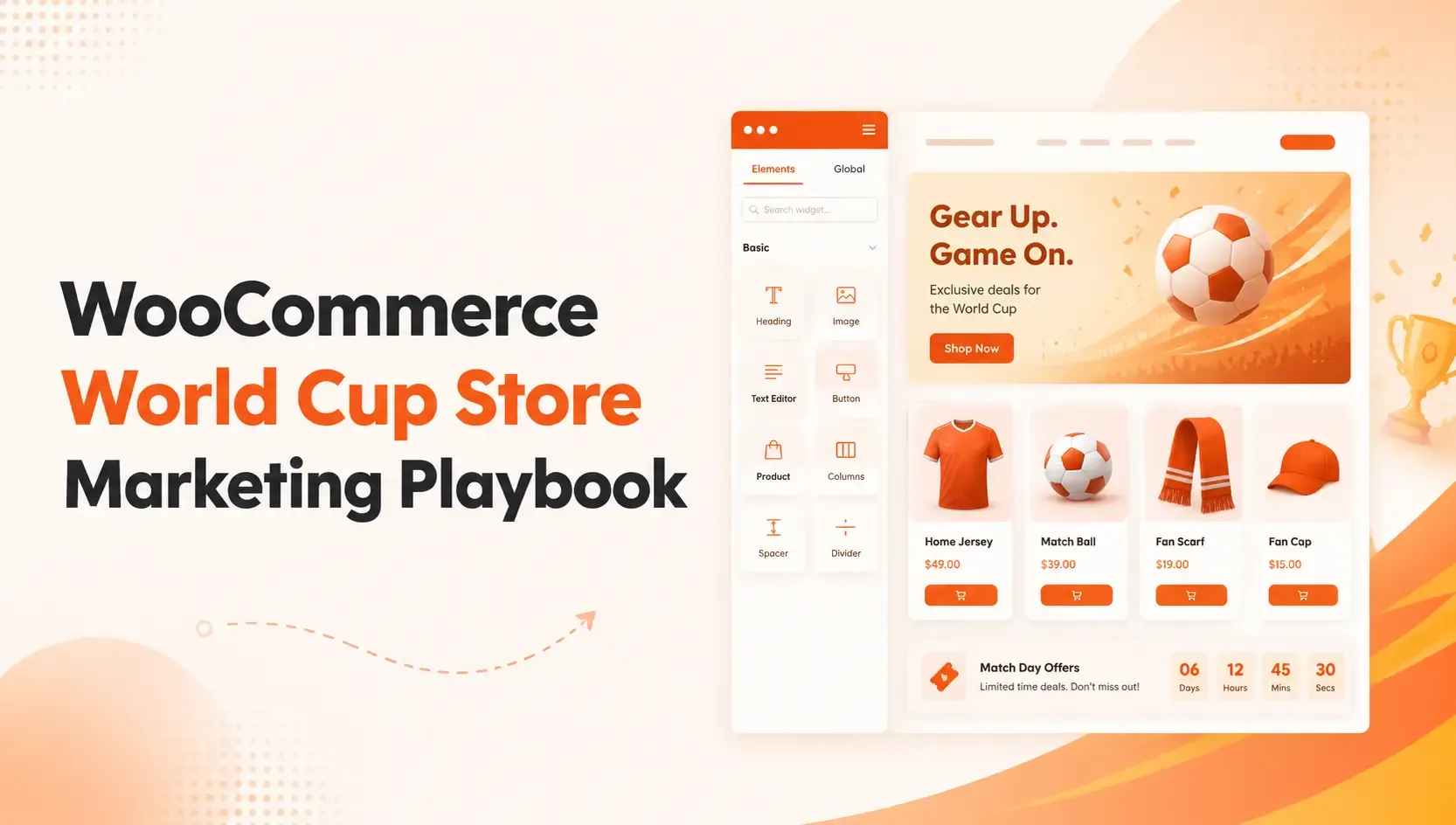
World Cup 2026 gives online stores a clear chance to attract football-driven traffic and convert seasonal demand into sales across apparel, accessories, fan gear, and related products.
This Marketing Playbook for WooCommerce Stores focuses on the practical steps that help make that happen, from store design and product discovery to promotions, checkout, and abandoned cart recovery.
Rather than treating ShopLentor as a promotional add-on, this guide uses it as a practical implementation tool for the ideas that matter most during a high-attention season.
Its templates, modules, and widgets can help merchants improve shop pages, product pages, cart, checkout, and merchandising without custom development.
Quick Answer:
A Marketing Playbook for WooCommerce Stores is a step-by-step action plan that helps online store owners prepare for seasonal events like the 2026 FIFA World Cup. It covers store design, product discovery, match-day promotions, checkout optimization, and abandoned cart recovery — so stores can turn tournament traffic into actual sales.
Table of Contents
Why this World Cup matters for WooCommerce Store Owners
The FIFA World Cup is one of the most effective global marketing platforms, reaching audiences in more than 200 countries, which is why brands invest heavily around the tournament.
In 2026, that attention is already driving early campaigns from major brands and creating new momentum for ecommerce, digital marketing, and fan-centered promotions.
For WooCommerce stores, this creates several opportunities:
- Sell tournament-themed products, bundles, and accessories tied to fan interest.
- Launch campaign landing pages around match-day deals and limited-time offers.
- Improve conversion rates with stronger shop layouts, merchandising blocks, and checkout optimization.
Stores that want to expand their campaign strategy beyond a single article can also connect this topic to related resources, such as WooCommerce Advanced Coupon, which helps support promotional campaigns tied to seasonal demand.
Build a World Cup hub on your homepage
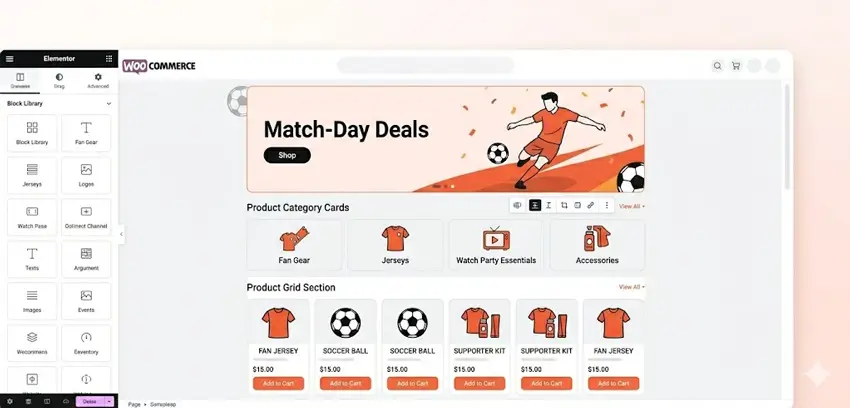
Fans who land on your store need to feel immediately that it is relevant to the tournament. A generic homepage with no seasonal focus will lose them in seconds.
The goal is to create a temporary World Cup experience without rebuilding your entire theme. A few targeted changes can make the store feel fully on-theme for the tournament period.
Start with a strong hero section that highlights your World Cup collection or a key match-day offer. Below that, add team-based or category-based product sections so fans can navigate directly to what they want — “Argentina Kits,” “Match-Day Bundles,” or “Watch Party Essentials.”
ShopLentor’s drag-and-drop template builder for Elementor and Gutenberg makes this straightforward. You can build a custom homepage layout using its Product Grid, Category List, and banner widgets without touching any code.
The WooCommerce Shop Page Template and How to Build Custom WooCommerce Templates with ShopLentor are practical starting points for this.
If the store also wants custom product layouts for hero merchandise, Build a Custom Single Product Template is a relevant next step to link naturally from this section.
Make product discovery fast and friction-free
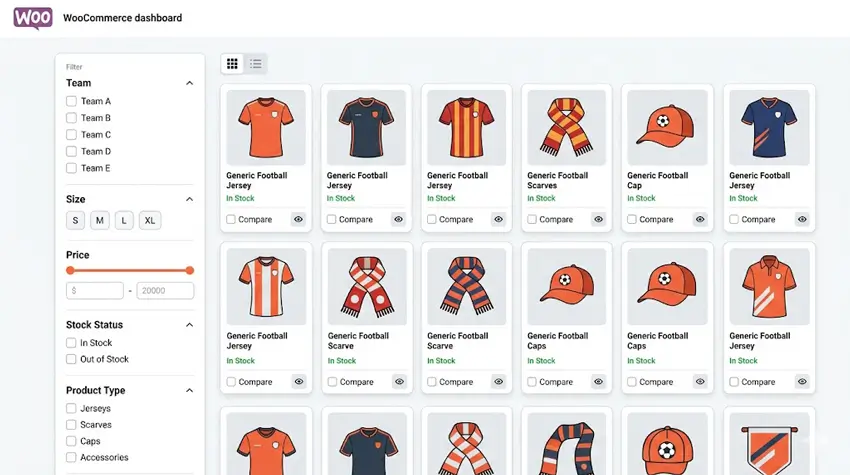
During a major football event, shoppers browse quickly and decide fast. If your archive page shows a wall of unsorted products with no filters, fans will leave.
A World Cup-ready shop page should let visitors filter by team, size, price, and stock status. It should also allow them to switch between grid and list views so they can compare products without opening multiple tabs.
ShopLentor’s modern product grid layout supports grid/list switching, and its product filter widgets give shoppers faster control over what they see.
For stores selling multiple similar jerseys or kits, the WooCommerce Product Compare feature adds another layer of confidence for buyers who want to compare before committing.
The layout examples in How to Use Product Grid – Modern Layout for Elementor are a useful reference for setting this up.
Improve product pages for jersey and merch buyers
A product page for a World Cup jersey needs to do a few things well. It needs large, clear images, easy size and variant selection, visible stock levels, and a clear path to checkout.
Most default WooCommerce product pages do not deliver this out of the box. The layout is flat, the variant selectors are basic, and related products are often buried at the bottom.
Using ShopLentor’s Single Product Builder, you can rearrange the layout to put the most important elements — gallery, swatches, urgency signals, and trust cues — exactly where they help most.
The Best WooCommerce Single Product Page Builder for Elementor and Build a Custom Single Product Template shows the full process.
A few small additions can also increase average order value significantly. ShopLentor’s Upsell and Cross-sell widgets let you show “Complete your kit” recommendations directly on the product page — for example, pairing a jersey with a matching scarf or cap.
See Product Upsell for Elementor and Upsell Product Custom for Elementor for setup guidance.
The Stock Progress Bar widget is also worth adding to high-demand products during the tournament. Showing “Only 8 left in stock” next to a popular jersey creates genuine urgency without any hard-sell language.
ShopLentor- WooCommerce Builder for Elementor & Gutenberg
A versatile page builder to build modern and excellent online stores with more than 100k+ Active Installations.
Run match-day promotions that actually convert
Generic discounts rarely perform well during a tournament. What works better is tying your offers to real moments — a specific match, a team advancing, a last-chance window before the final.
Here are a few proven promotion formats that work for World Cup campaigns:
- Team-win discounts: Offer a short-term coupon when a popular team wins a match.
- Match-day bundles: Group a jersey, a scarf, and an accessory at a slightly reduced bundle price.
- Flash sales: Run a 3-hour sale timed to kick-off or full-time whistle.
- Pre-order drops: Allow fans to reserve limited-edition or restocked jerseys before they go live.
For discount logic and coupon conditions, WooCommerce Advanced Coupon makes it easier to set up cart-based rules and match-specific codes without custom code.
ShopLentor’s Smart Cross-sell Popup module adds another dimension here. It surfaces relevant product suggestions at key moments in the shopping journey — for example, showing a “Fan Pack” popup when a customer adds a jersey to their cart.
The Smart Cross-sell Popup Module documentation covers the full setup.
For stores that want to promote offers on arrival, the Popup Builder module in ShopLentor lets you create targeted welcome popups or campaign banners connected to specific pages, products, or time triggers.
Streamline cart and checkout for match-day speed
This is where most stores lose sales during a high-traffic event. A complicated checkout with too many fields, unclear costs, and no guest option will push fans away at the final step.
The checkout experience during a football event needs to be fast, mobile-friendly, and distraction-free. Fans may be watching a match on another screen while checking out — every extra tap is a risk.
ShopLentor’s Checkout Field Editor lets you remove unnecessary default WooCommerce fields and keep only what is essential for the order. The Checkout Field Editor and Checkout Field Manager pages cover how to customize the layout and field logic in detail.
For a more modern experience, ShopLentor also supports a Shopify-style checkout flow that many shoppers already recognize and trust from other stores. That familiarity alone can reduce hesitation at checkout.
Adding a small order bump at checkout — such as “Add a team flag for 20% off” — is another way to increase order value without interrupting the flow.
Recover carts abandoned during the match
Cart abandonment is always a challenge in ecommerce, but it is especially common during live events. A fan adds a jersey to their cart, then the match kicks off, and the purchase never completes.
ShopLentor’s built-in Abandoned Cart Recovery module solves this automatically. It tracks carts left behind and sends timed email reminders that bring shoppers back to checkout — without any manual follow-up from your team.
A three-email sequence works well for World Cup recovery:
- First reminder — 1 hour after abandonment: A simple, friendly nudge with no discount.
- Second reminder — 24 hours later: A reminder with a benefit-focused subject line.
- Final reminder — 48–72 hours later: A light incentive like free shipping or a small coupon.
You can customize the email templates and timing directly inside WordPress using ShopLentor’s module. The How to Recover Abandoned Carts in WooCommerce with ShopLentor guide walks through the full setup.
Additional resources worth linking here include WooCommerce Abandoned Cart, 6 Ways to Recover Abandoned Carts in WooCommerce, and How to Add Abandoned Cart Email Templates in WordPress.
World Cup 2026 campaign timing guide
Timing matters as much as what you promote. Here is a simple rhythm to follow:
| Phase | When | What to focus on |
|---|---|---|
| Pre-tournament | 3–4 weeks before | Launch landing pages, fan collections, early-bird offers |
| Group stage | First 2–3 weeks | Match-day deals, team-specific promotions, bundles |
| Knockout rounds | Week 4 onwards | Urgency-based offers, last-chance stock, flash sales |
| Final week | Final 7 days | Hero offers, premium bundles, post-final clearance |
Planning around this rhythm gives each campaign a clear window and prevents last-minute rushed promotions.
Video Presentation
ShopLentor Football Fever Sale: Biggest Deal of the Year — Up to 50% OFF
Frequently asked questions
How early should a WooCommerce store prepare for the World Cup 2026?
Stores should ideally prepare weeks before the tournament begins so there is enough time to publish landing pages, organize product collections, test checkout flows, and schedule promotions. Early setup also helps stores capture pre-tournament search demand and avoid rushed campaign changes once traffic starts increasing.
What kind of products sell best during the World Cup season?
Common high-interest categories include jerseys, fan merchandise, themed apparel, accessories, and bundles built around match-day or watch-party needs. The exact mix depends on the audience, but products tied to team identity, urgency, and gifting tend to perform well during major football events.
Does ShopLentor work with both Elementor and Gutenberg?
Yes. ShopLentor supports both Elementor and the Gutenberg block editor, so WooCommerce store owners can use it regardless of which builder they prefer.
How does abandoned cart recovery work in ShopLentor?
ShopLentor’s Abandoned Cart Recovery module tracks visitors who add products to the cart but leave without completing the order. It then sends automated email reminders at set intervals, with options to include personalized messages, coupon codes, and direct links back to the cart
Can I use ShopLentor to create a custom checkout for my World Cup campaign?
Final Word
The best World Cup content does more than chase traffic. It helps store owners build a better shopping experience around a high-attention event by improving design, product discovery, offers, checkout, and retention.
ShopLentor fits naturally into that strategy because it supports custom WooCommerce templates, merchandising widgets, promotion modules, checkout optimization, and abandoned cart recovery in one ecosystem.
For stores that want to act on this strategy, ShopLentor works best as the implementation layer behind the ideas in this guide, helping merchants turn seasonal campaign planning into practical onsite improvements.