
The “My Account Order” Block is designed to display the My Account Page Template on WooCommerce. It’s a great way to showcase the My Account Order and can be easily customized.
Table of Contents
Steps for adding My Account Order
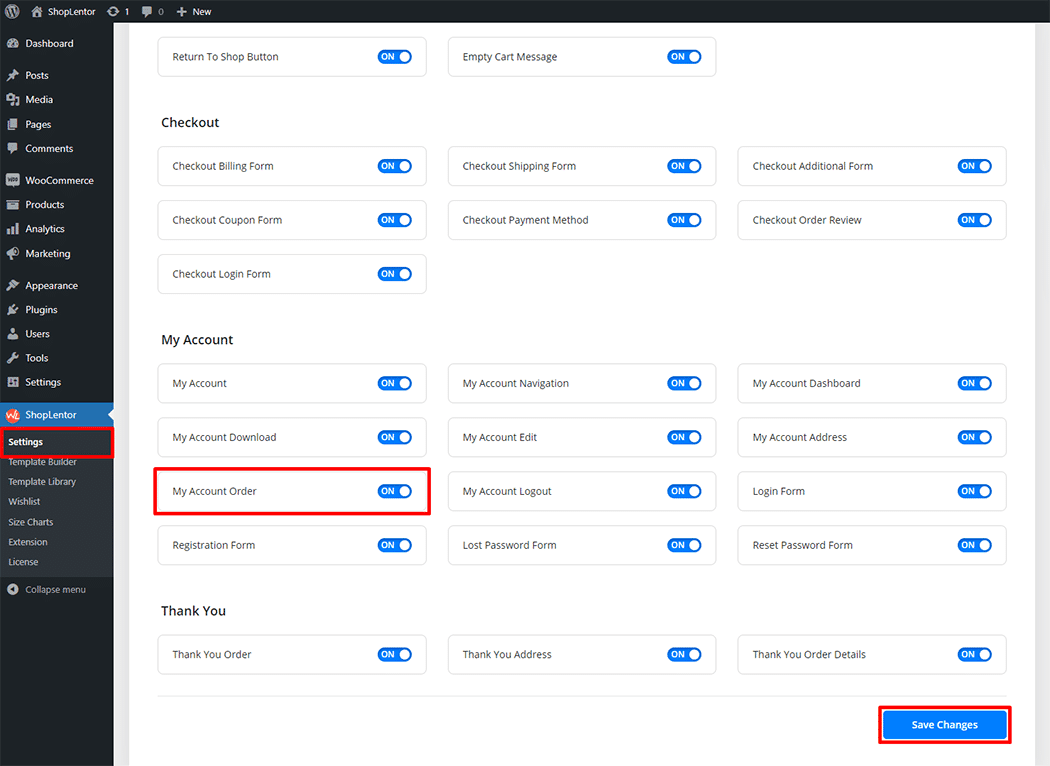
Go to WordPress Dashboard > WooLentor > Settings > Gutenberg. From the list of Gutenberg, turn ON the “My Account Order” Block.
Step 1: How to Enable My Account Order?
Go to Dashboard > WooLentor > Settings > Gutenberg. From the list of Gutenberg, turn ON the My Account Order Block.
Step 2: How to use the My Account Order Block?
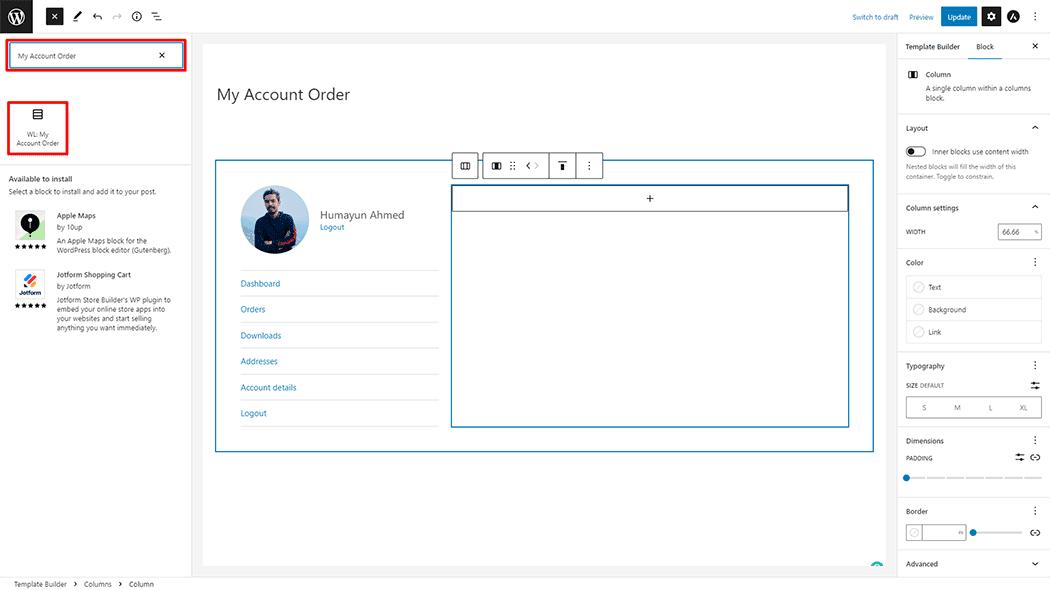
If you want to leverage the My Account Order feature on your WooCommerce store, you will need to use a Block named “WL: My Account Order“. To do so, simply search for the Block in the Gutenberg Block panel, and use it on the corresponding template that you have created for the Page.
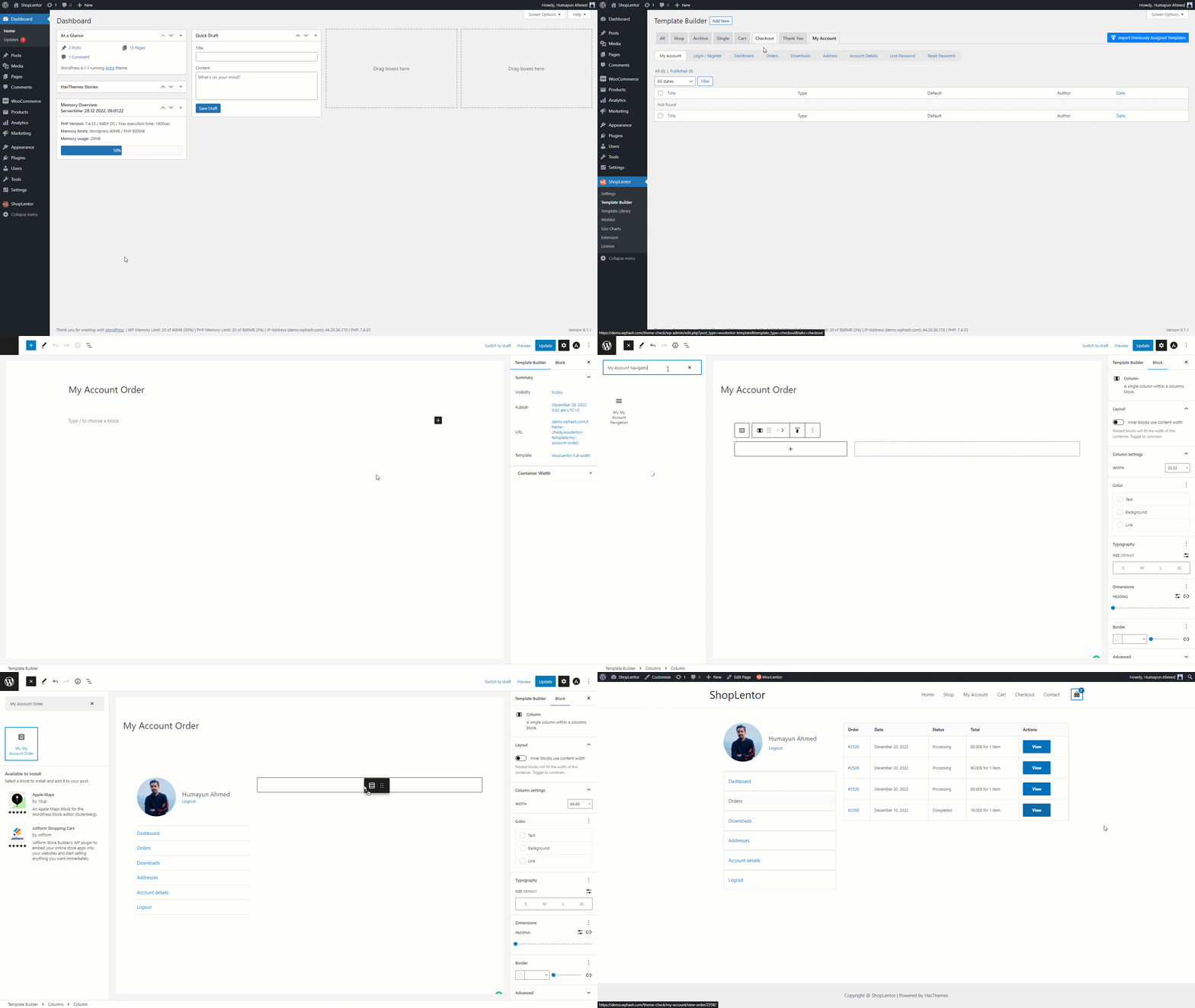
Go to Dashboard > WooLentor > Template Builder. Click the “Add New” button on the top right beside the text “Template Builder” to create a My Account page Template
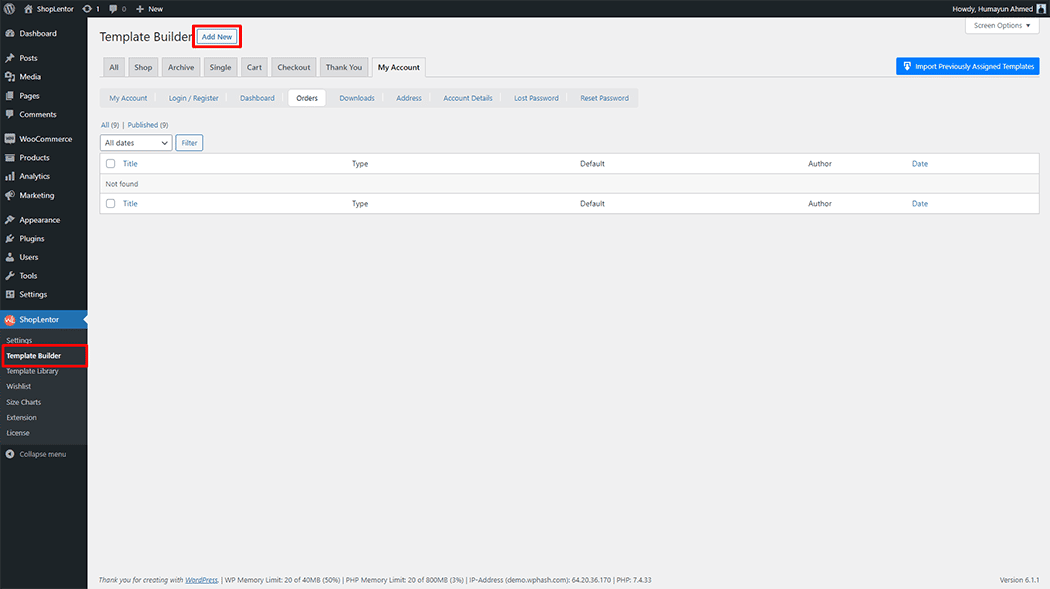
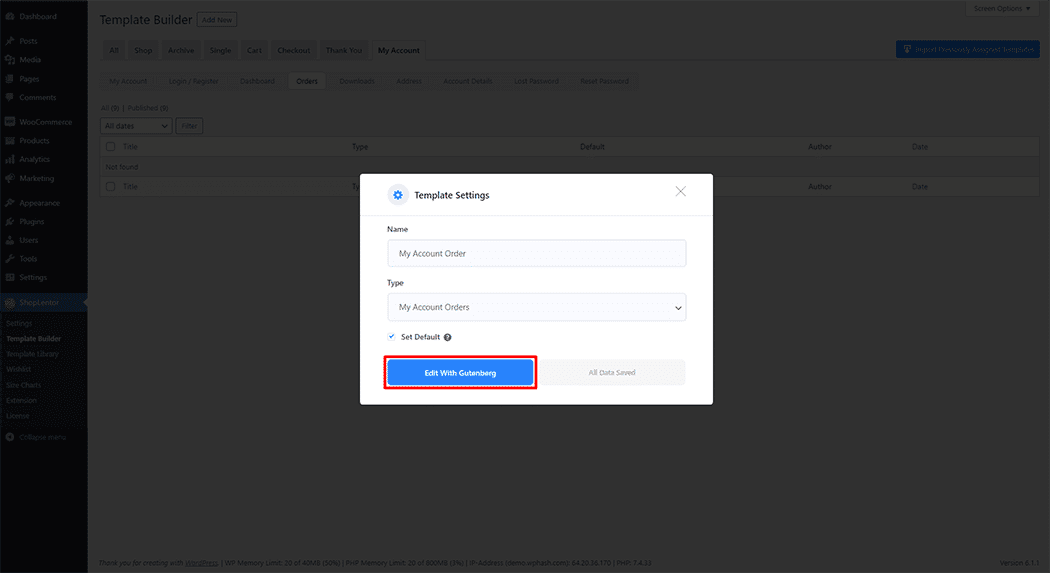
First, set the name of your Template and select it in the popup box for template settings. Select “My Account Order” from the dropdown type list. check the Set Default and save the settings by clicking the Save Settings button.
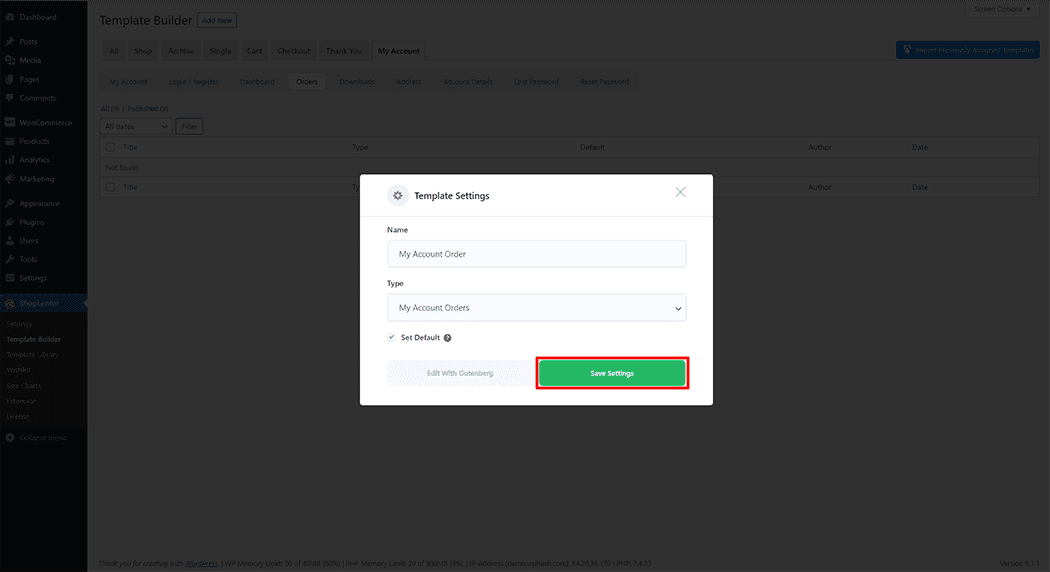
To add the My Account Order Block, click the “Edit with Gutenberg“ button to edit the My Account Order Template
To add a My Account Order Block, search by “My Account Order” and use the Block that has the “WL Badge”.
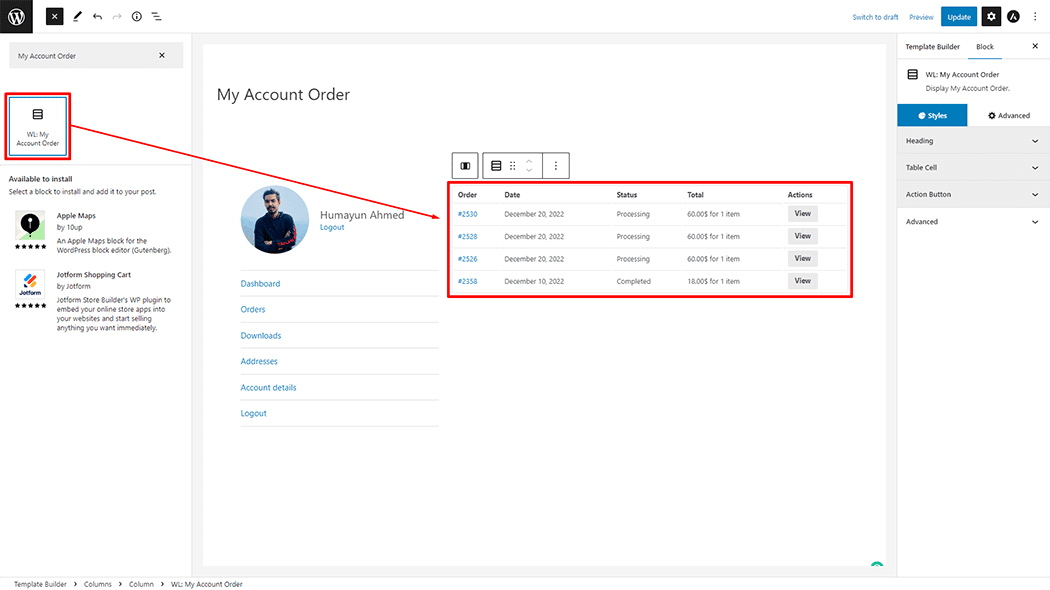
Drag and drop the WooLentor “My Account Order” Block onto the My Account Template.
Step 3: How to customize the My Account Order Block?
How to customize the My Account Order style
Heading: You can change the Color, Background Color, Font Size, Border type, Padding, and Alignment style My Account Order as needed.
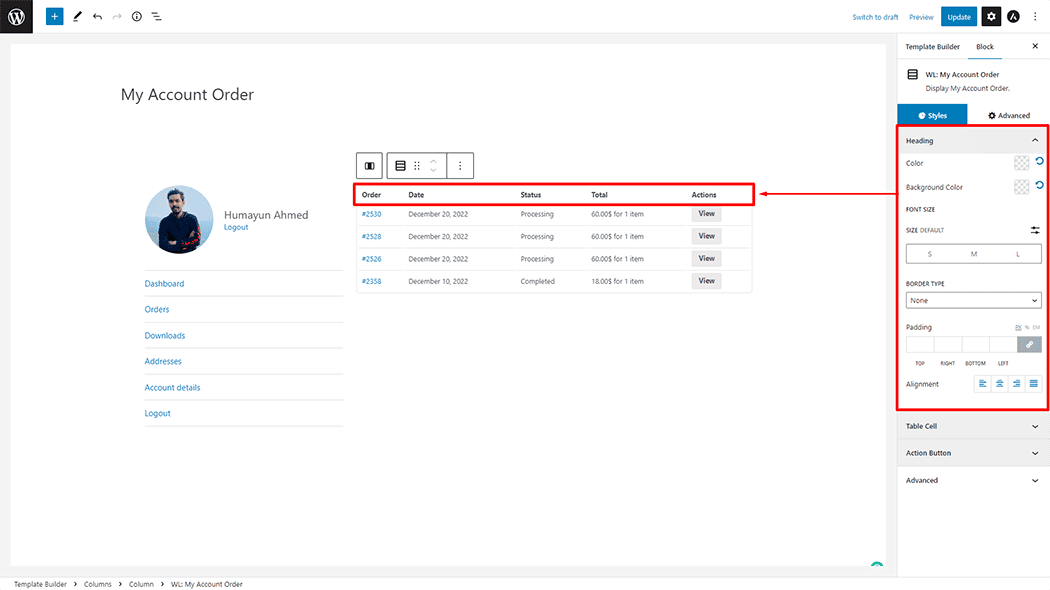
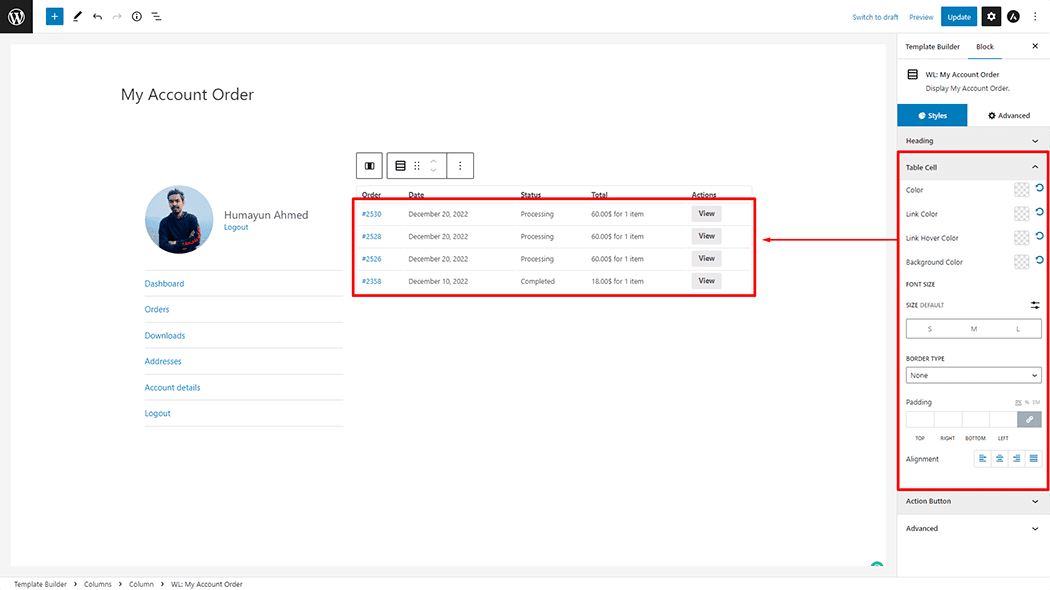
Table Cell: You can change the Color, Link Color, Link Hover Color, Background Color, Font Size, Border Type, Padding, and Alignment style My Account Order as needed.
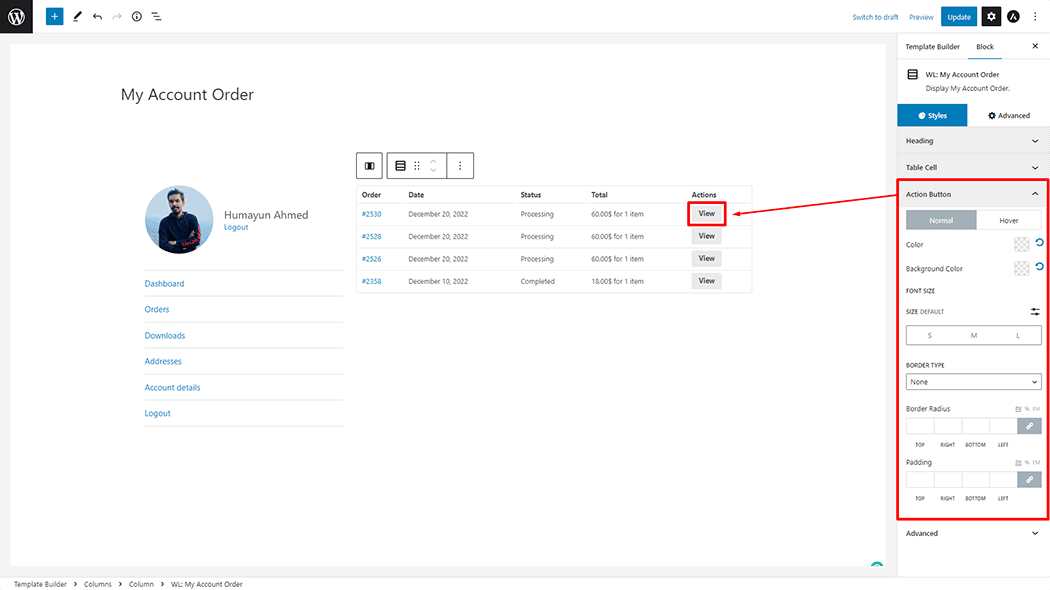
Action Button: You can change the Color, Background Color, Font Size, Border Type, Border Radius, and Padding style of My Account Order as needed.
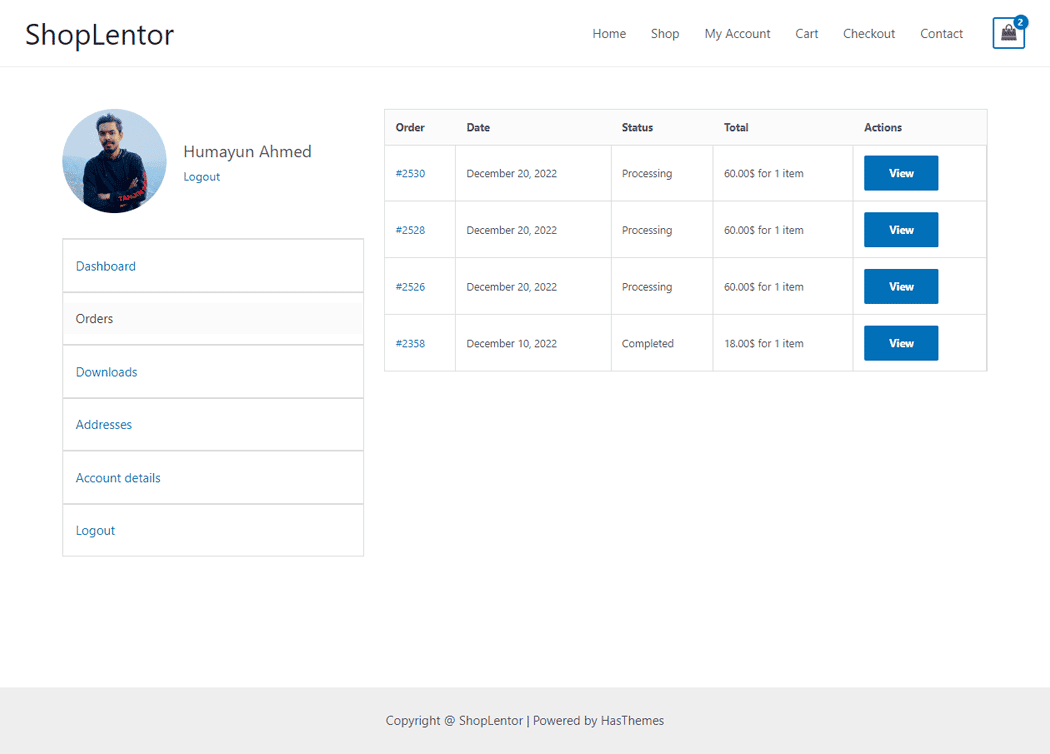
Step 4: Now view the preview
Visit the My Account Order Template to Preview.
Do you want to use the My Account Order Widget for Elementor? Click Here