
ShopLentor is a WooCommerce Page Builder Elementor Addon. ShopLentor provides features that will help to create layouts for all the WooCommerce pages with less effort. Some of these include: WooCommerce Page Builder – Build custom Shop, Cart, Checkout, and other WooCommerce pages using the WooCommerce page builder.
The ShopLentor and WPML combination allows you to create WooCommerce multilingual websites. To translate products, posts, pages and other content your customers see, check WPML’s guide on translating WooCommerce.
If you want to translate backend strings from ShopLentor, follow the steps below.
Why WPML String Translation is used?
WPML String Translation for ShopLentor allows you to translate texts that are not in posts, pages, and taxonomy. This includes the site’s tagline, general texts in admin screens, widget titles, and many other texts.
Prerequisites
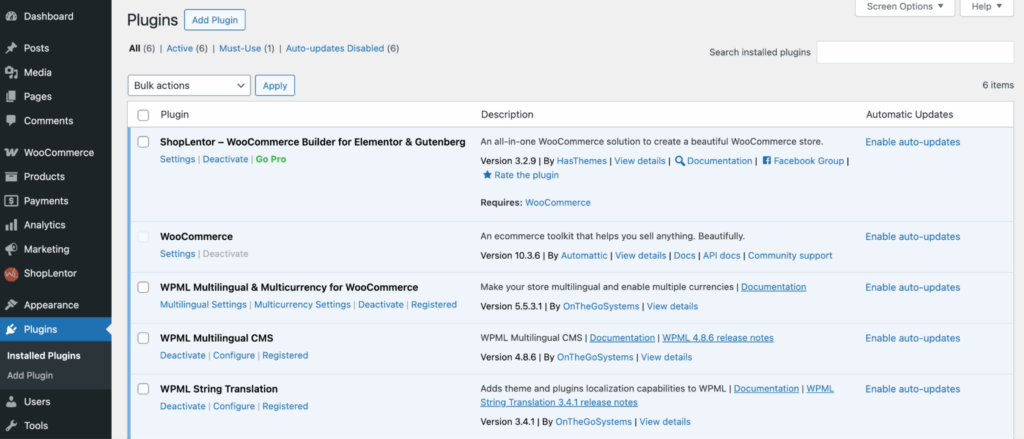
To create WPML multilingual content and enable ShopLentor WooCommerce multilingual support, you must have these plugins installed on your WordPress website:
- WPML Multilingual & Multicurrency for WooCommerce add-on
- WPML Multilingual CMS
- WPML String Translation
Additionally, you install the WooCommerce, ShopLentor, and ShopLentor Pro plugins.
How to Translate Strings With WPML
Step 1: Make ShopLentor Strings Translatable
WPML searches the plugin for strings and translates them. ShopLentor plugins (Free and Pro) for sting translation must be added.
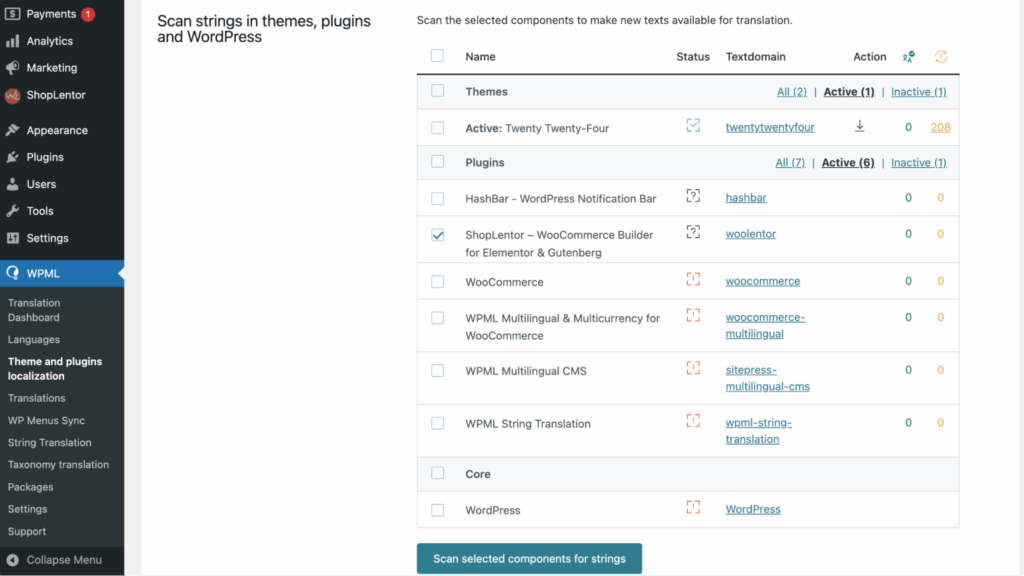
- Navigate to WPML > Theme and plugin localization from your WordPress dashboard.
- Under the Strings in the plugins, find ShopLentor and ShopLentor Pro plugins.
- Tick the checkboxes for ShopLentor and ShopLentor Pro and click Scan selected components for strings.
Step 2: Translate ShopLentor strings
The main place to translate any kind of content (posts, pages, products, texts, etc.) is the WPML Translation Dashboard. Here’s the process to translate strings from ShopLentor:
1. Navigate to WPML > Translation Dashboard and expand the Other Texts (Strings) section.
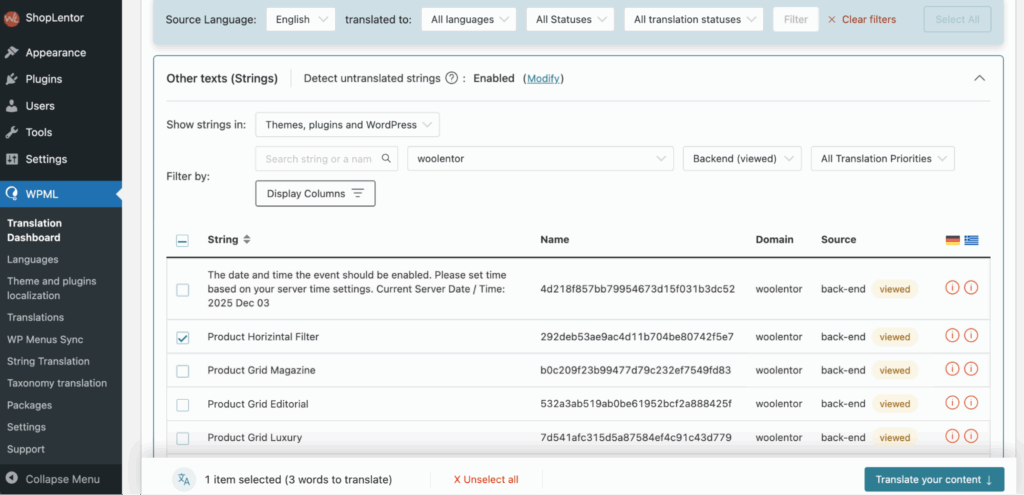
2. Find the strings by searching or filtering for the “woolentor” domain and select the ones you want to translate. Click on Translate your content when ready.
3. At Step 2, choose your translation method. With automatic translation, you can instantly translate as many strings you want. WPML recommends their own proprietary AI, Private Translation Cloud (PTC), for the most accurate results.
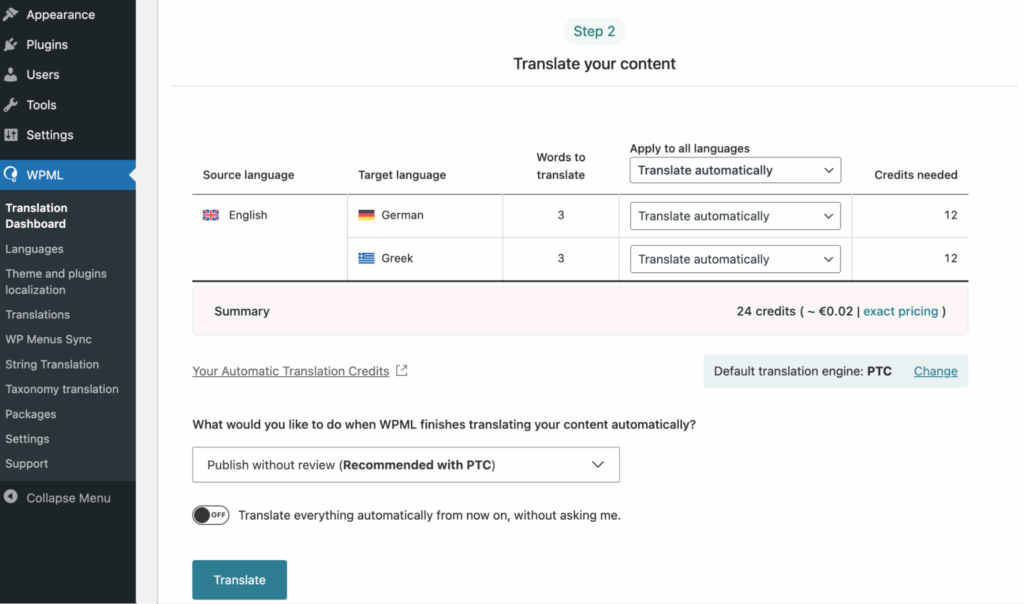
Note that the Translation Dashboard shows you the cost of automatic translation upfront.