The “One Page Slider” widget is mostly used in businesses that want to promote a single product, service, or portfolio in a clear way. Most websites have multiple pages, usually a home page, a contact page, an about page, and a page for offers.
Why One page slider is used?
On the Page, the “One page slider” widget is used to view content on the Page on WooCommerce. The “One page slider” widget is mainly designed for the Page.
Steps of adding One page slider
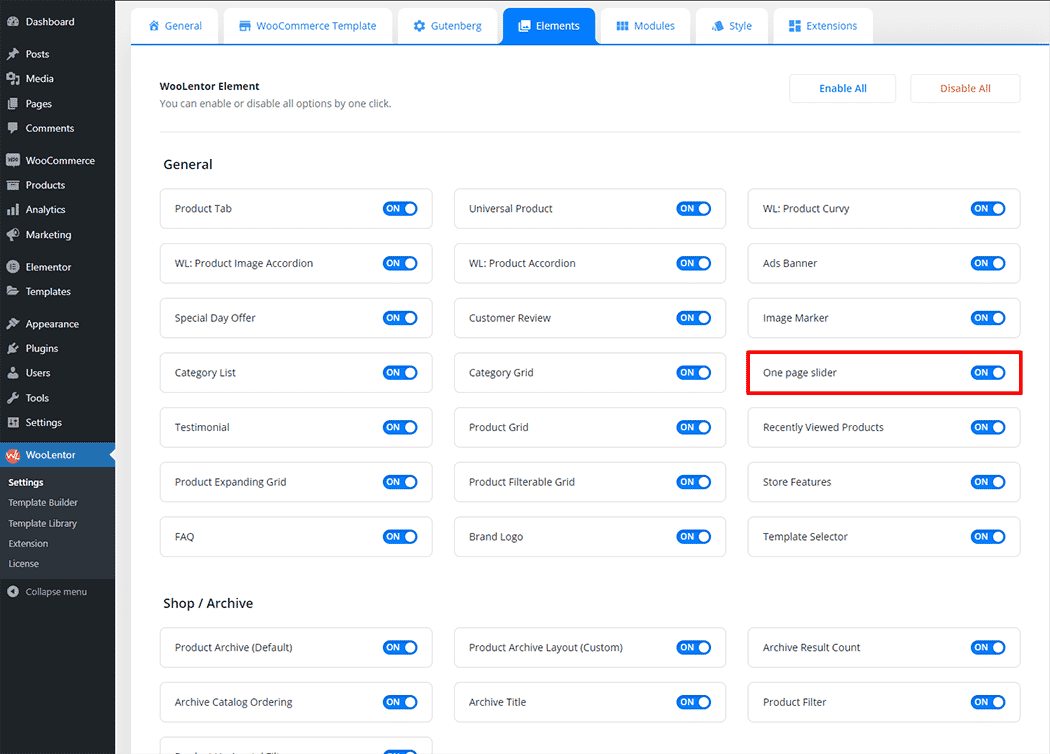
Go to WordPress Dashboard > WooLentor > Settings > Elements. From the list of Elements, turn ON the “One page slider” widget.
- You need to use the “WL: One page slider” widget to view your Content on the Page.
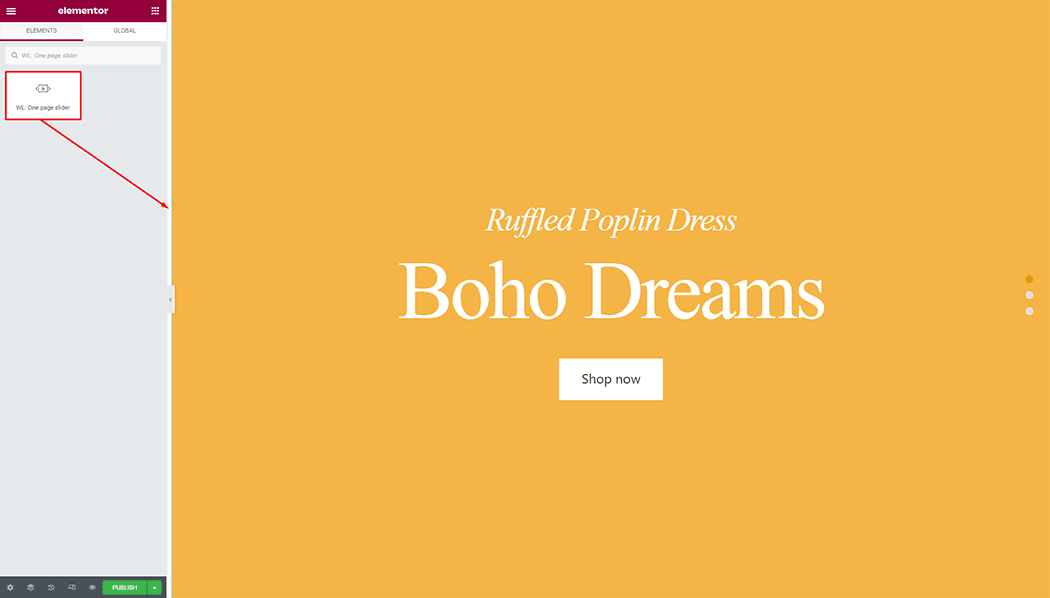
- To add a WL: One page slider, Drag and drop the “WL: One page slider” widget onto the Page.
Step 1: How to Enable One page slider Widget?
Go to Dashboard > WooLentor > Settings > Elements. From the list of Elements, turn ON the One page slider widget.
Step 2: How to use the One page slider Widget?
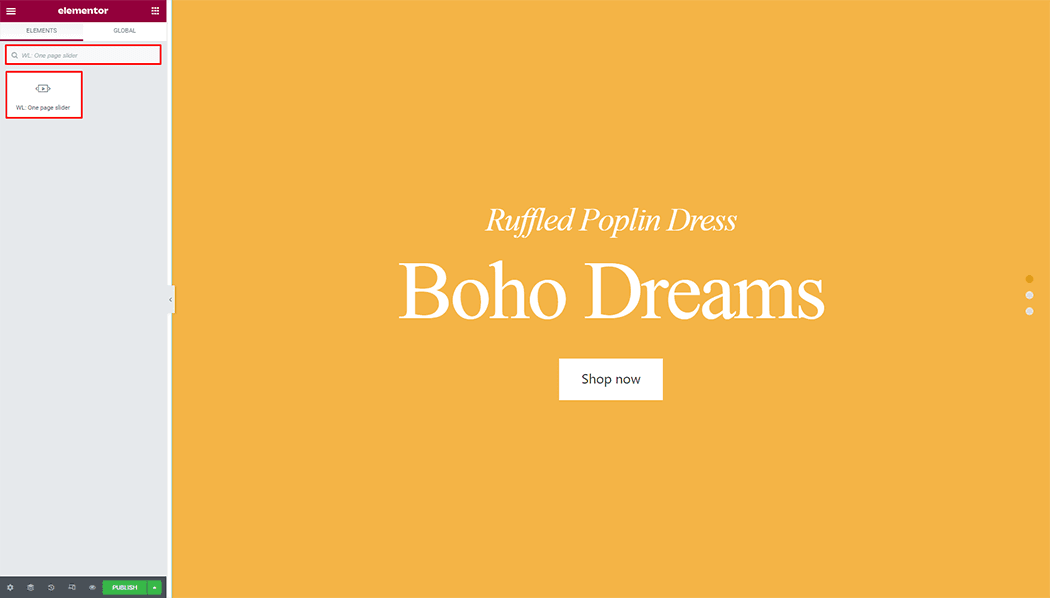
If you want to leverage the One page slider feature on your WooCommerce store, you will need to use a widget named “WL: One page slider“. To do so, simply search the widget in the Elementor widget panel, and use it on the corresponding template that you have created for the Page.
To add the One page slider widget, search by “One page slider” and use the widget that has the “WL Badge”.
Drag and drop the WooLentor WL: One page slider widget onto the Page.
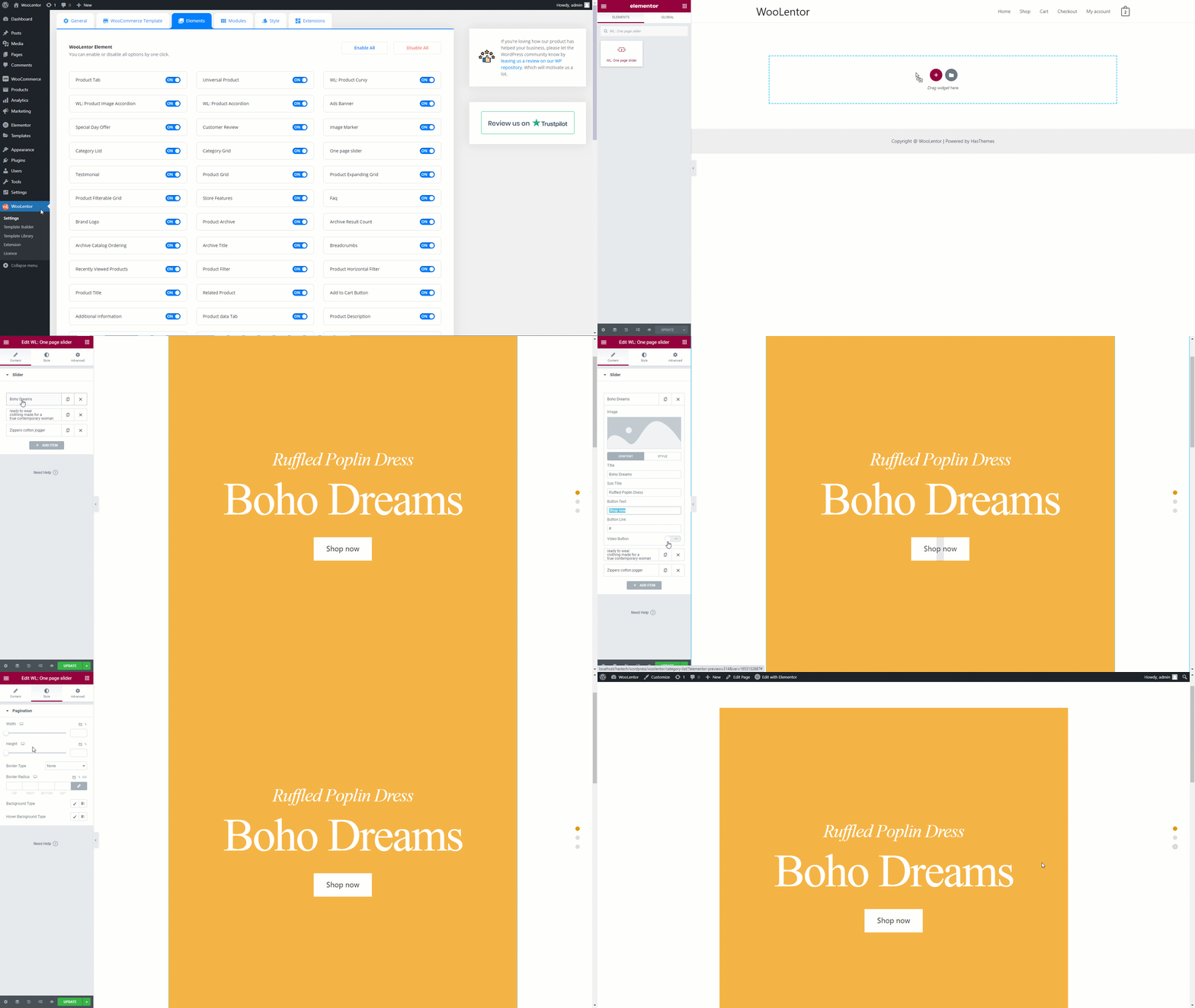
Step 3: How to customize the One page slider Widget?
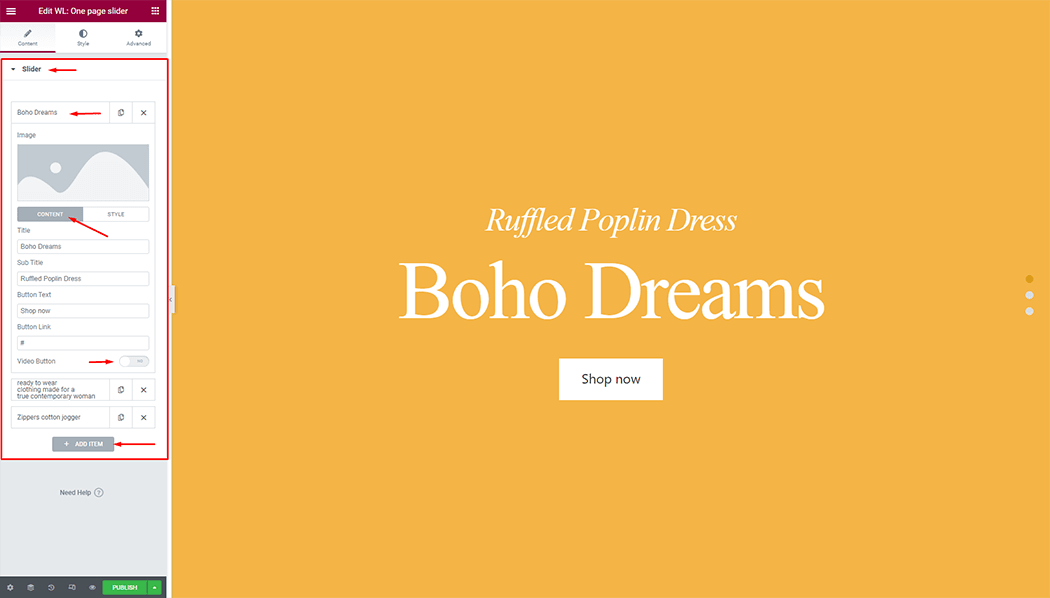
Slider: You can change the image, title, sub title, button, and video button.
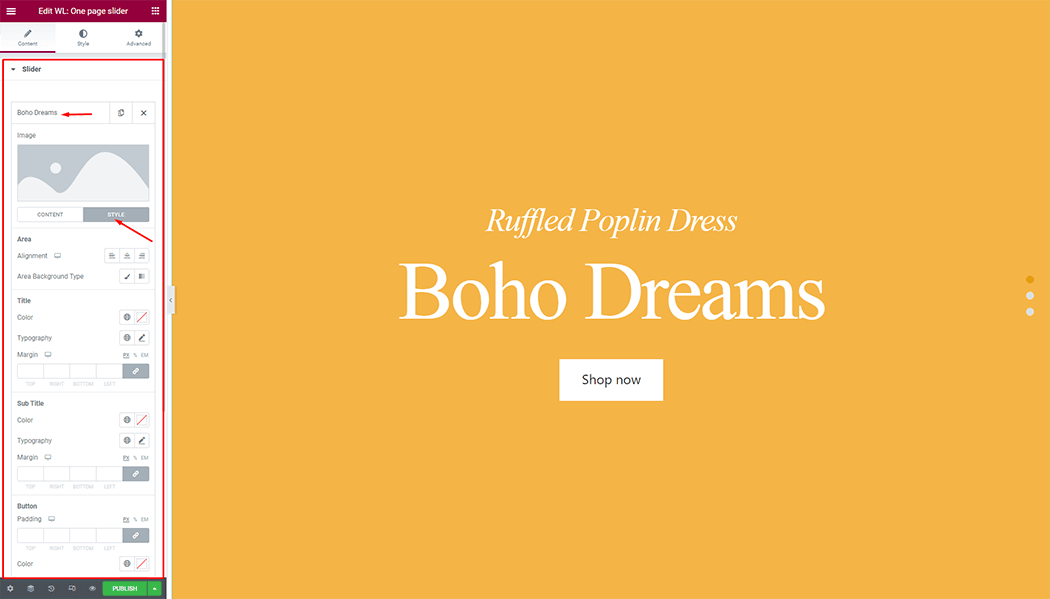
Slider: You can change the typography, text color, border color, padding, and margin style of the One page slider as needed.
How to customize the One page slider style
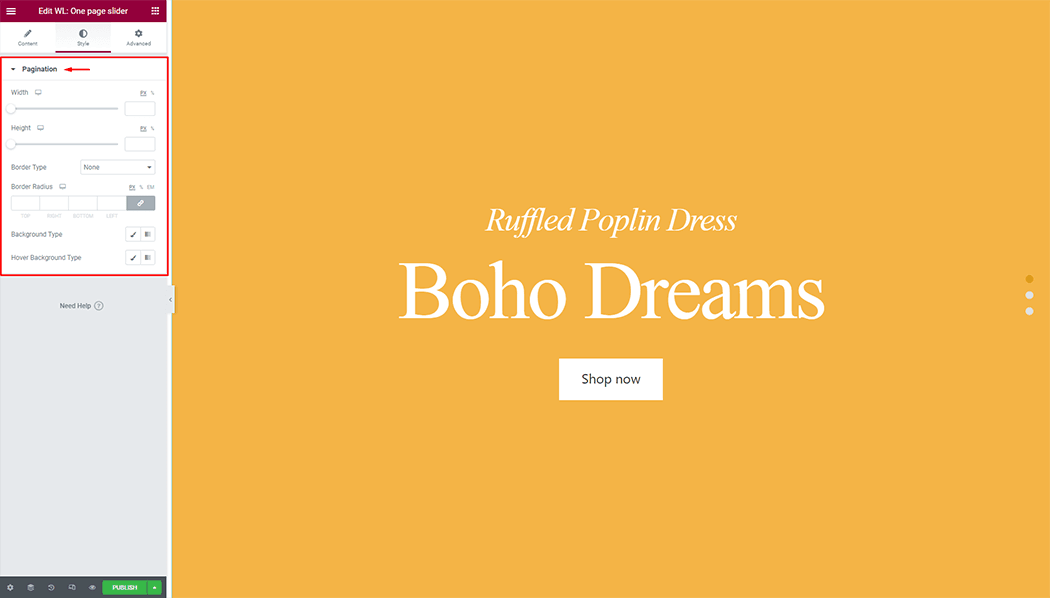
Pagination: You can width, height, background color, image, and border style of the One page slider as needed.
Step 4: Now visit the site
Visit the Page to Preview.