
The Free Shipping Bar module in ShopLentor helps WooCommerce store owners increase average order value by encouraging customers to spend more to unlock free shipping.
The module displays a dynamic progress bar that updates automatically based on the customer’s cart total. It helps improve conversions, encourages larger purchases, and creates a better shopping experience.
Key Features
- Dynamic free shipping progress bar
- Real-time cart progress updates
- Automatic WooCommerce shipping threshold detection
- Manual free shipping threshold setup
- Mini-cart and cart drawer support
- Countdown timer support
- Geo-targeting support
- A/B testing support
- Device targeting
- Analytics dashboard
- Multiple shipping bars
- Fully customizable styles
- Optional dismiss/close button
- WooCommerce shipping zone integration
How to Enable the Free Shipping Bar
- Go to: WordPress Dashboard → ShopLentor → Modules
- Find: Free Shipping Bar
- Click the settings icon
- Enable: Enable / Disable
- Click: Save Settings
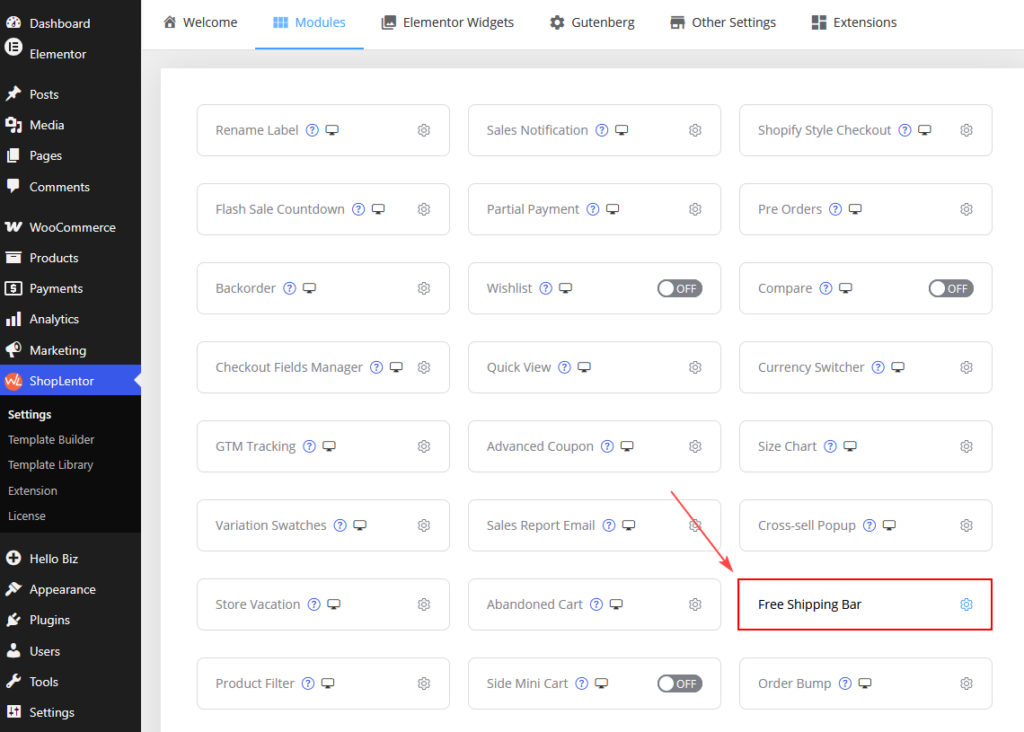
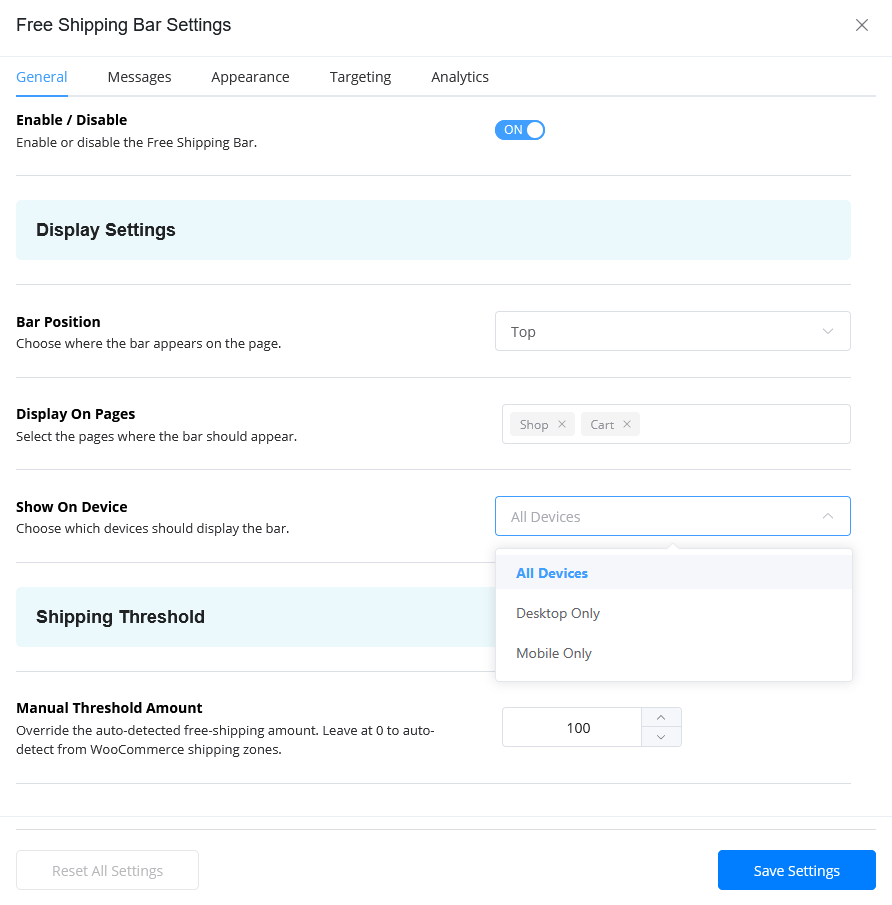
General Settings
Bar Position
Choose where the bar appears.
| Option | Description |
|---|---|
| Top | Display at the top of the page |
| Bottom | Display at the bottom of the page |
Display On Pages
Choose where the shipping bar should appear.
Example:
- Shop page
- Product page
- Cart page
- Checkout page
Show On Device
Control device visibility.
| Option | Description |
|---|---|
| All Devices | Show everywhere |
| Desktop Only | Desktop visitors only |
| Tablet Only | Tablet visitors only |
| Mobile Only | Mobile visitors only |
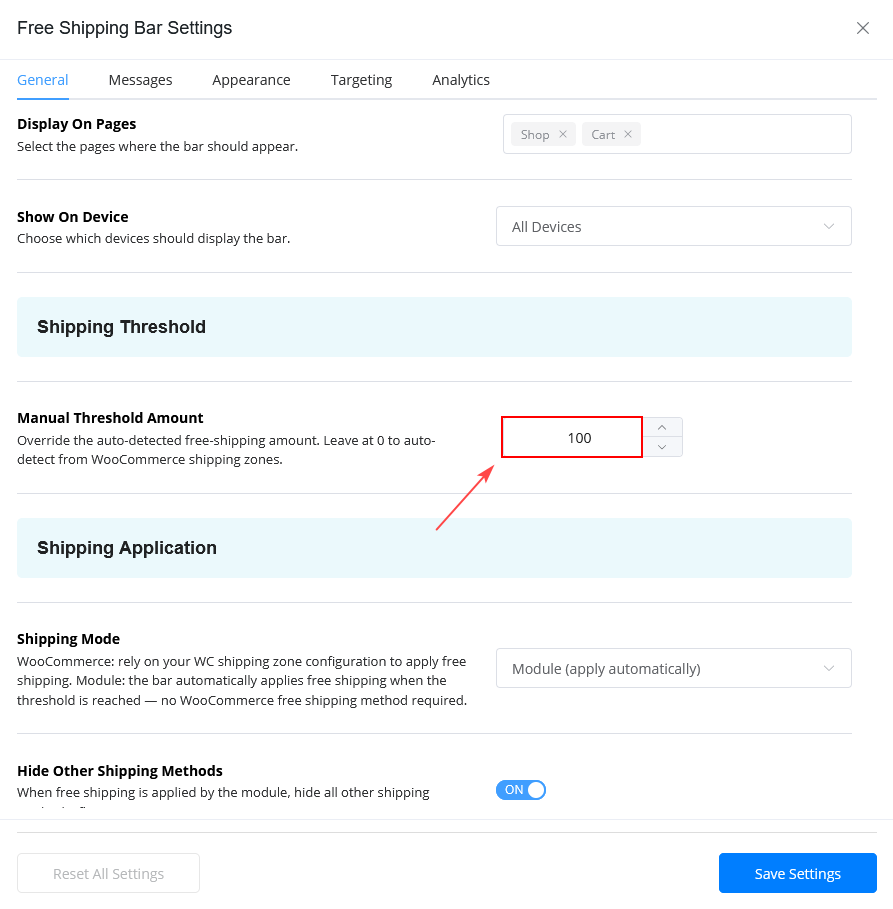
Shipping Threshold Settings
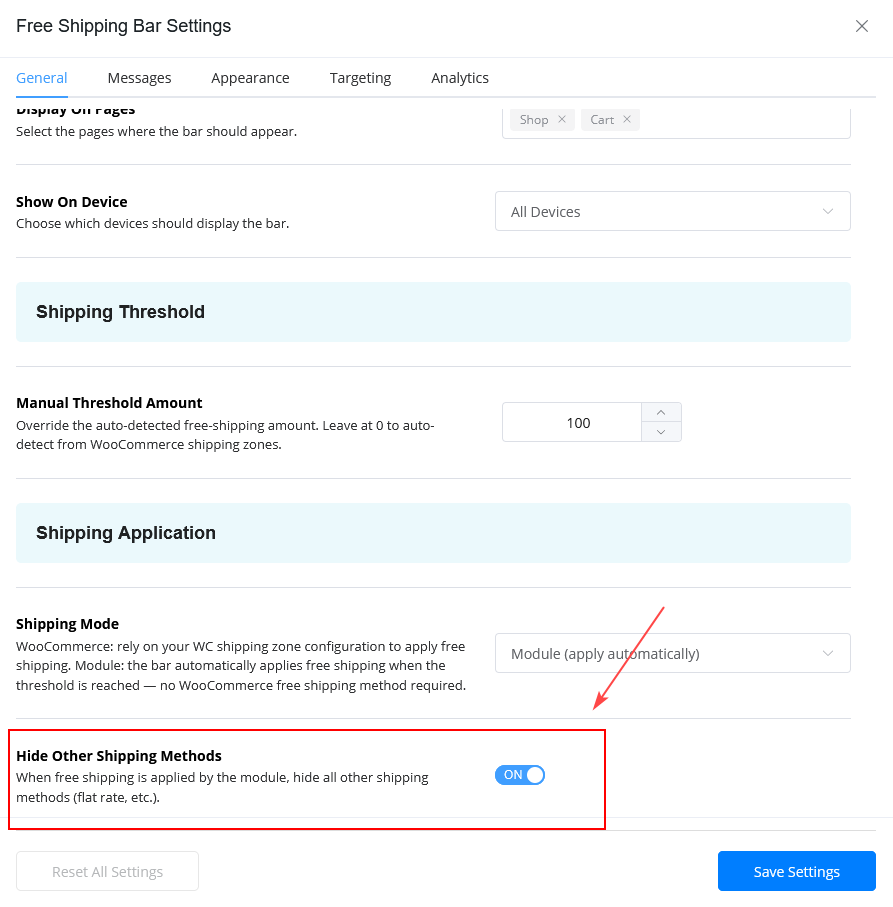
Manual Threshold Amount
Set the minimum amount customers must spend to unlock free shipping.
Example
If the threshold is:
100And the customer cart total is:
70The bar displays:
Spend 30 more to get FREE shipping!Automatic Threshold Detection
Set the threshold value to:
0The module automatically detects the WooCommerce free shipping threshold from your WooCommerce shipping zones.
Note: Automatic threshold detection works when WooCommerce Free Shipping methods are properly configured.
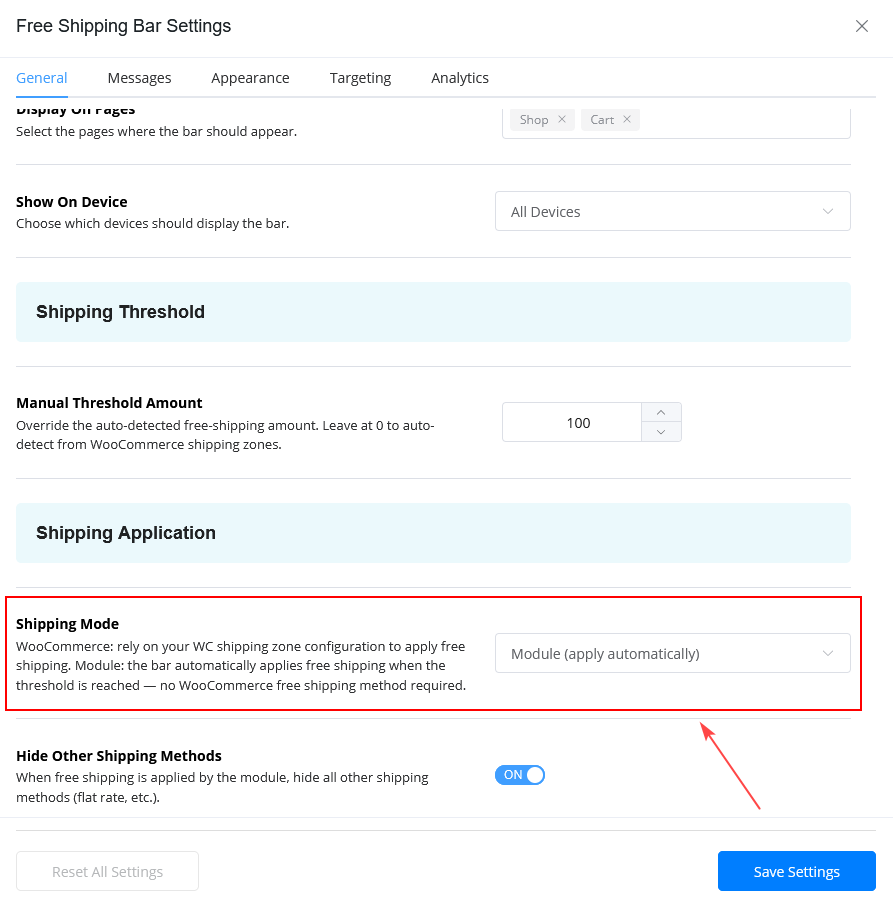
Shipping Application Settings
Shipping Mode
| Mode | Description |
|---|---|
| WooCommerce | Uses WooCommerce shipping methods |
| Module | Automatically applies free shipping |
Hide Other Shipping Methods
Enable this option to hide other shipping methods when free shipping becomes available.
This creates a cleaner checkout experience.
Messages Settings
Progress Message
This message appears before free shipping is unlocked.
Example
Spend {amount} more to get FREE shipping!The {amount} placeholder automatically updates based on the customer’s cart total in real time.
Success Message
This message appears after customers unlock free shipping.
Example
🎉 You have unlocked FREE shipping!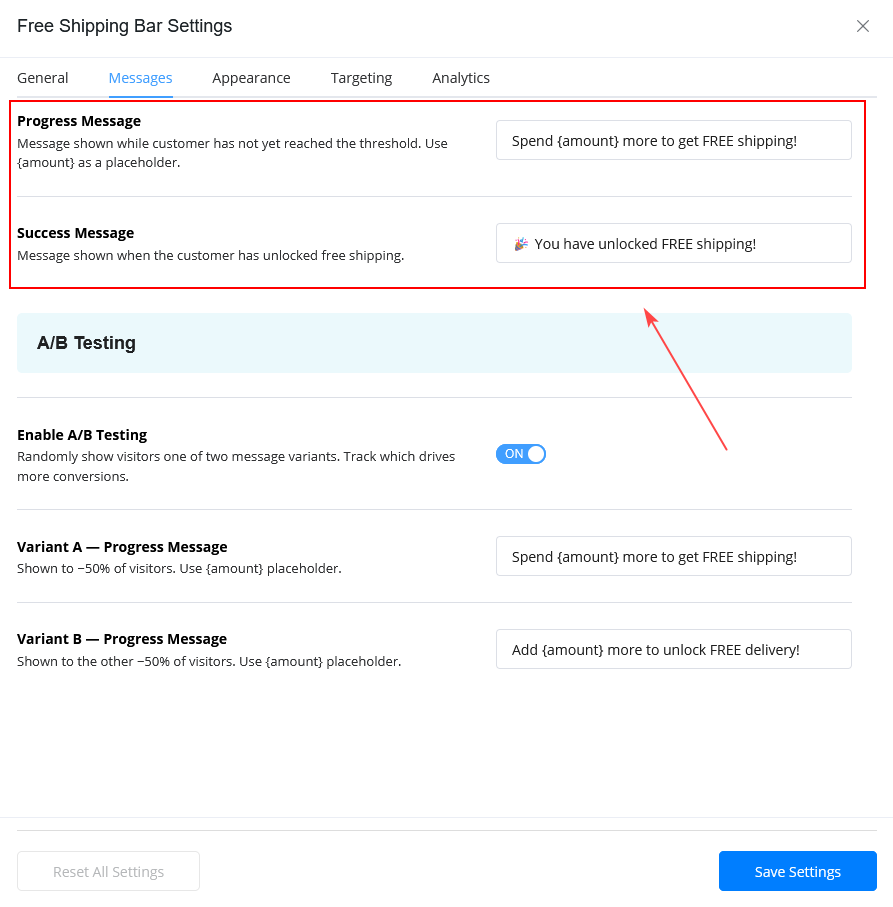
A/B Testing
The Free Shipping Bar supports A/B testing for progress messages.
This feature helps identify which message performs better for conversions.
Variant A Example
Spend {amount} more to get FREE shipping!Variant B Example
Add {amount} more to unlock FREE delivery!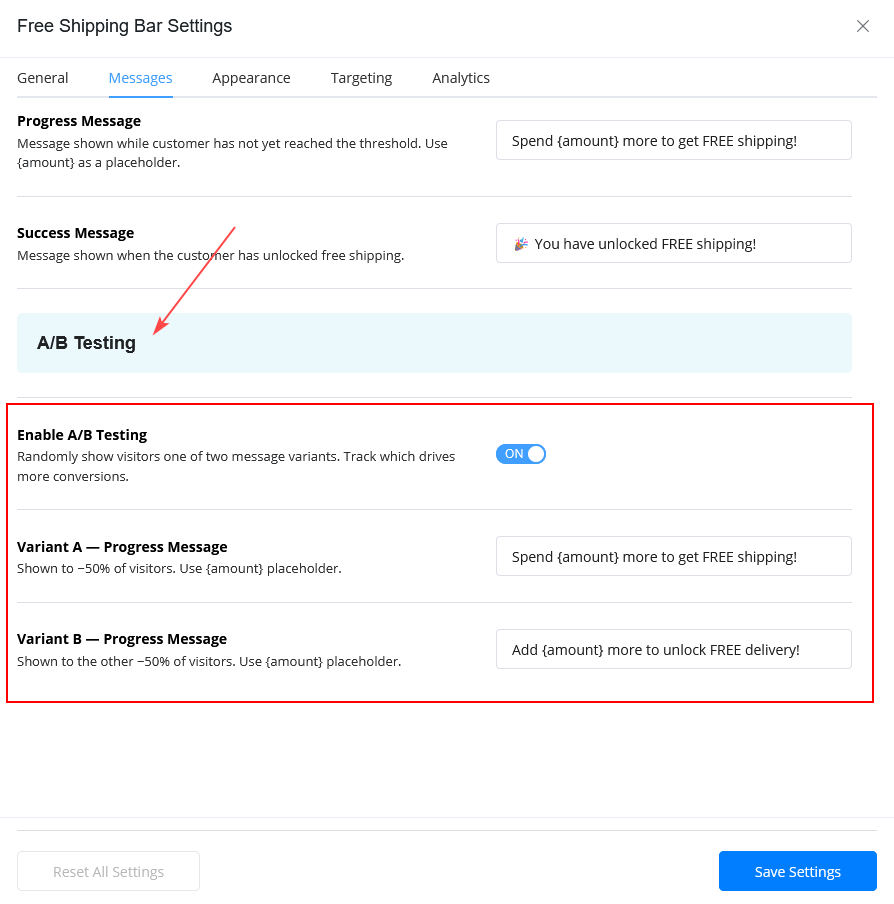
Appearance Settings
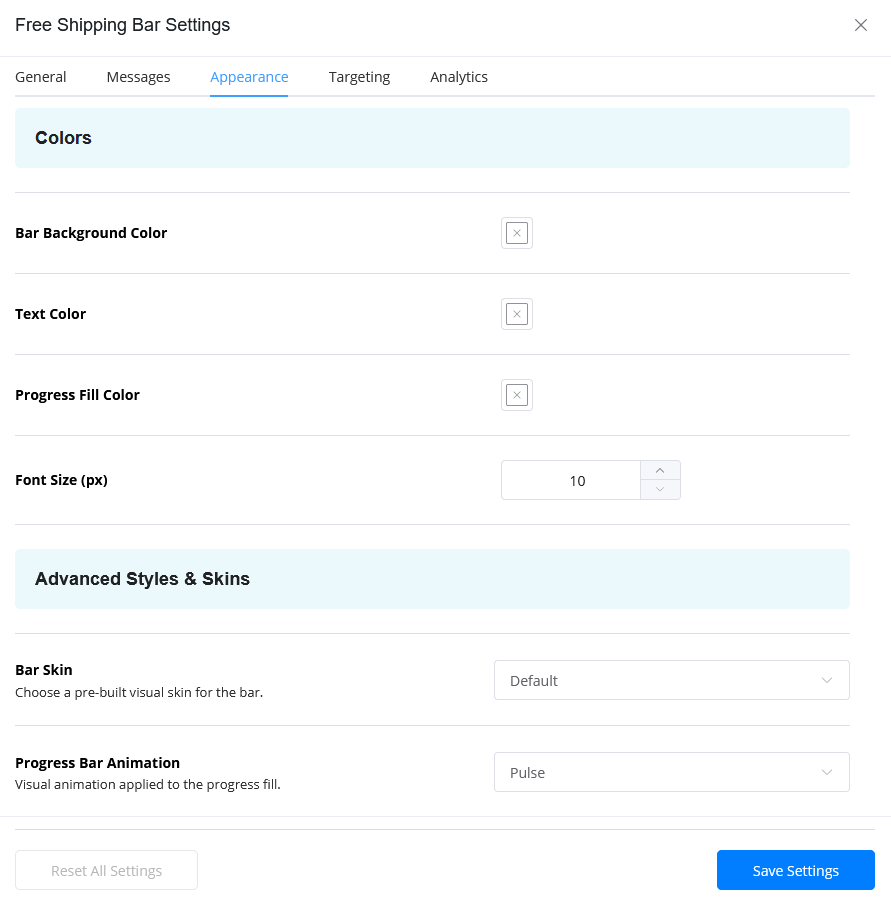
Color Settings
Customize:
- Bar Background Color
- Text Color
- Progress Fill Color
Font Size
Adjust the shipping bar text size.
Bar Skin
Choose a pre-designed style for the shipping bar.
Example:
- Default
- Minimal
- Modern
- Rounded
Progress Bar Animation
Available options may include:
- None
- Smooth
- Pulse
Custom CSS
Add custom CSS for advanced styling.
Example
#wl-free-shipping-bar{
    border-radius:10px;
}
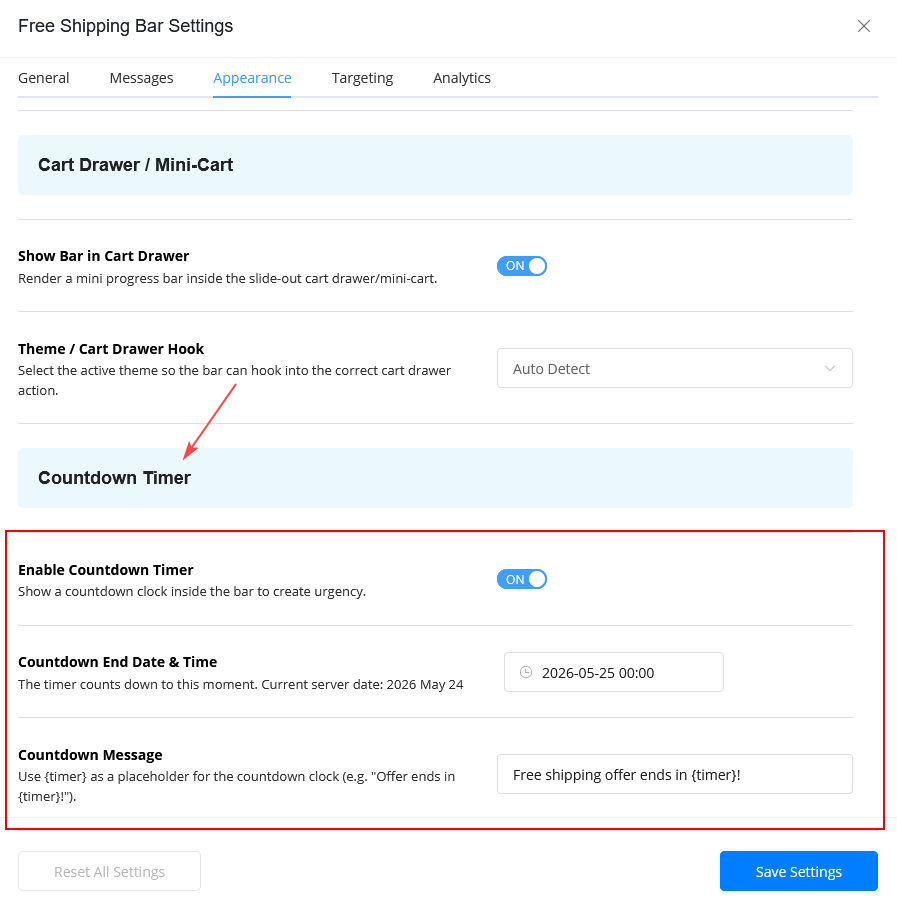
Countdown Timer Settings
The Countdown Timer lets you display a live countdown inside the Free Shipping Bar. It is useful for limited-time free shipping offers, flash sales, holiday campaigns, or weekend promotions.
Enable Countdown Timer
Turn this option on to show a countdown timer with the shipping bar.
When enabled, customers can see how much time is left before the free shipping offer ends.
Countdown End Date & Time
Set the exact date and time when the free shipping offer should expire.
After this time, the countdown will stop, and the offer will no longer appear based on your configured settings.
Countdown Message
Customize the message shown with the timer.
Use the {timer} placeholder to display the live countdown automatically.
Example
Free shipping offer ends in {timer}!You can also use messages like:
Hurry! Free shipping ends in {timer}Limited-time offer: unlock free shipping before {timer}Tip: Keep the countdown message short and action-focused so customers can quickly understand the urgency.
Targeting Settings
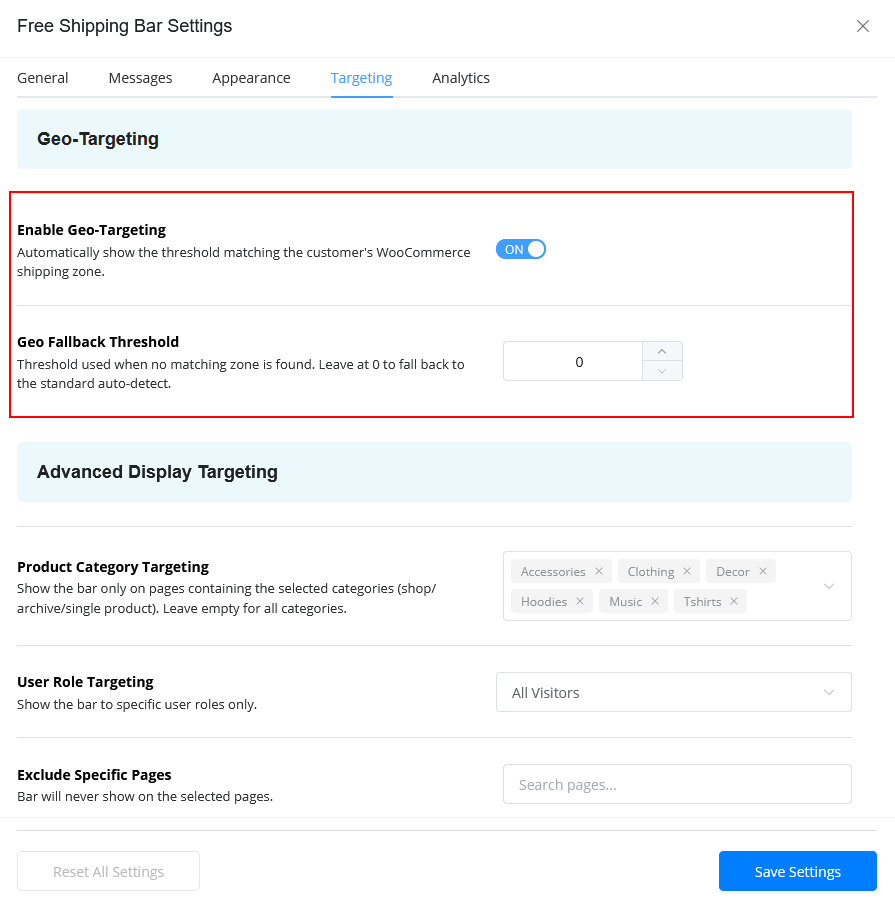
Geo-Targeting
Enable Geo-Targeting
Automatically apply free shipping rules based on customer location and shipping zones.
This helps create region-specific shipping campaigns.
Geo Fallback Threshold
Set a fallback threshold when no matching shipping zone is found.
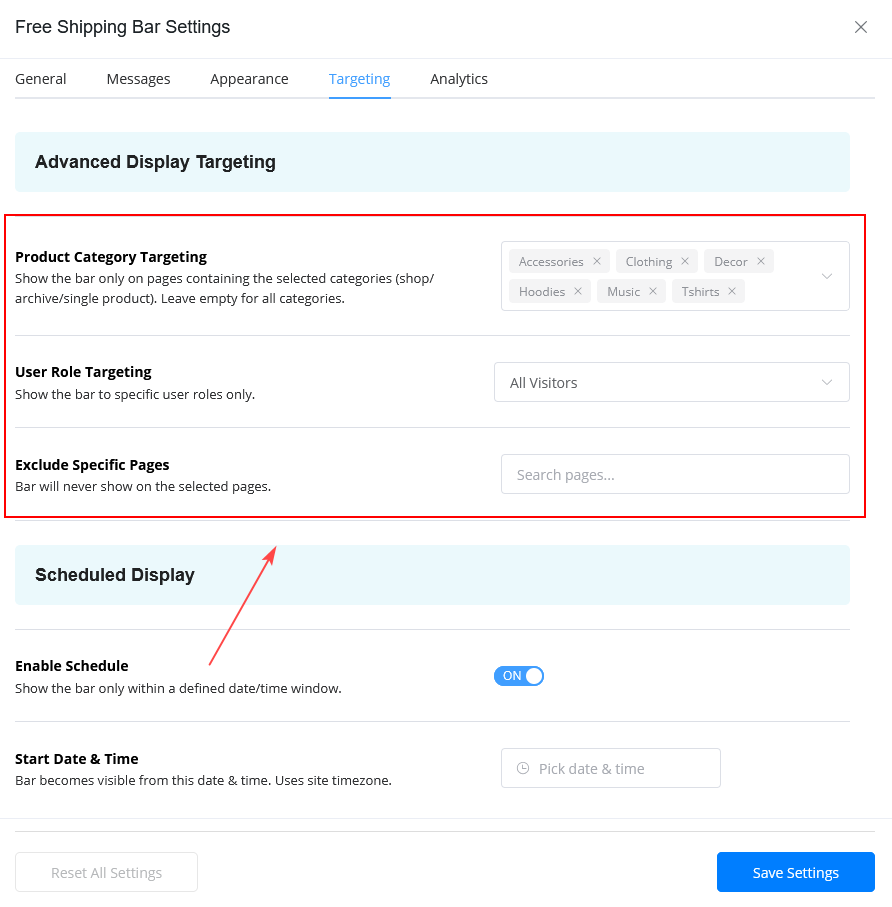
Advanced Display Targeting
Product Category Targeting
Display the shipping bar only for selected product categories.
Example:
- Fashion
- Electronics
- Accessories
User Role Targeting
Show the shipping bar for specific user roles.
Example:
- All Visitors
- Customers
- Wholesale Users
Exclude Specific Pages
Hide the shipping bar from selected pages.
Example:
- Thank You page
- My Account page
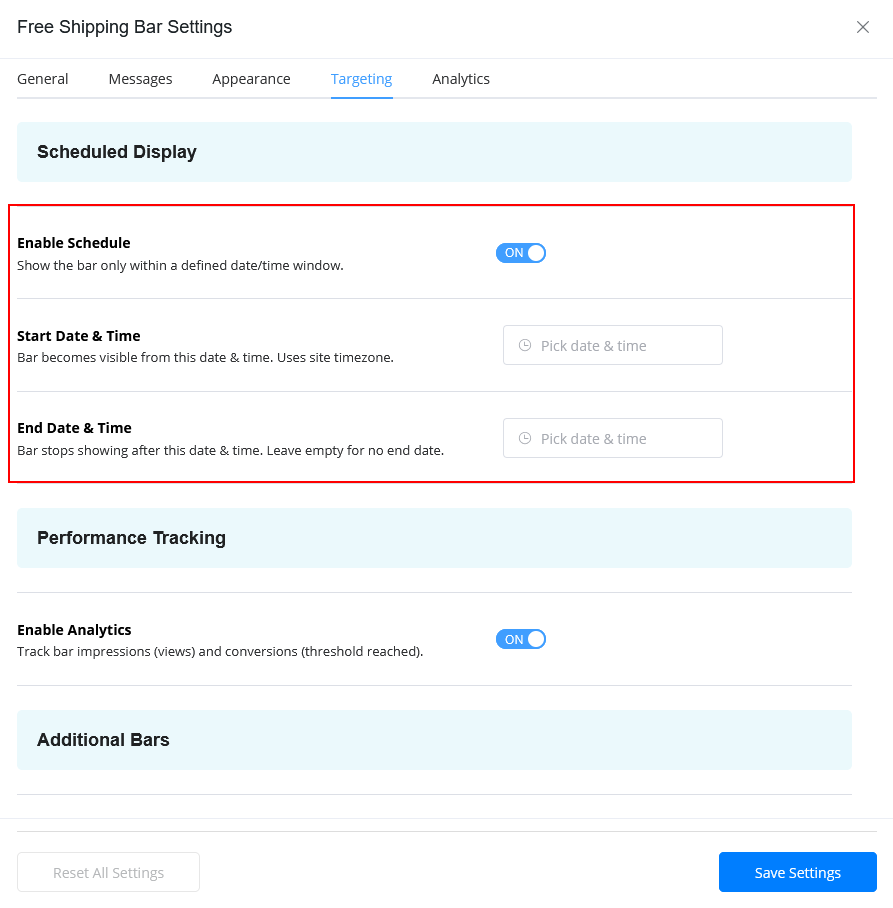
Scheduled Display
Enable Schedule
Display the shipping bar only during selected dates and times.
Start Date & Time
Choose when the shipping bar becomes visible.
End Date & Time
Choose when the shipping bar should stop displaying.
This is useful for:
- Flash sales
- Seasonal campaigns
- Holiday promotions
Analytics Settings
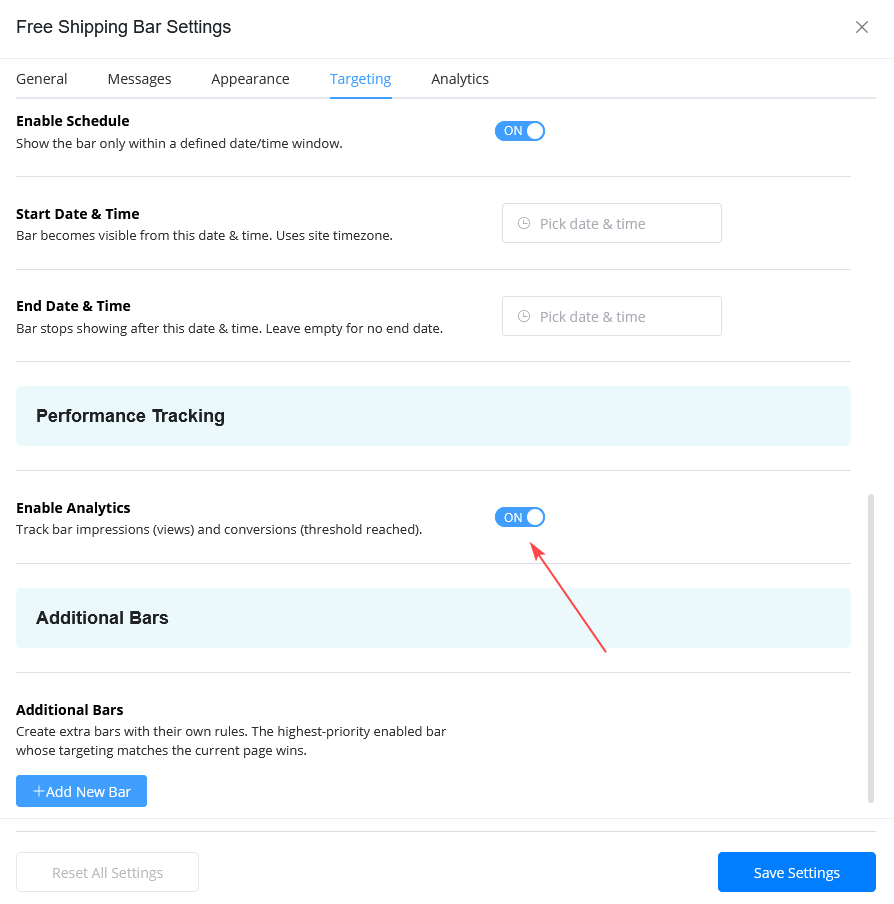
Enable Analytics
Track:
- Impressions
- Conversions
- Conversion Rate
Analytics help measure how effectively the shipping bar increases conversions and average order value.
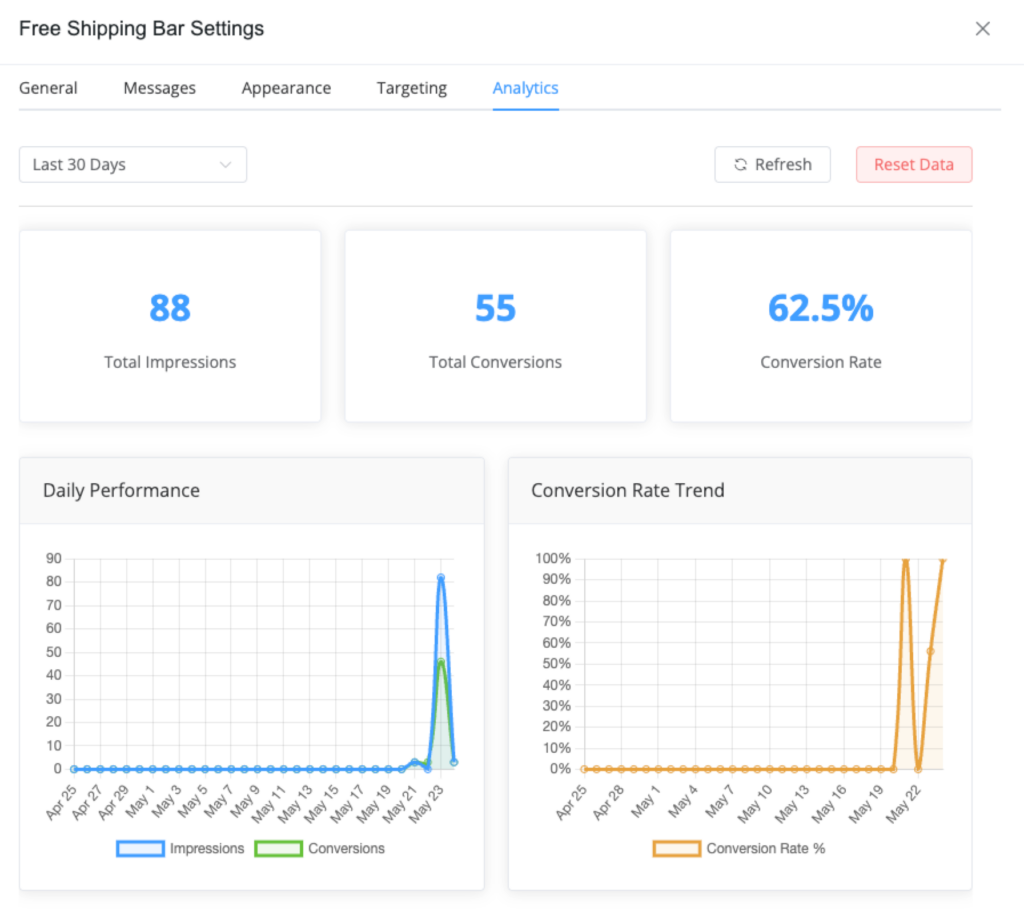
Analytics Dashboard
The analytics dashboard includes:
- Total Impressions
- Total Conversions
- Conversion Rate
- Daily Performance Chart
- Conversion Trend Chart
Analytics Filters
Available filters:
- Last 7 Days
- Last 30 Days
- Last 3 Months
- Last Year
- Custom Range
Reset Analytics Data
You can reset analytics statistics when needed.
Important: Resetting analytics permanently removes stored data.
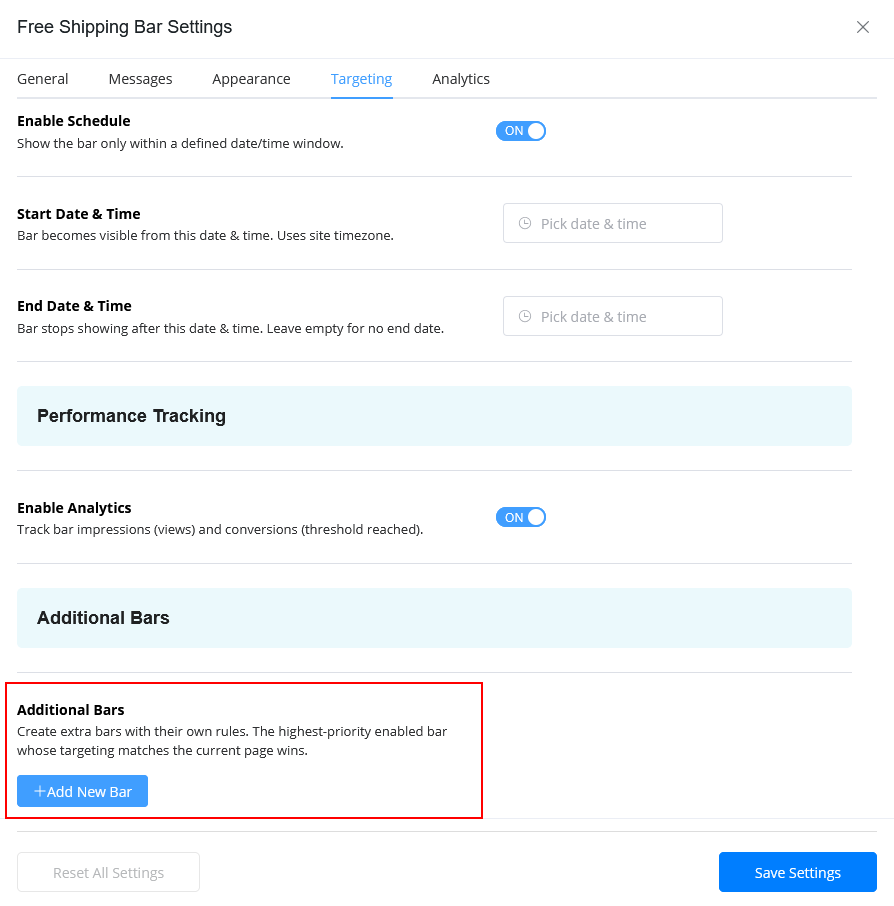
Additional Bars
Create multiple shipping bars with different targeting rules.
Example:
- Country-specific campaigns
- Seasonal promotions
- Category-specific offers
- User role-based offers
The highest-priority matching bar will display automatically.
Free vs Pro Features
| Feature | Free | Pro |
|---|---|---|
| Basic Shipping Bar | Yes | Yes |
| Multiple Bars | No | Yes |
| Geo-Targeting | No | Yes |
| Countdown Timer | No | Yes |
| A/B Testing | No | Yes |
| Analytics Dashboard | No | Yes |
| Advanced Targeting | No | Yes |
Troubleshooting
Free Shipping Bar Not Showing
Solutions
- Ensure the module is enabled
- Clear website cache
- Check targeting settings
- Verify WooCommerce is active
Mini-Cart Bar Not Working
Solutions
- Enable mini-cart support
- Select the correct theme hook
- Use Auto Detect mode
Countdown Timer Not Working
Solutions
- Verify WordPress timezone
- Check server date and time
- Confirm the countdown end date
FAQs
Does the Free Shipping Bar work with WooCommerce?
Yes. The module is built specifically for WooCommerce.
Can the module automatically detect shipping thresholds?
Yes. Set the threshold value to 0.
Does the module support mobile devices?
Yes. You can control device visibility.
Can I create multiple shipping bars?
Yes. Multiple bars with separate targeting rules are supported.
Does the module support mini-cart integration?
Yes. The module supports WooCommerce mini-cart and cart drawer integration.
Does the progress bar update automatically?
Yes. The progress bar updates in real time based on the customer’s cart total.
Conclusion
The ShopLentor Free Shipping Bar module helps WooCommerce store owners increase sales by encouraging customers to spend more for free shipping.
With analytics, targeting, countdown timers, mini-cart support, A/B testing, and customizable styles, the module provides a complete free shipping promotion system for WooCommerce stores.