
The Product Reviews Block for Gutenberg in ShopLentor allows you to display and collect WooCommerce Product Reviews directly within the WordPress block editor. It shows the customer review form where users can submit their ratings and review content for a product.
Displaying WooCommerce Product Reviews helps build trust and credibility for your store. Customers can rate products using star ratings and submit their feedback, making it easier for potential buyers to understand product quality and user experiences.
The block integrates with WooCommerce and automatically handles the review submission process. It provides simple styling controls so you can customize the review form appearance to match your website design.
How to Enable the Product Reviews Block
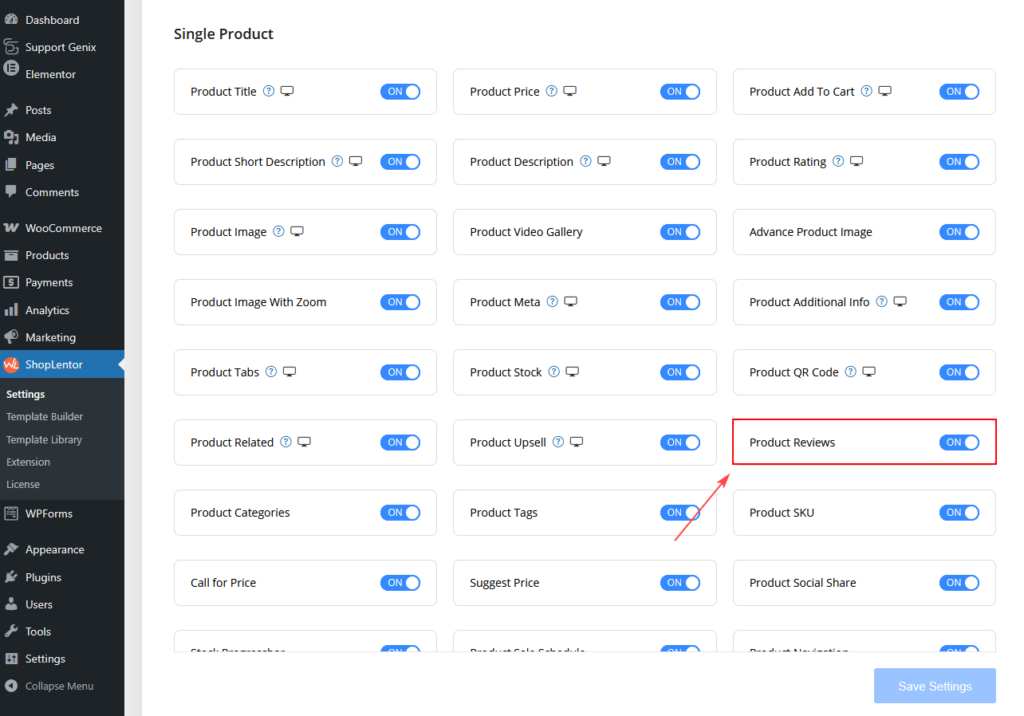
Before using the block, you need to enable it in the ShopLentor settings.
Step 1: Enable the Block
- Go to WordPress Dashboard
- Navigate to ShopLentor → Settings
- Open the Gutenberg Blocks tab
- Find Product Reviews
- Turn ON the block
- Click Save Settings
Once enabled, the block will appear in the Gutenberg editor.
How to Add the Product Reviews Block
After enabling the block, you can add it to single product page template.
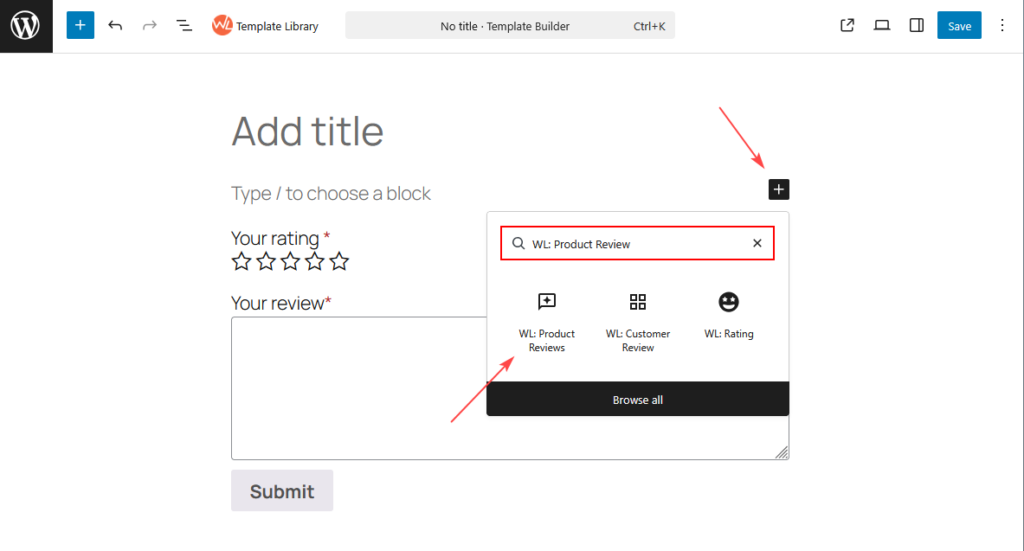
Step 2: Add the Block
- Open a template in the WordPress Block Editor
- Click the + Add Block button
- Search for Product Reviews
- Select WL: Product Reviews
- Insert the block into your page
The block will display the review submission form, including rating stars and review fields.
Product Reviews Block Layout
The block displays a standard WooCommerce review form that includes:
- Review Title
- A title area where you can add a heading for the review section.
- Star Rating
- Users can select a rating from 1 to 5 stars.
- Review Field
- Customers can write their product review inside the review text area.
- Submit Button
- Once the review is completed, users can submit their feedback using the Submit button.
Style Settings
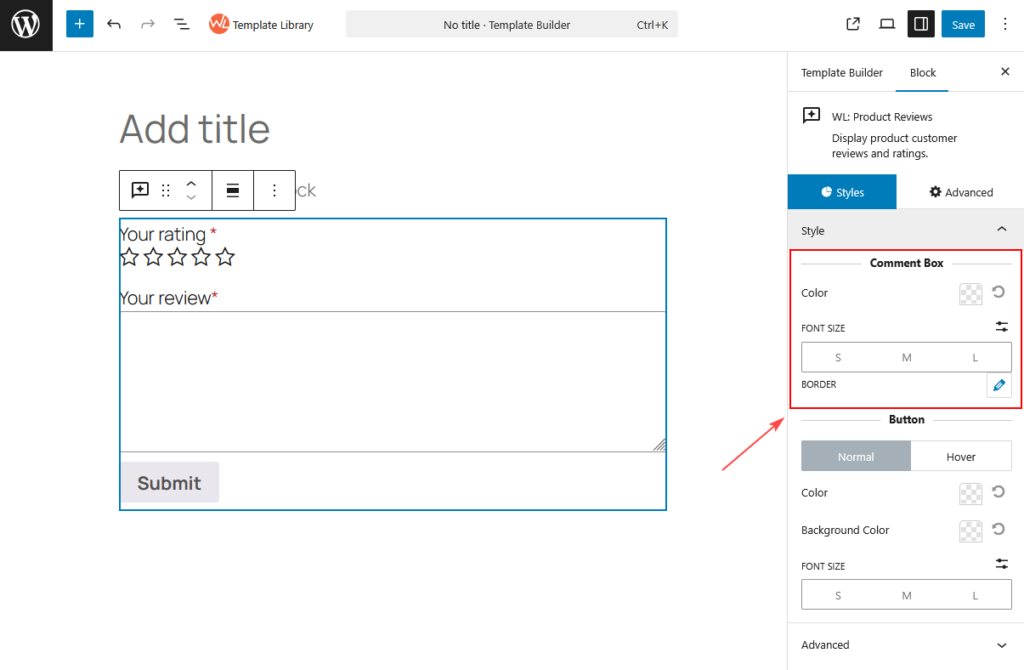
You can customize the appearance of the review form using the Styles tab.
Comment Box
This section controls the design of the review text area.
Color
Choose the text color for the comment box.
Font Size
Select the font size for the comment field.
Available sizes include:
- Small
- Medium
- Large
Border
Customize the border style of the review text box.
Button Styling
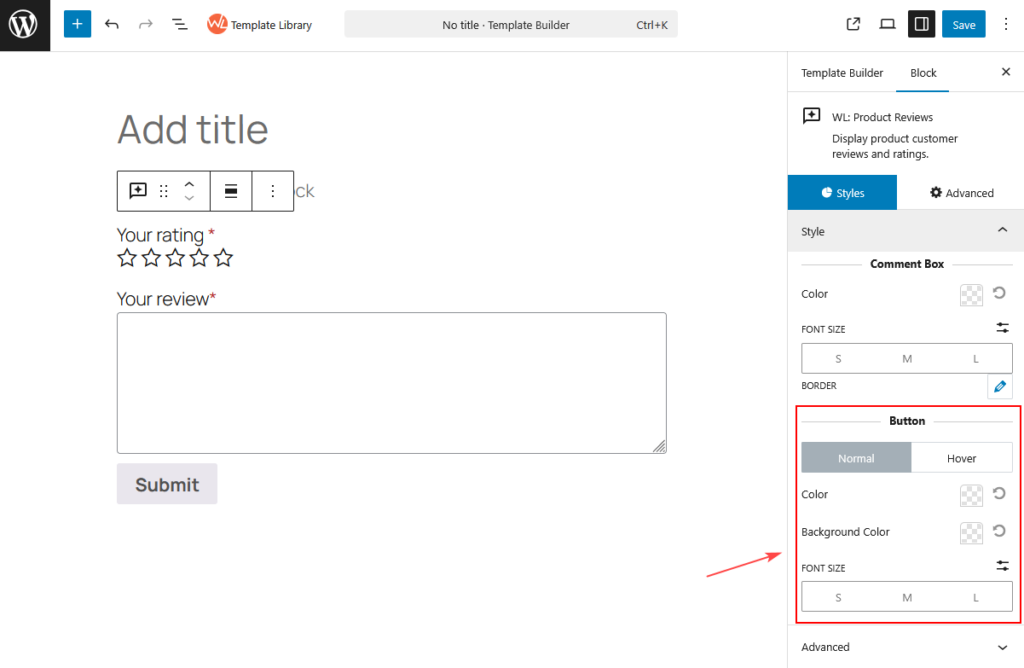
This section controls the appearance of the Submit button.
You can customize both Normal and Hover states.
- Button Color
- Choose the color of the button text.
- Background Color
- Set the background color of the button.
- Font Size
- Adjust the size of the button text.
- Available sizes include:
- Small
- Medium
- Large
Advanced Settings
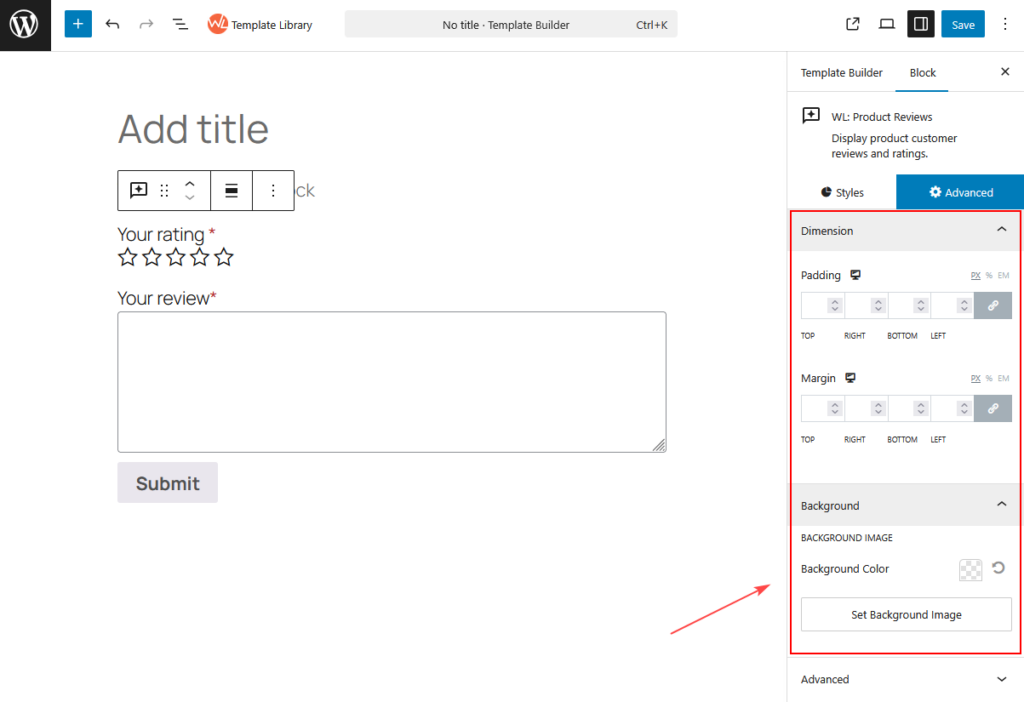
The Advanced tab provides additional block settings for layout and spacing.
Typical options may include:
- Margin
- Padding
- Additional CSS class
These settings help adjust the block positioning within the page layout.
Best Practices
To get the best results when displaying WooCommerce Product Reviews, consider the following:
- Place the review section below product details to encourage feedback.
- Use clear headings such as Customer Reviews.
- Keep the review form visible to make it easy for customers to share their experience.
Summary
The Product Reviews Block for Gutenberg allows store owners to easily display and collect WooCommerce Product Reviews directly inside Gutenberg pages. With simple styling controls and seamless WooCommerce integration, it helps improve customer engagement and encourages valuable product feedback.